Payments & Recurring Billing

eStoreware for nopCommerce • Payments & Recurring

Secure checkout today. Easier repeat payments tomorrow.

The eStoreware Stripe Payments plugin extends nopCommerce with saved payment methods, 3D Secure support, authorize-and-capture workflows, refunds, webhooks, and recurring-payment administration.
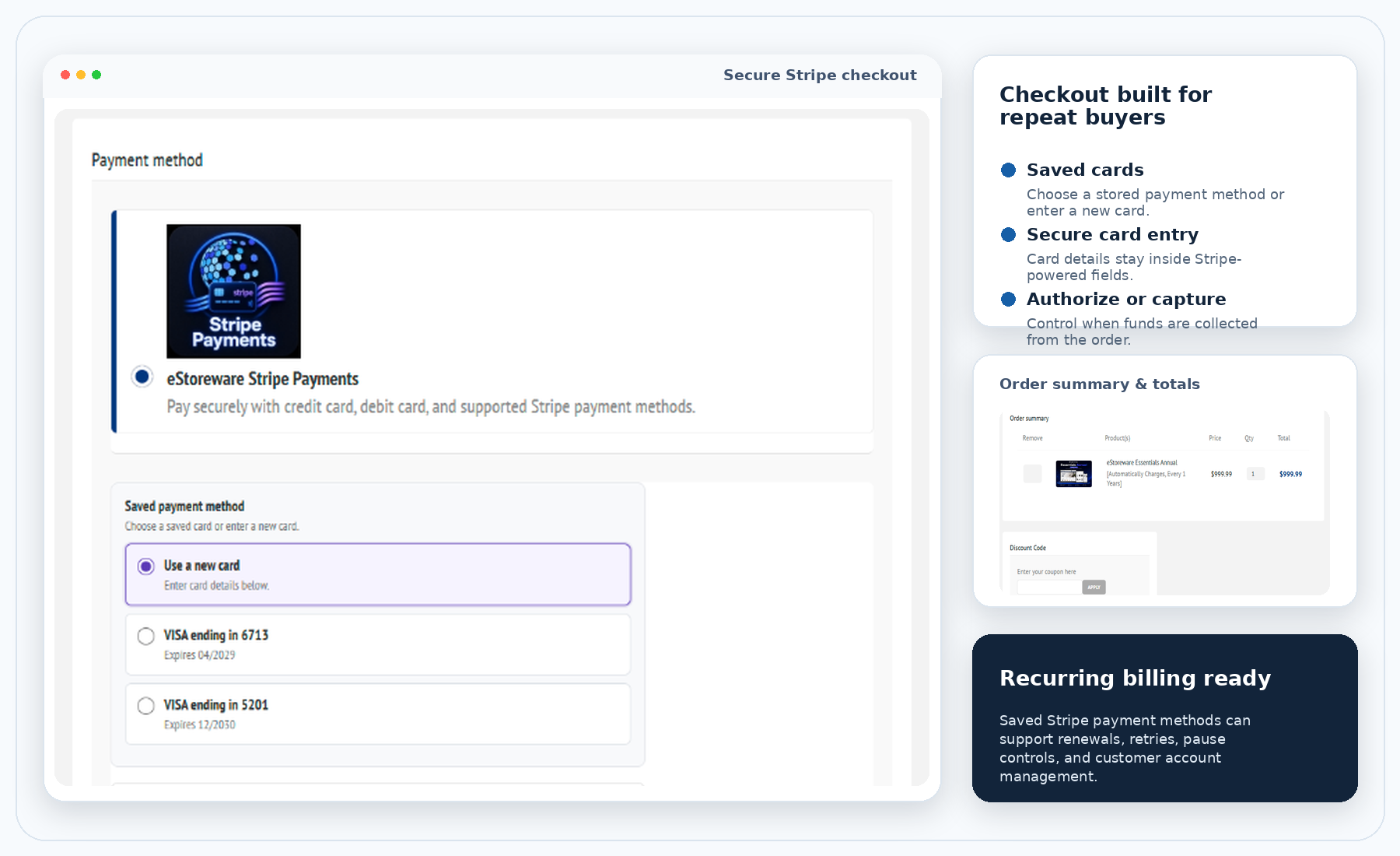
  • New cards or saved payment methods
  • Embedded fields or Hosted Checkout
  • Authorize, capture, void, and refund
  • Renewals, retries, pauses, and renewal cards
Stripe checkout and recurring billing overview
SC

Secure checkout

Stripe-powered card entry.

SP

Saved payments

Stored methods or new-card entry.

3D

3D Secure

Authentication when required.

AC

Authorize & capture

Capture later or void.

RB

Recurring billing

Renewals, cards, pauses, and retries.

WH

Webhooks

Synchronize payment events.

Customer checkout

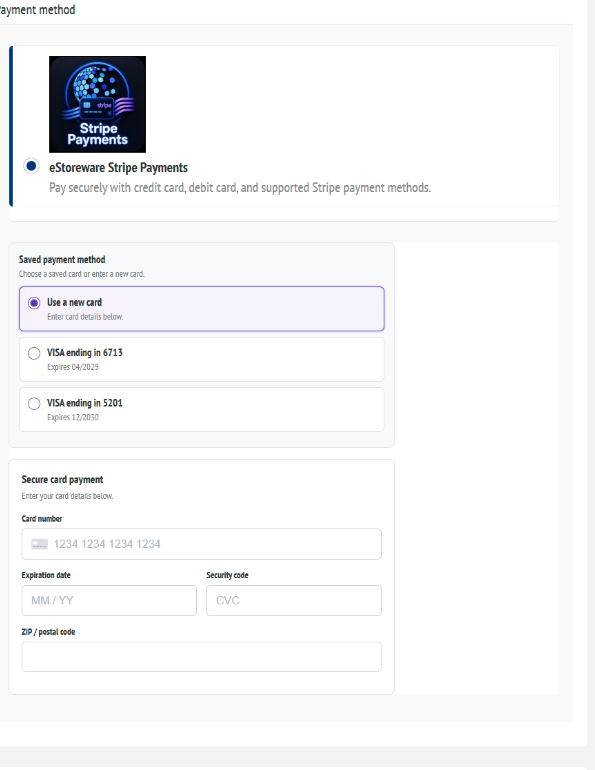
Give customers a clear choice between saved cards and a new method.

The payment experience fits inside the normal storefront checkout.
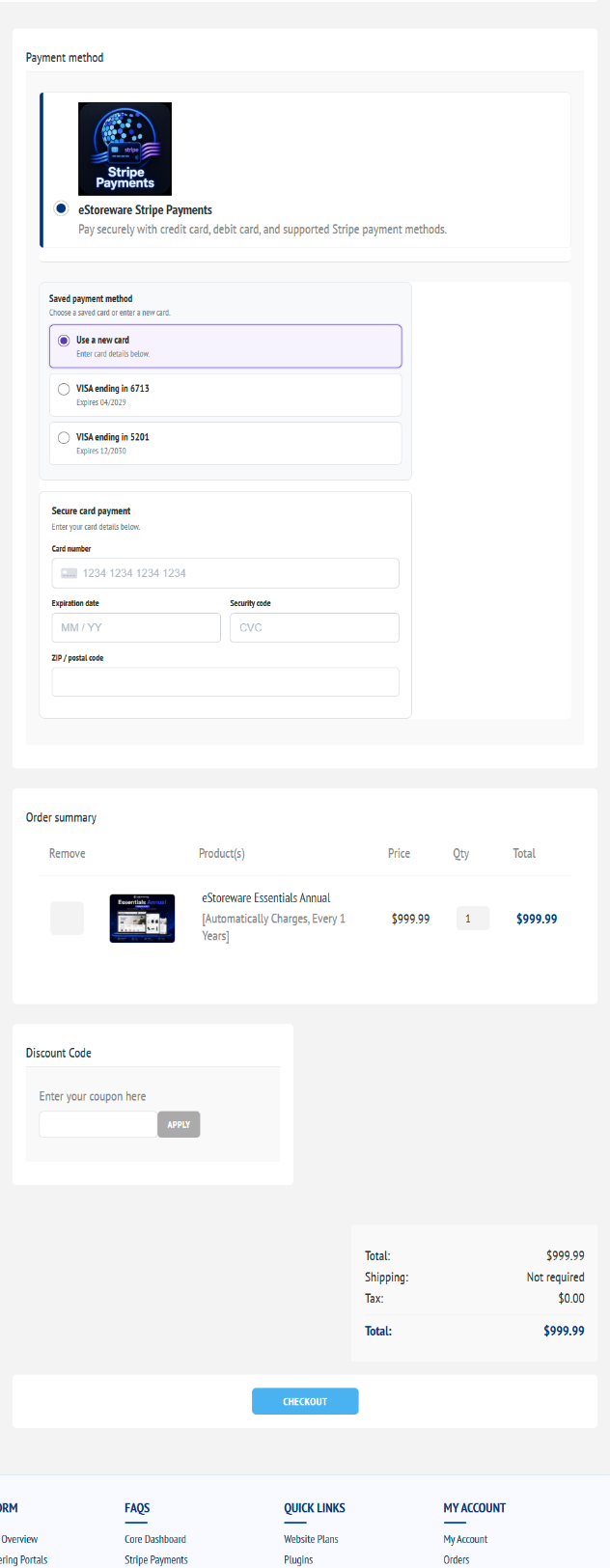
Stripe checkout and order summary
Public-safe payment and order-review view
Saved-card selection
Saved cards and secure new-card entry
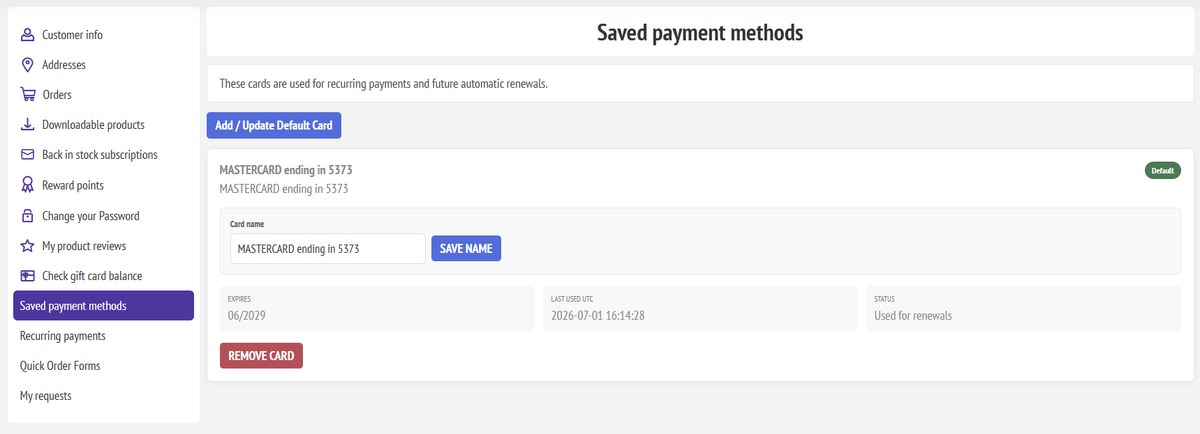
My Account payment methods
Customer saved-payment management

Payment lifecycle

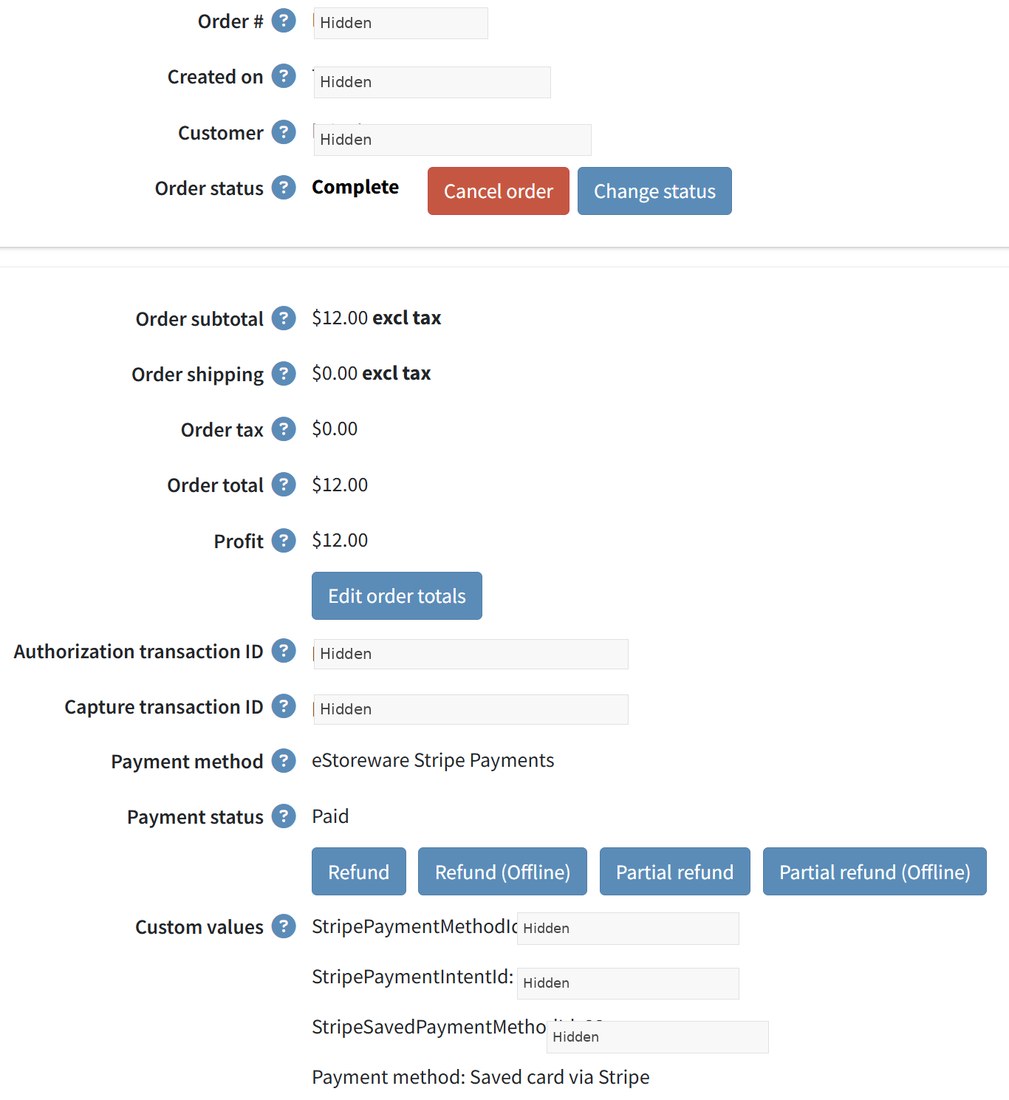
Manage authorization, capture, void, and refund activity.

Payment actions remain connected to the order and its operational history.
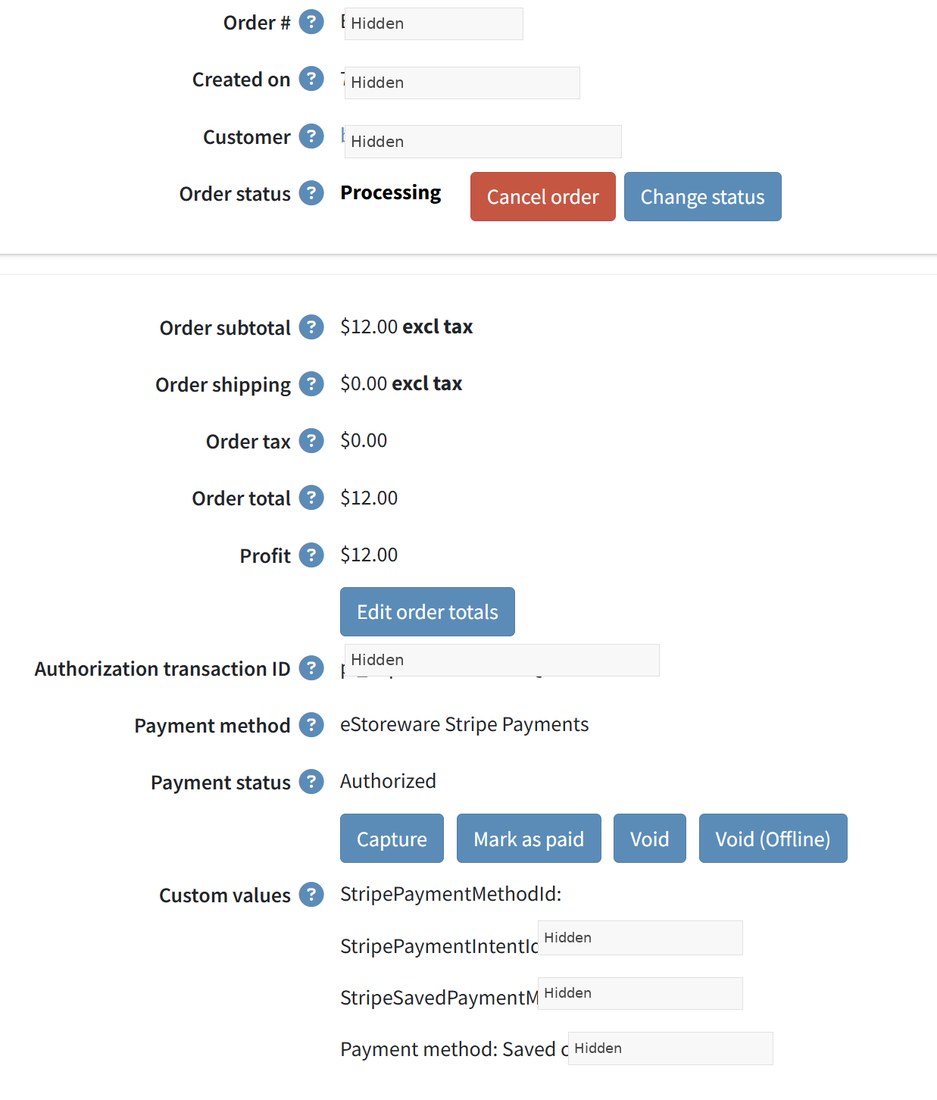
Authorize-only order
Authorization before capture
Captured order
Capture and refund actions
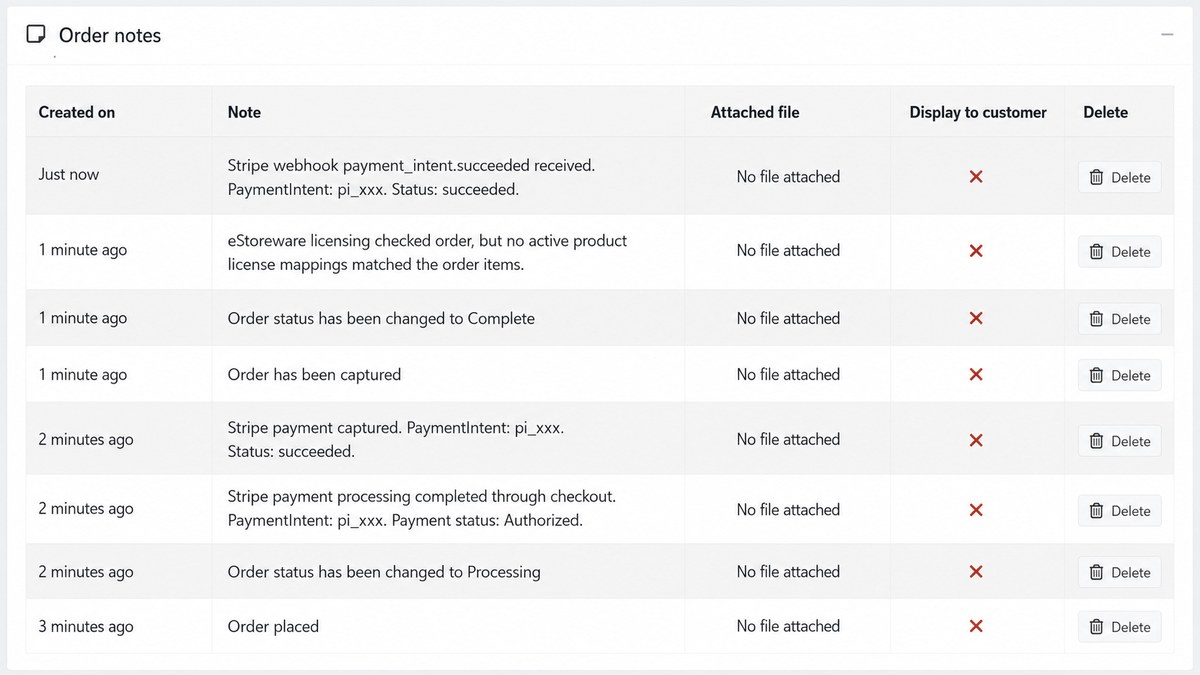
Payment order notes
Payment and webhook activity history

Recurring billing

Support renewals for customers and administrators.

Connect saved payment methods to renewal dates, pause controls, retries, and activity history.
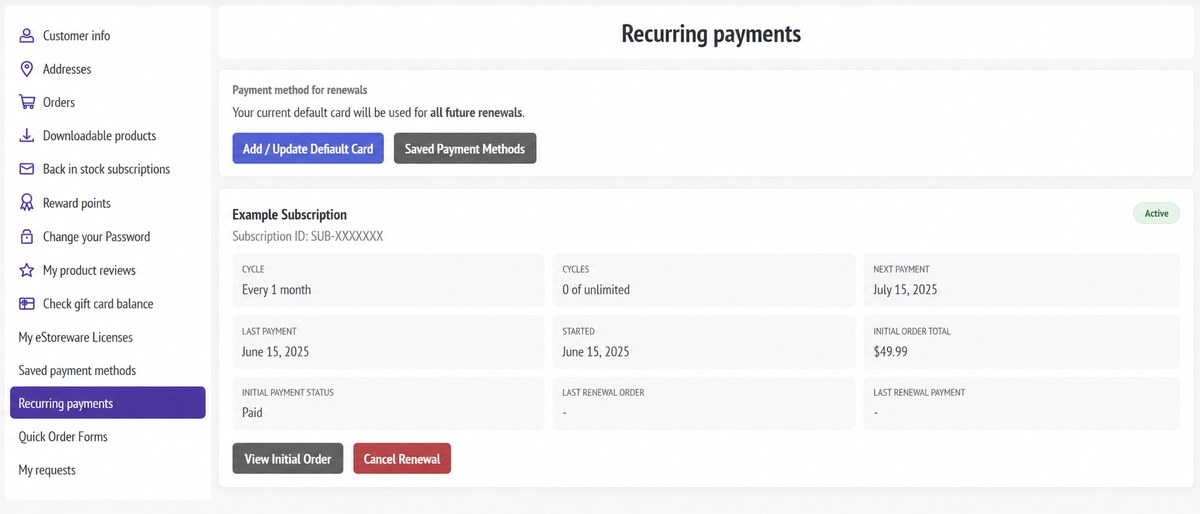
Customer recurring page
Customer status, dates, order, and renewal-card access
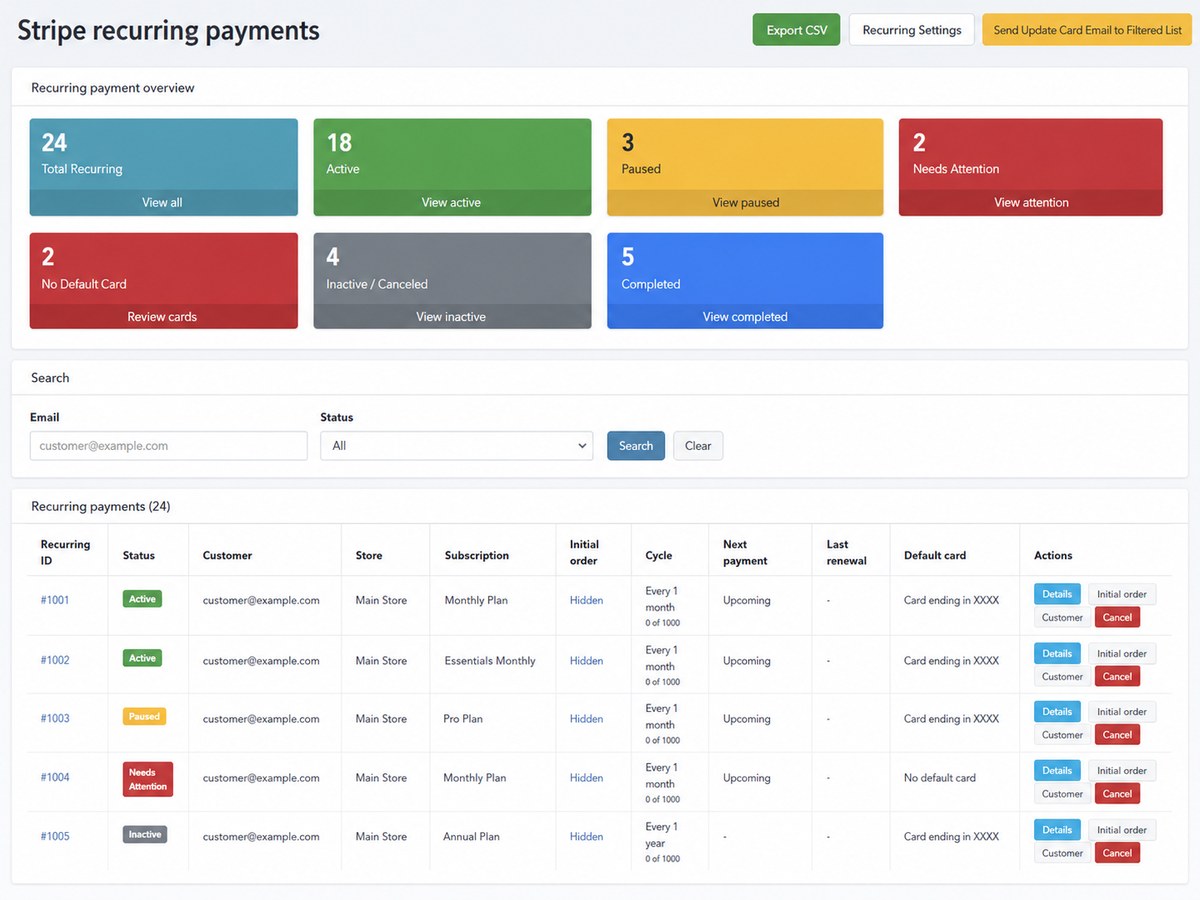
Recurring dashboard
Administrative status and attention summary
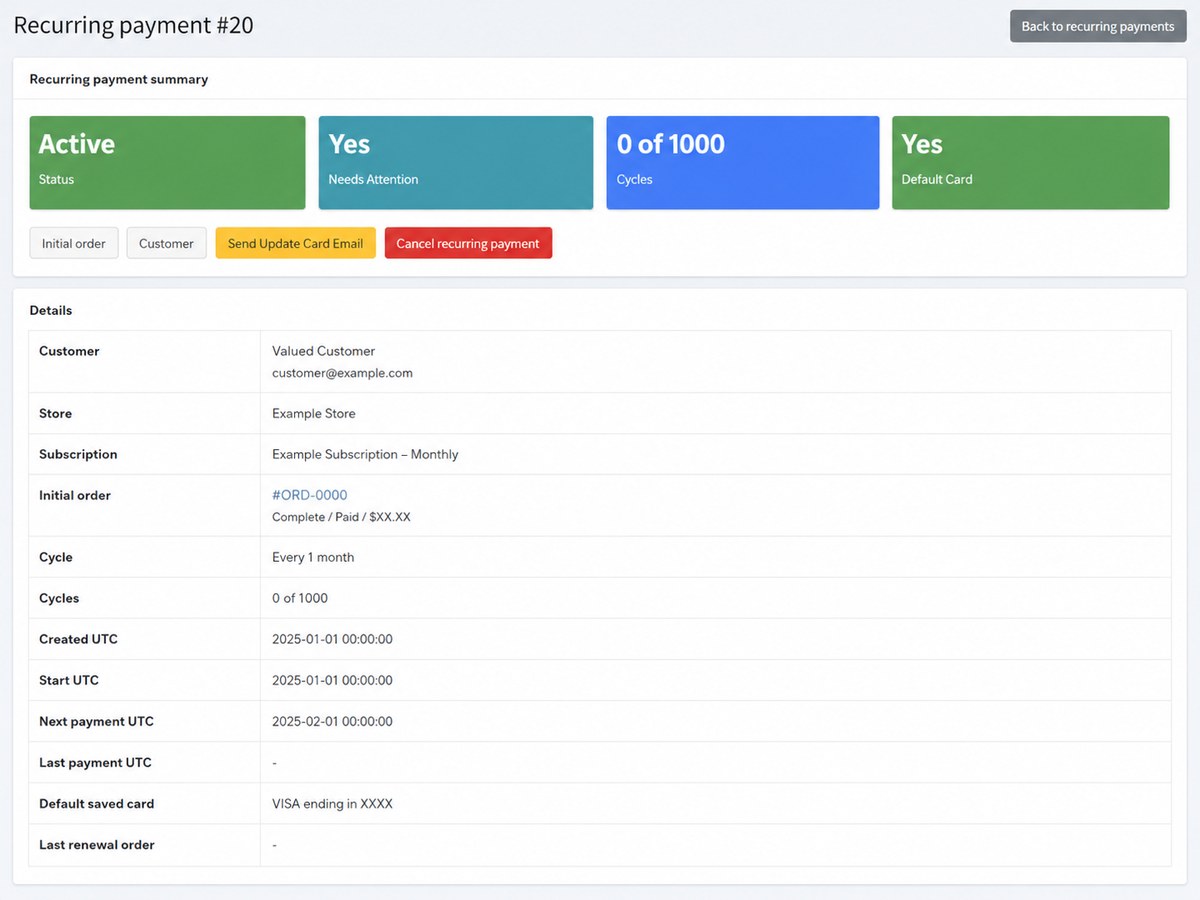
Recurring details
Dates, payment method, and processing controls
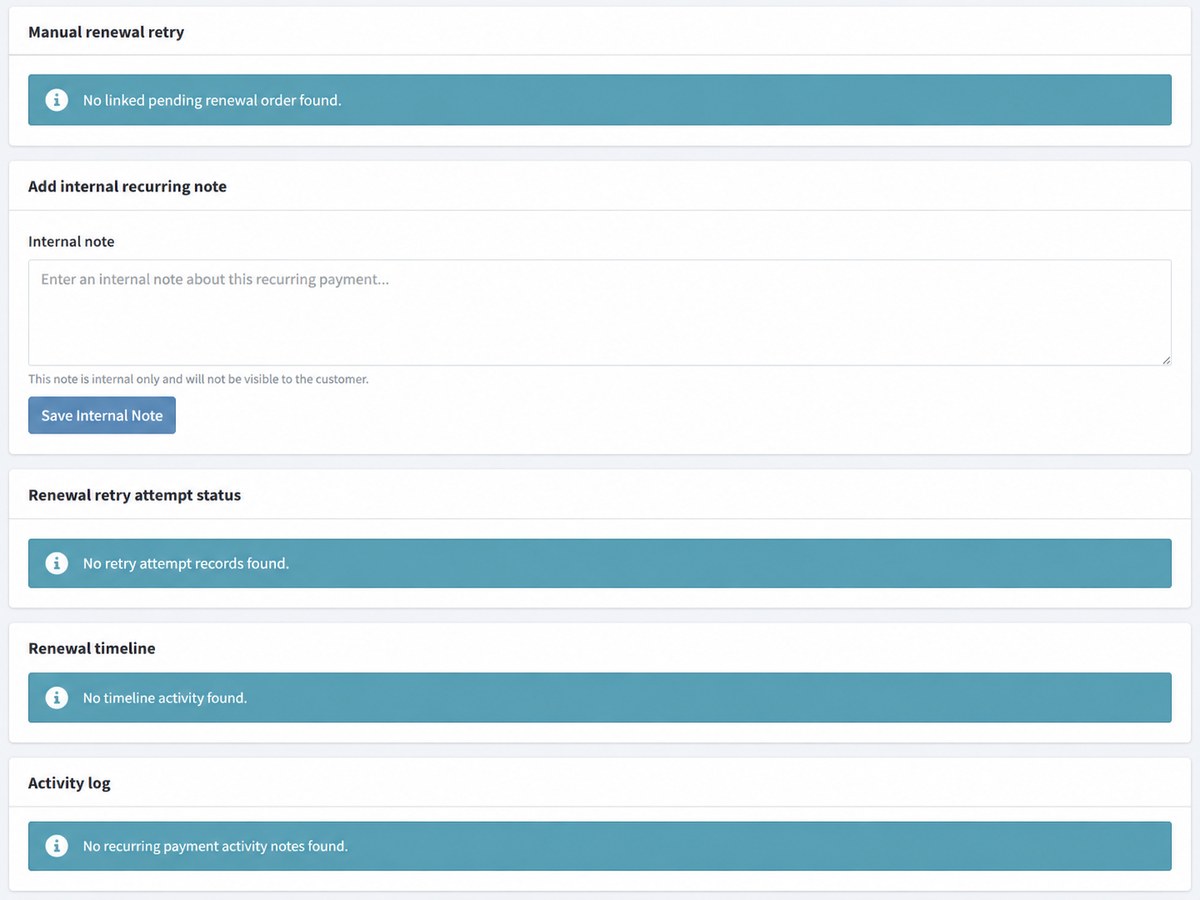
Recurring retry history
Retries, notes, timeline, and activity
Webhook reliability
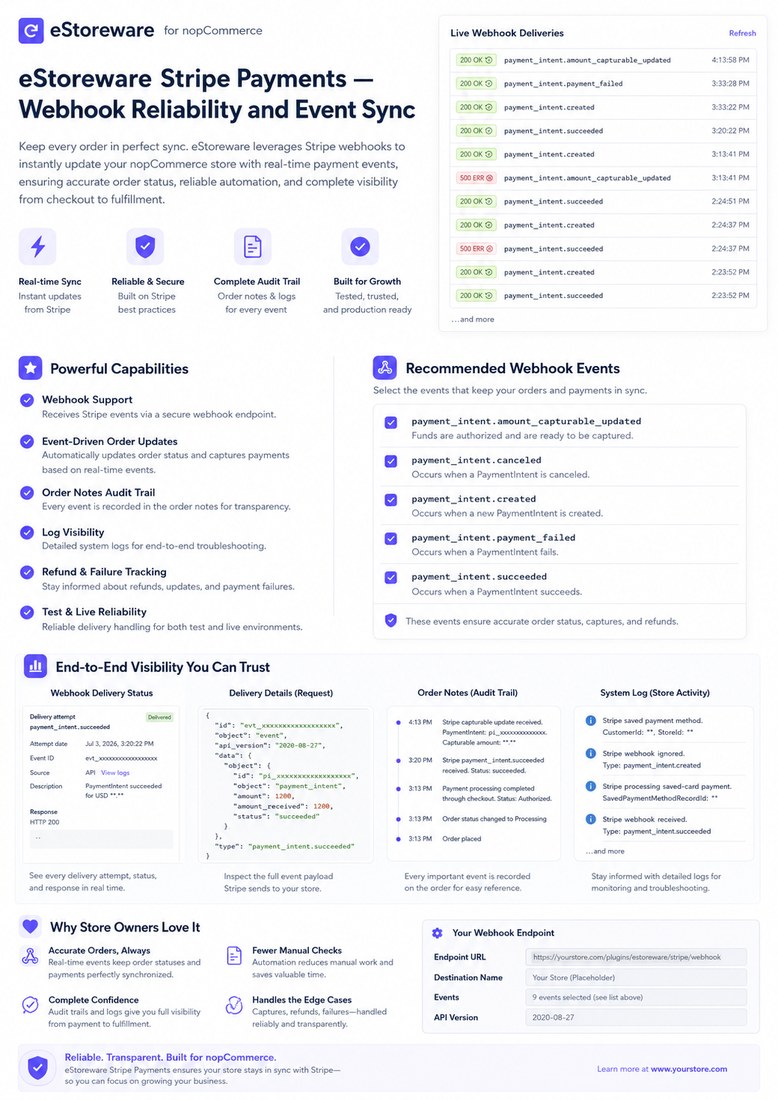
Stripe event synchronization

Webhooks & reliability

Keep Stripe events connected after checkout.

Webhooks synchronize payment success, failure, capture, cancellation, and refund activity.

  • Update order payment state
  • Record activity in order notes
  • Use Stripe delivery history and store logs
  • Protect the endpoint with the signing secret

Configuration & store scope

Control payment behavior at the store level.

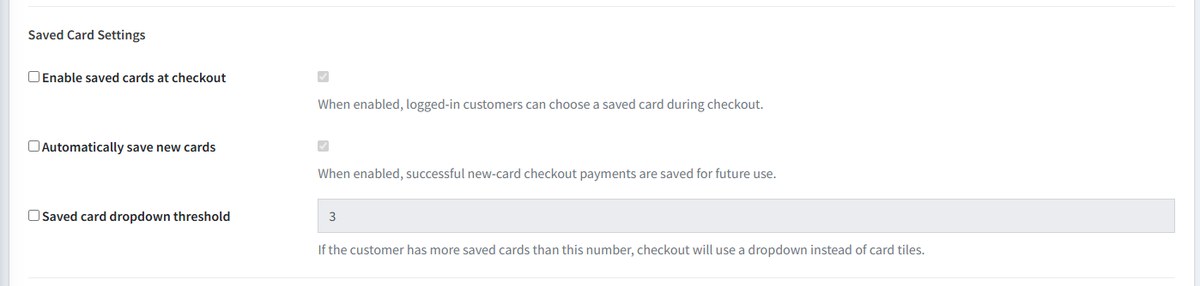
Configure credentials, checkout mode, transaction mode, saved cards, 3D Secure, webhooks, and store overrides.
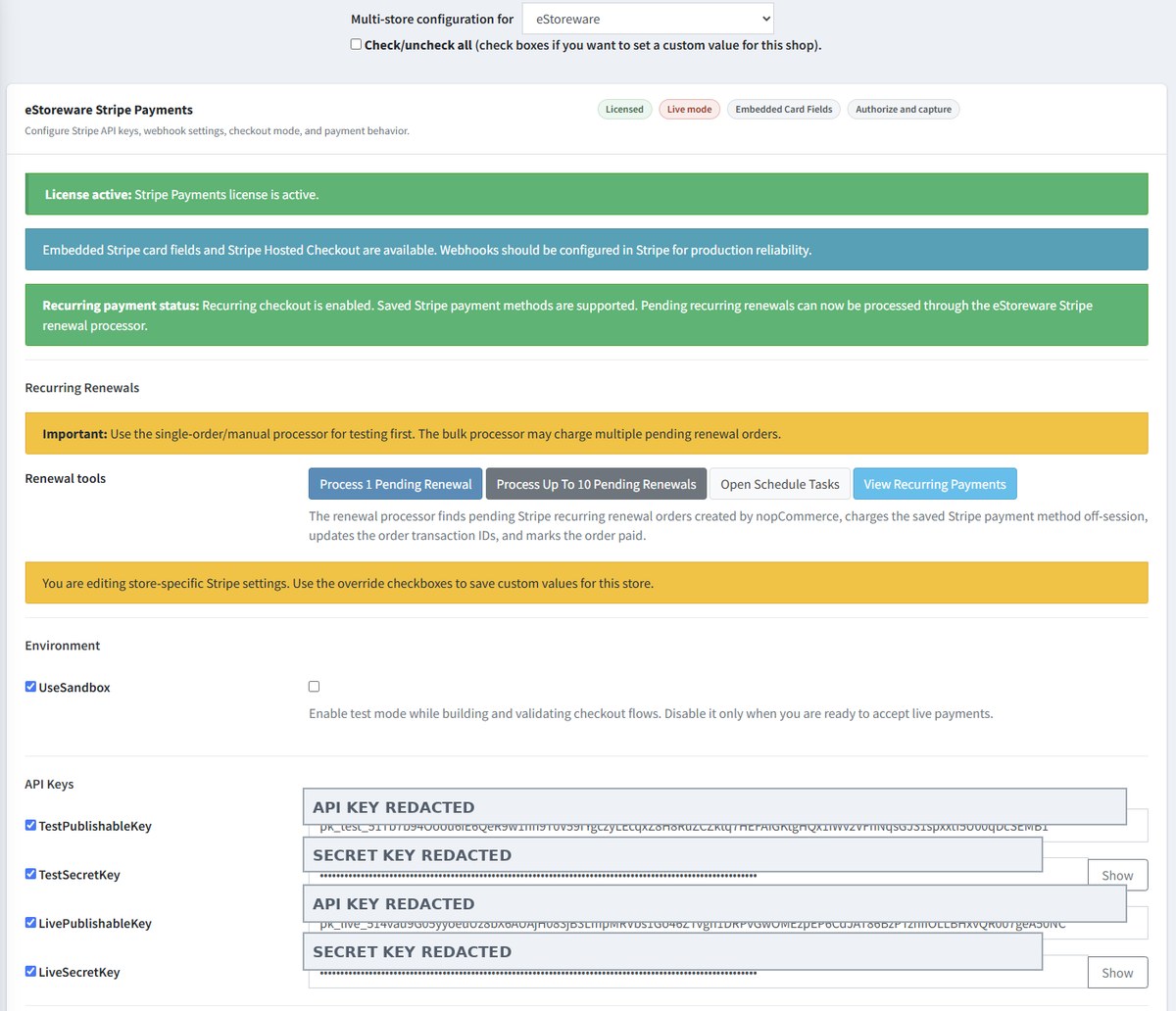
Stripe configuration
Store-level settings with secrets removed
Saved-card settings
Payment-method behavior settings

Payments that grow with the storefront

Bring secure checkout, saved cards, and recurring billing together.

Review the working checkout, explore the plugin, or schedule a guided walkthrough.