B2B Ordering

Platform • B2B Ordering

Help business customers reorder faster.

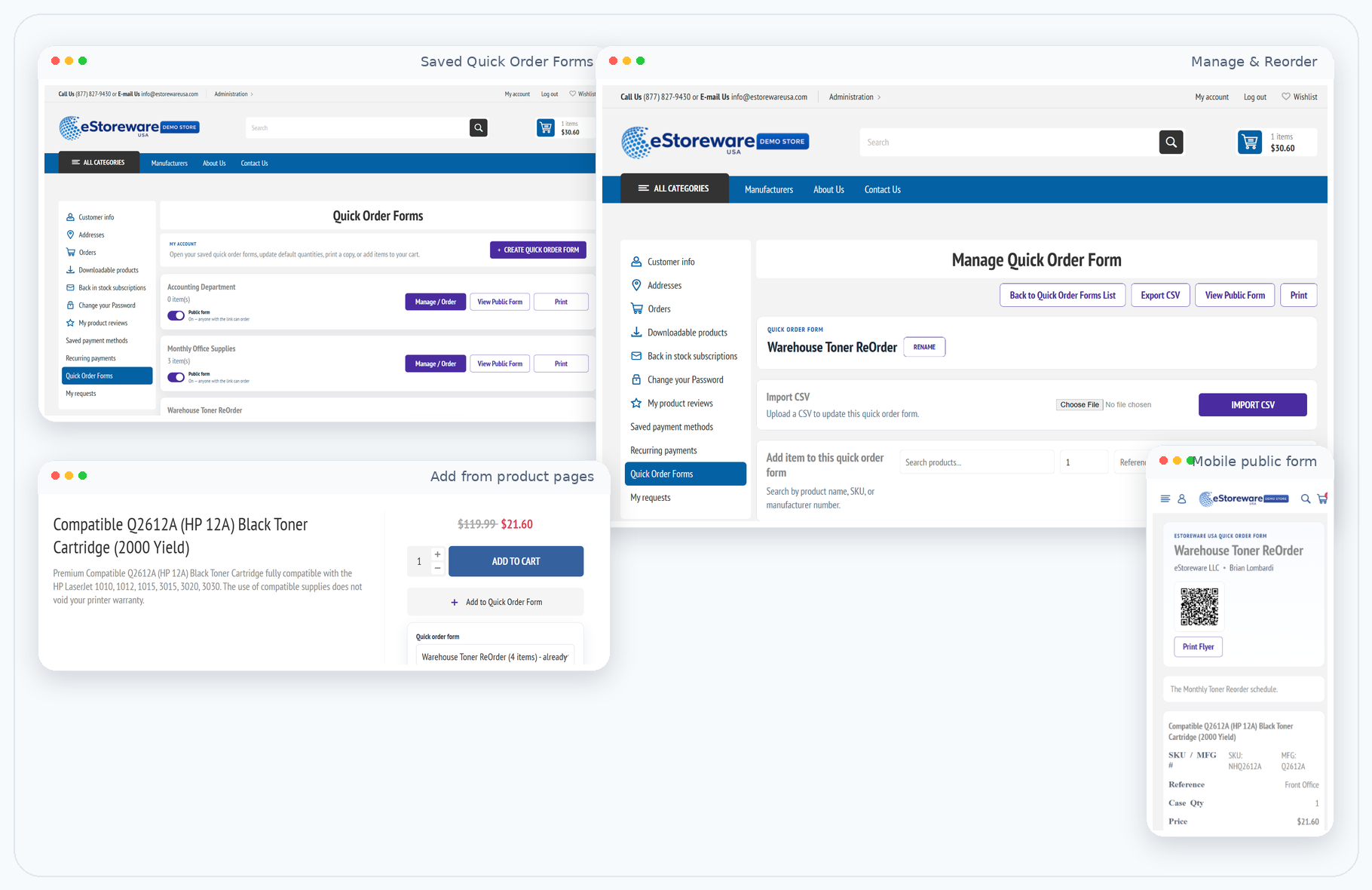
Turn repeat purchasing into a self-service workflow with saved Quick Order Forms, shareable public order links, QR-ready flyers, email delivery, and one-click desktop shortcuts.

  • Let customers save repeat order lists by department, branch, room, or reorder schedule
  • Move selected items to the cart in seconds instead of rebuilding orders manually
  • Share public forms, print flyers, and QR codes for flexible team purchasing
  • Email ready-to-use ordering links and generate desktop shortcuts for one-click reordering

Saved order lists

Create reusable Quick Order Forms for offices, warehouses, classrooms, or purchasing teams.

Public ordering

Generate public forms that can be shared by direct link, printed flyer, or QR code.

Email delivery

Send ready-to-use order links and Quick Order Snap setup directly to the customer inbox.

Desktop shortcuts

Give repeat buyers a one-click shortcut that opens their saved reorder form immediately.

Customer portal ordering

Give every business account a faster way to reorder.

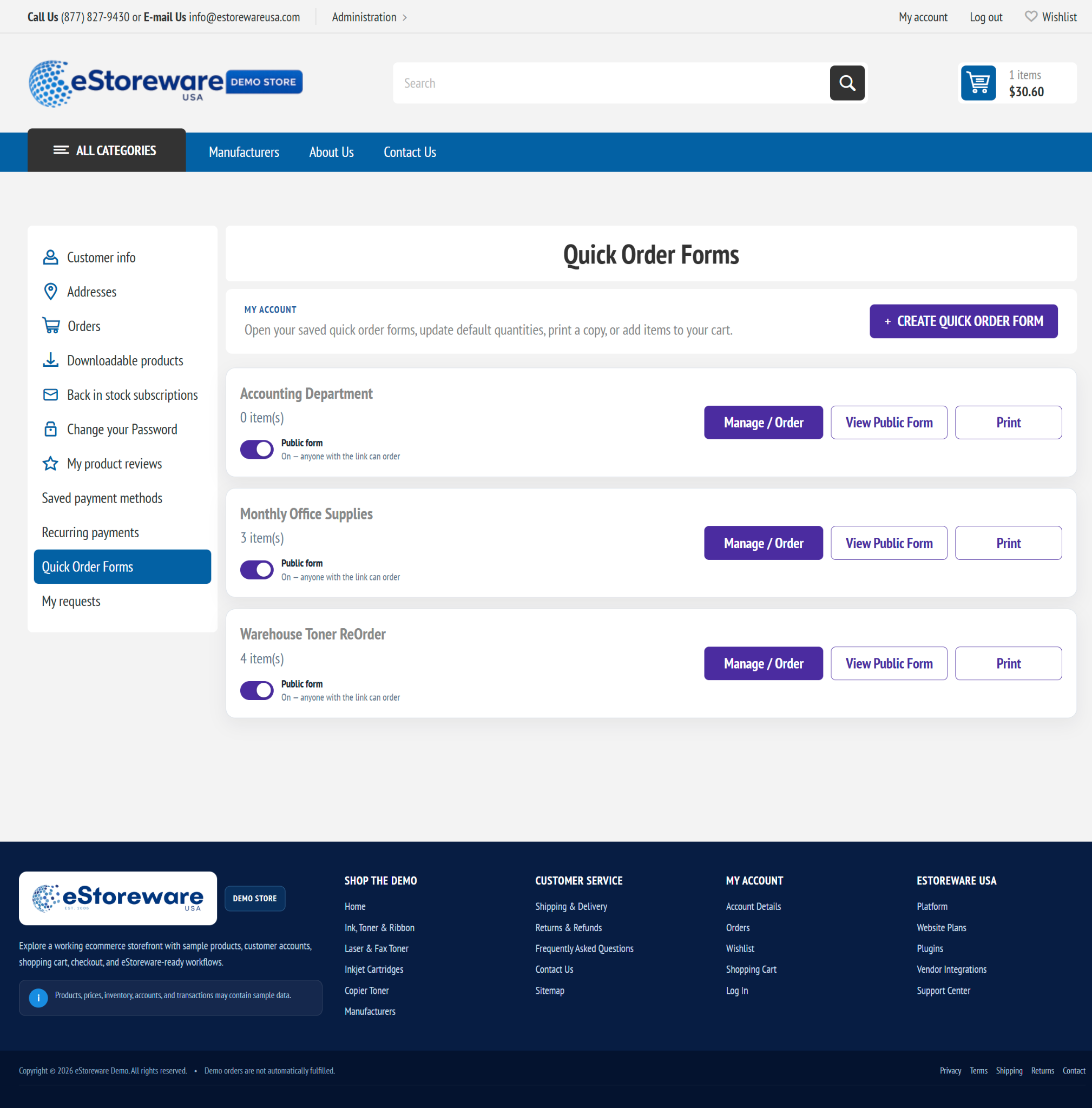
Customers can keep multiple Quick Order Forms for different use cases such as monthly office supplies, warehouse toner restocks, or department-specific purchasing.

Organize repeat purchases with saved forms

  • Create separate forms for teams, departments, locations, or recurring schedules
  • Open, manage, print, or share each form directly from My Account
  • Enable public access when you want anyone with the link to place an order
  • Keep the workflow familiar inside the storefront customers already use
Repeat order workspace

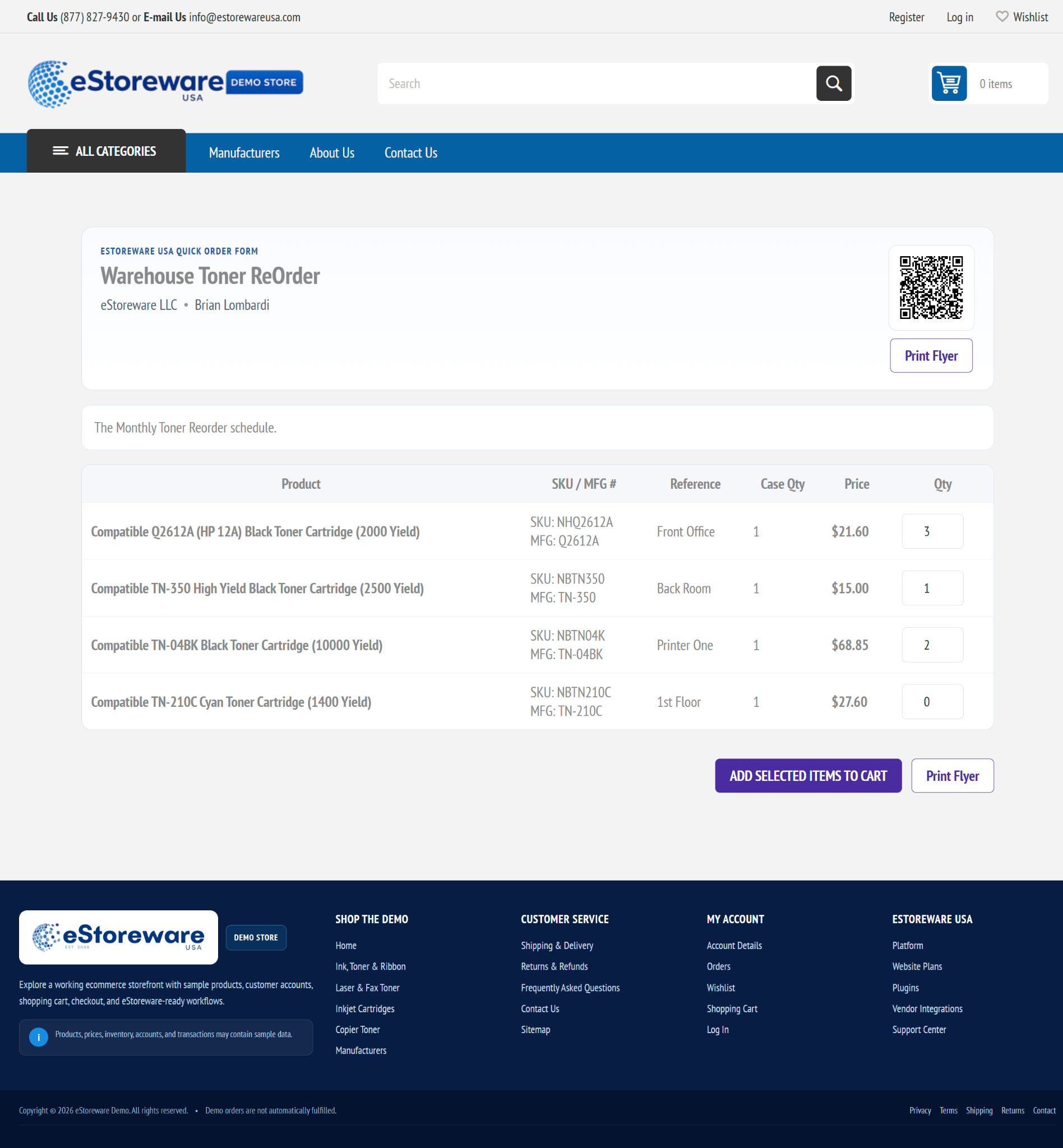
Build detailed reorder forms that customers can actually use.

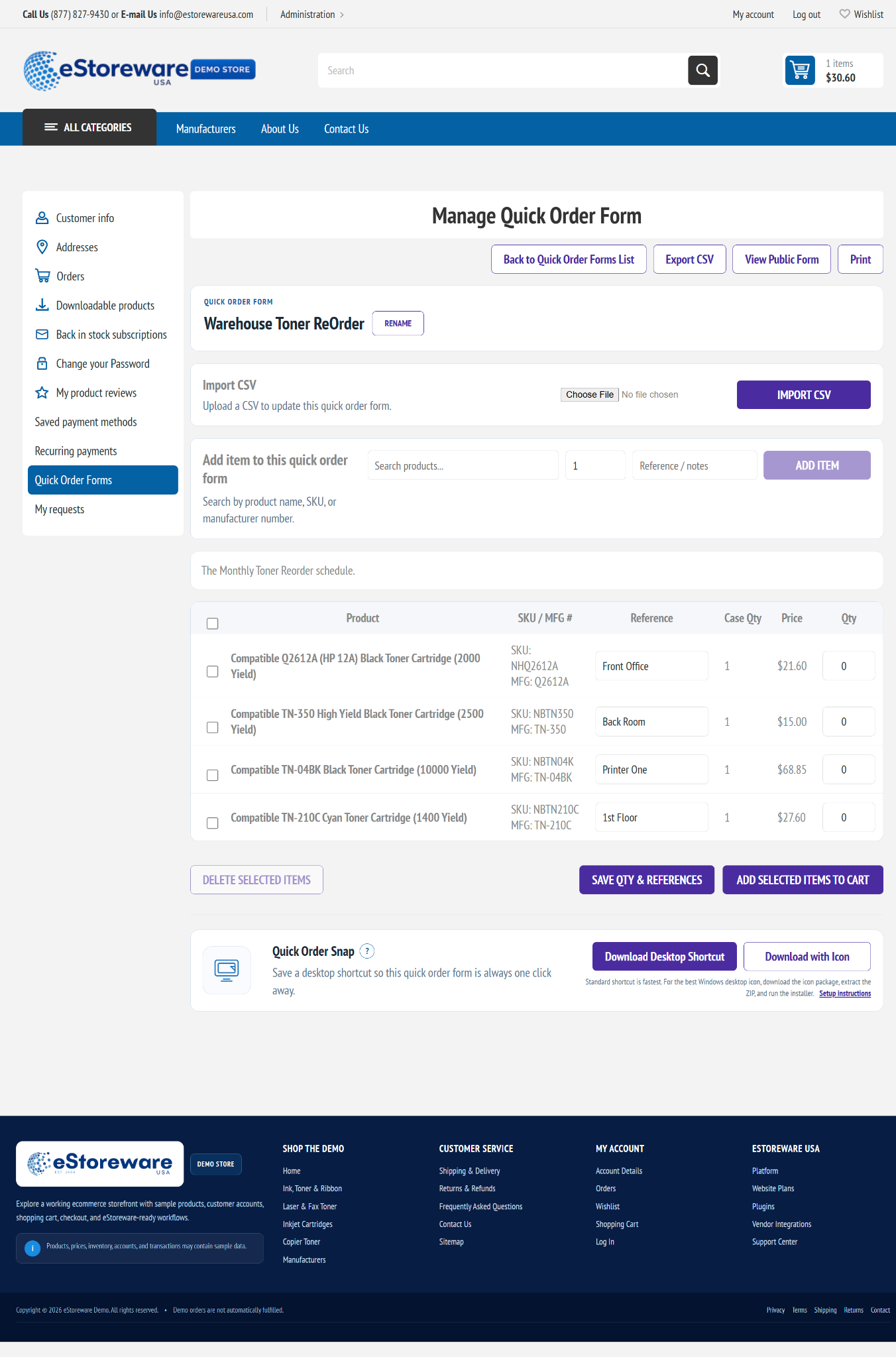
Add products, save location references, control quantities, import CSV data, and move selected items to the cart in a few clicks.

Capture the details buyers need

  • Reference and notes fields for room names, equipment IDs, or internal purchasing labels
  • CSV import and export for larger lists or prebuilt purchasing schedules
  • Save quantity and reference updates before moving selected items into the cart
  • Generate Quick Order Snap shortcuts directly from the form management screen
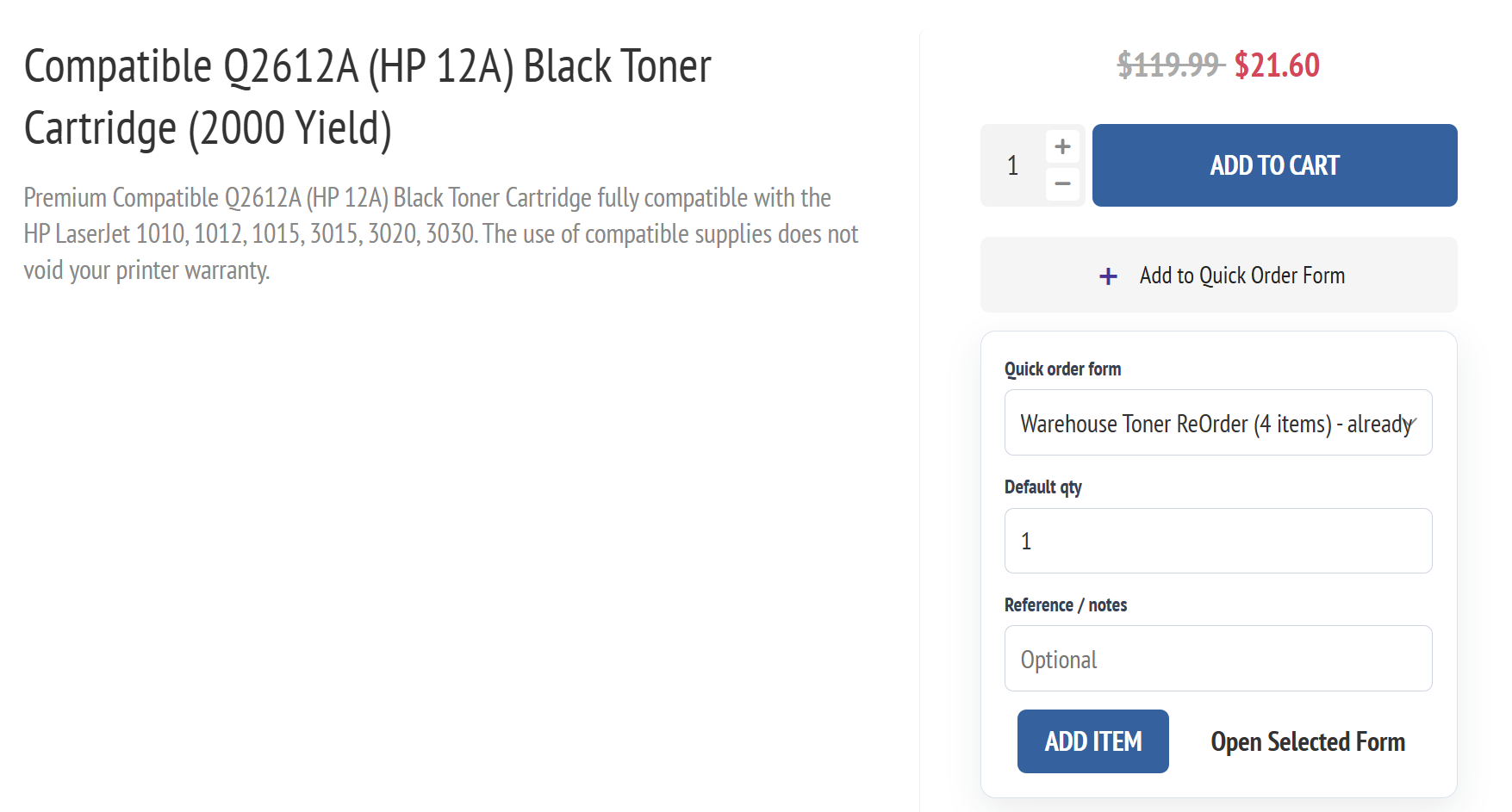
Product page Quick Order Form widget

Customers can also add items to a saved Quick Order Form directly from a product page.

Public links, flyers, and QR ordering

Share a reorder form beyond the full account dashboard.

Public Quick Order Forms are ideal for schools, offices, branch managers, warehouse teams, or any business that wants a simplified repeat-order experience.

Open, print, or scan

  • Display a QR code right on the order form for flyer-based or in-person ordering
  • Allow quantity entry for each saved line item without browsing the full catalog
  • Support direct add-to-cart behavior from the public form
  • Keep the same experience available on mobile for field staff and on-the-go purchasing
From inbox to reorder

Email the whole ordering experience to your customer.

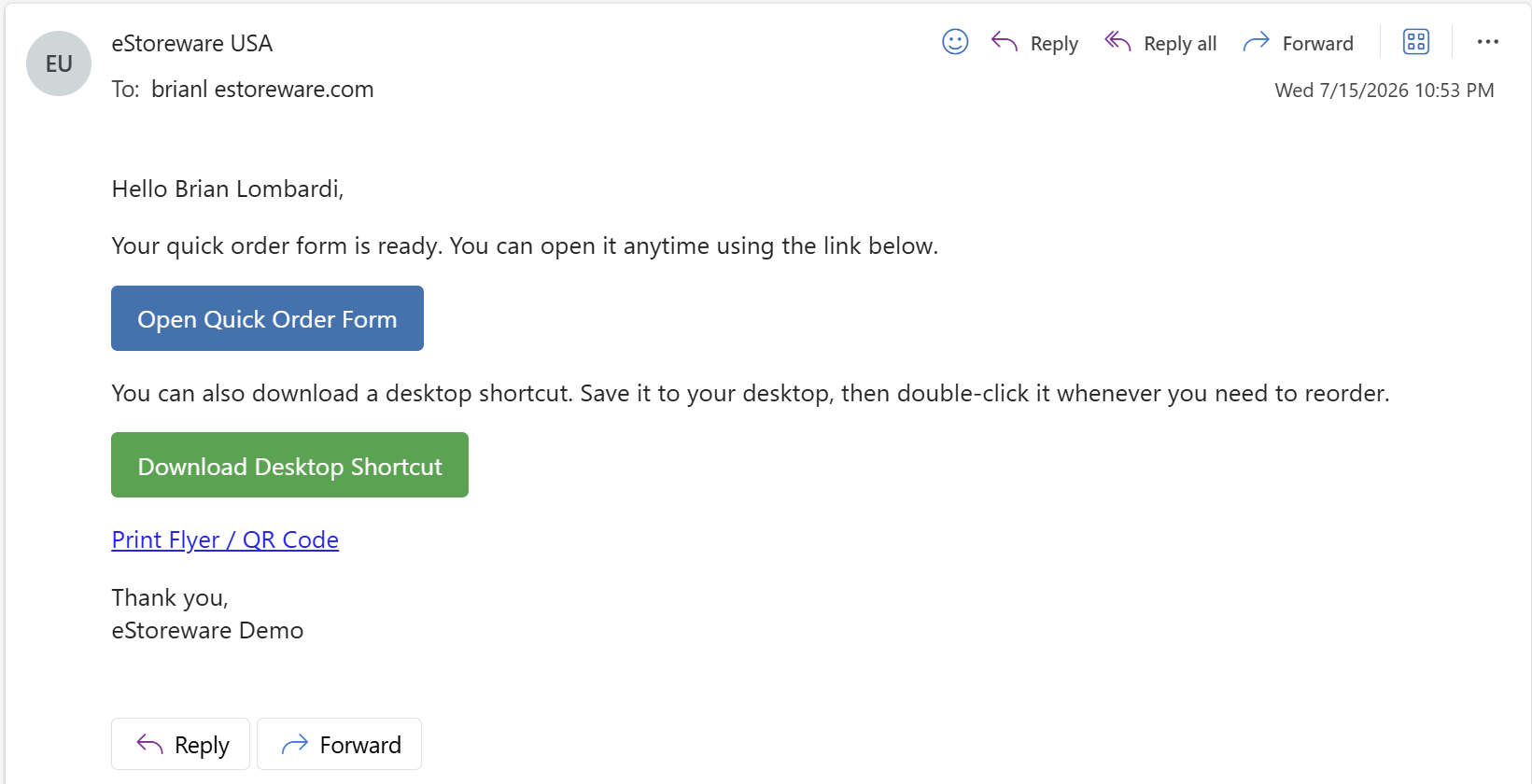
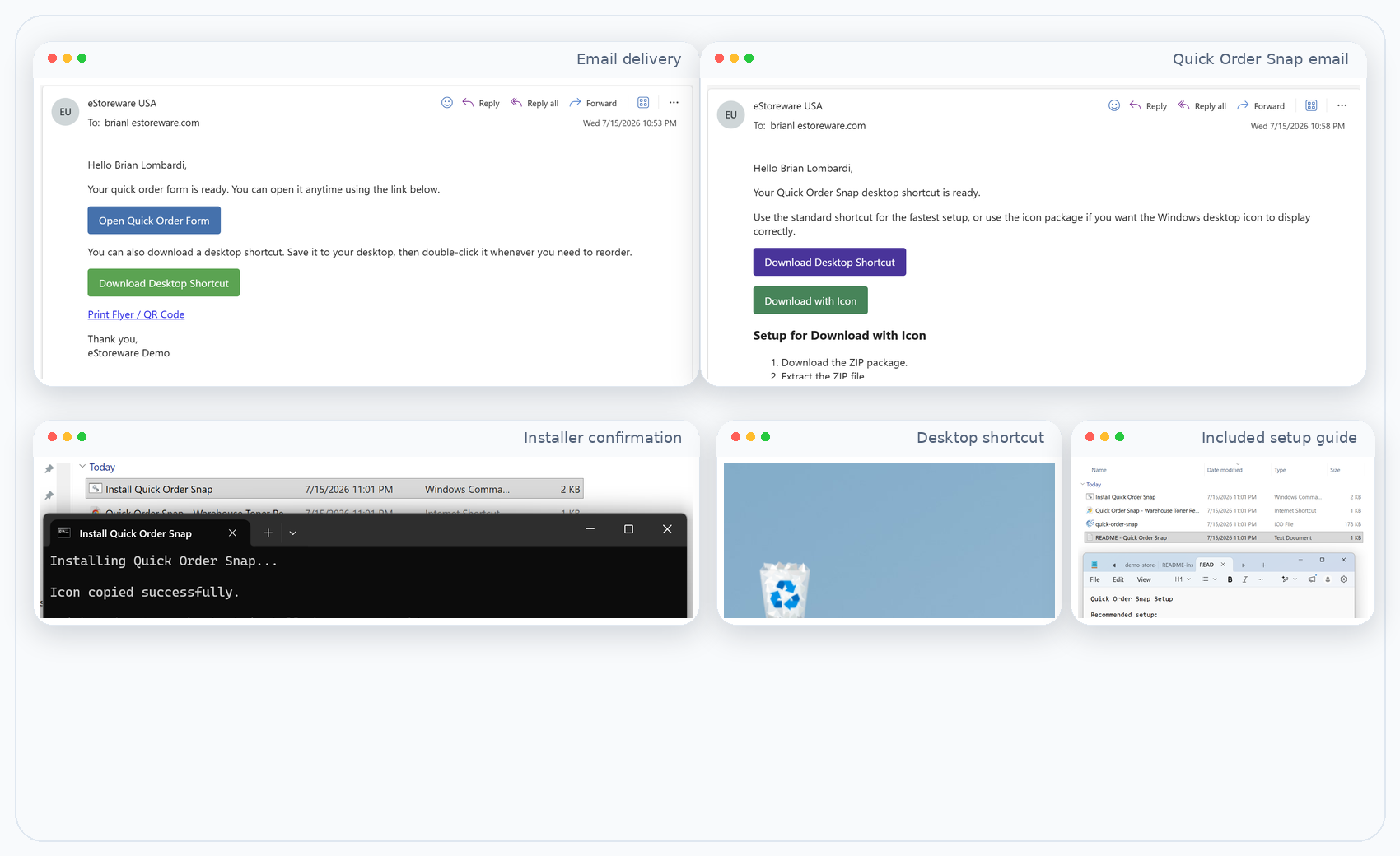
The workflow can start from email: send a ready-to-use Quick Order Form, provide a print or QR option, and follow up with Quick Order Snap installation links.

1

Send the form

Email the customer a ready-to-use Quick Order Form link.

2

Offer Snap setup

Provide the desktop shortcut package for even faster repeat ordering.

3

Use print & QR

Share alternate ways to open the same form when teams want a flyer or scan-based workflow.

4

Reorder in seconds

Customers add selected items to the cart without rebuilding recurring orders manually.

Quick Order Snap

Make ecommerce ordering feel like a one-click desktop tool.

Quick Order Snap packages a saved reorder form into a desktop shortcut experience. This is especially helpful for office managers, reception desks, purchasing staff, and warehouse teams that place the same orders again and again.

Why customers love it

  • Launch a saved reorder form directly from the desktop
  • Use a standard shortcut or a shortcut package with a branded icon
  • Include setup instructions and installer guidance for non-technical users
  • Reduce friction for high-frequency purchasers who want a near app-like reorder experience
Move selected items straight into the cart

Turn a saved order form into a real order.

Once customers enter quantities, selected items flow straight into the shopping cart so checkout can happen with the rest of your storefront tools and payment options.

Complete the order with your normal storefront workflow

  • Preserve the familiar cart and checkout experience customers already know
  • Combine B2B reorder convenience with other site features such as quotes, account pricing, and saved payments
  • Support higher-frequency replenishment without forcing staff to search item-by-item
Admin control

Configure public forms and shortcut behavior from the admin side.

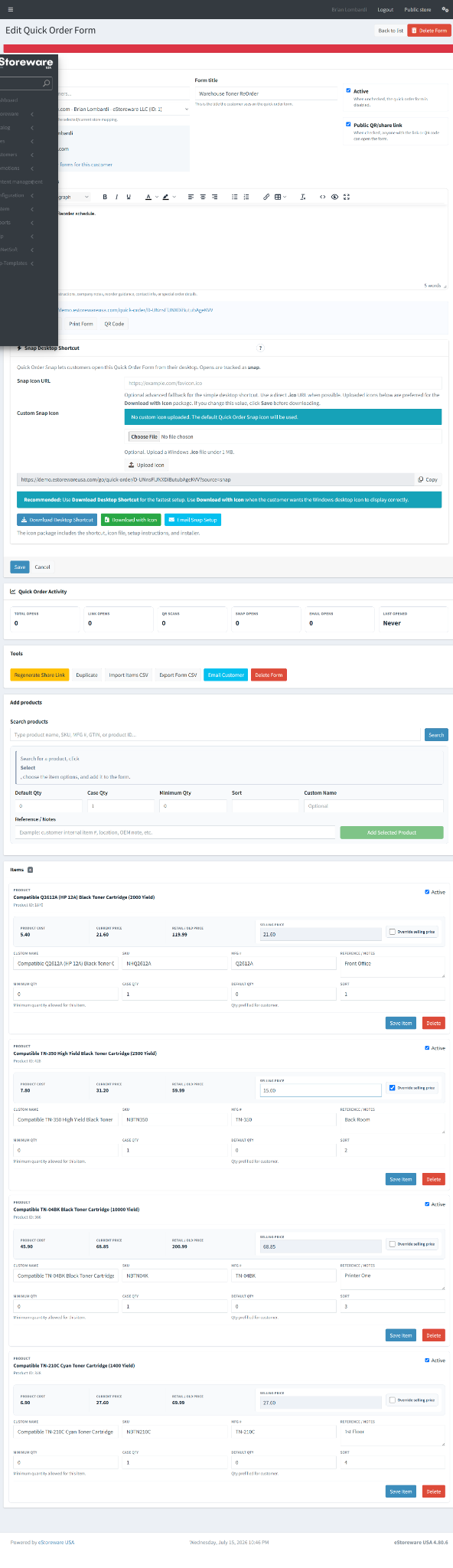
Staff can manage form visibility, public or QR settings, email actions, Snap configuration, and the products that belong in each reorder list.

Keep the workflow under control

  • Update shared links or regenerate them when needed
  • Attach a custom Snap icon and download package options
  • Manage product-level selling prices, references, quantities, and active status
  • Support customer-specific reorder programs without custom development each time
Ready to modernize repeat ordering?

Bring faster B2B reordering to your ecommerce storefront.

eStoreware B2B ordering combines saved Quick Order Forms, public ordering links, QR workflows, email delivery, and desktop shortcuts in one flexible platform experience.