Payments & Recurring Billing

Stripe payments & recurring billing

Secure checkout today. Easier repeat payments tomorrow.

eStoreware Stripe Payments connects a polished nopCommerce checkout with saved payment methods, 3D Secure support, authorize-and-capture workflows, refunds, webhooks, and recurring-payment administration.
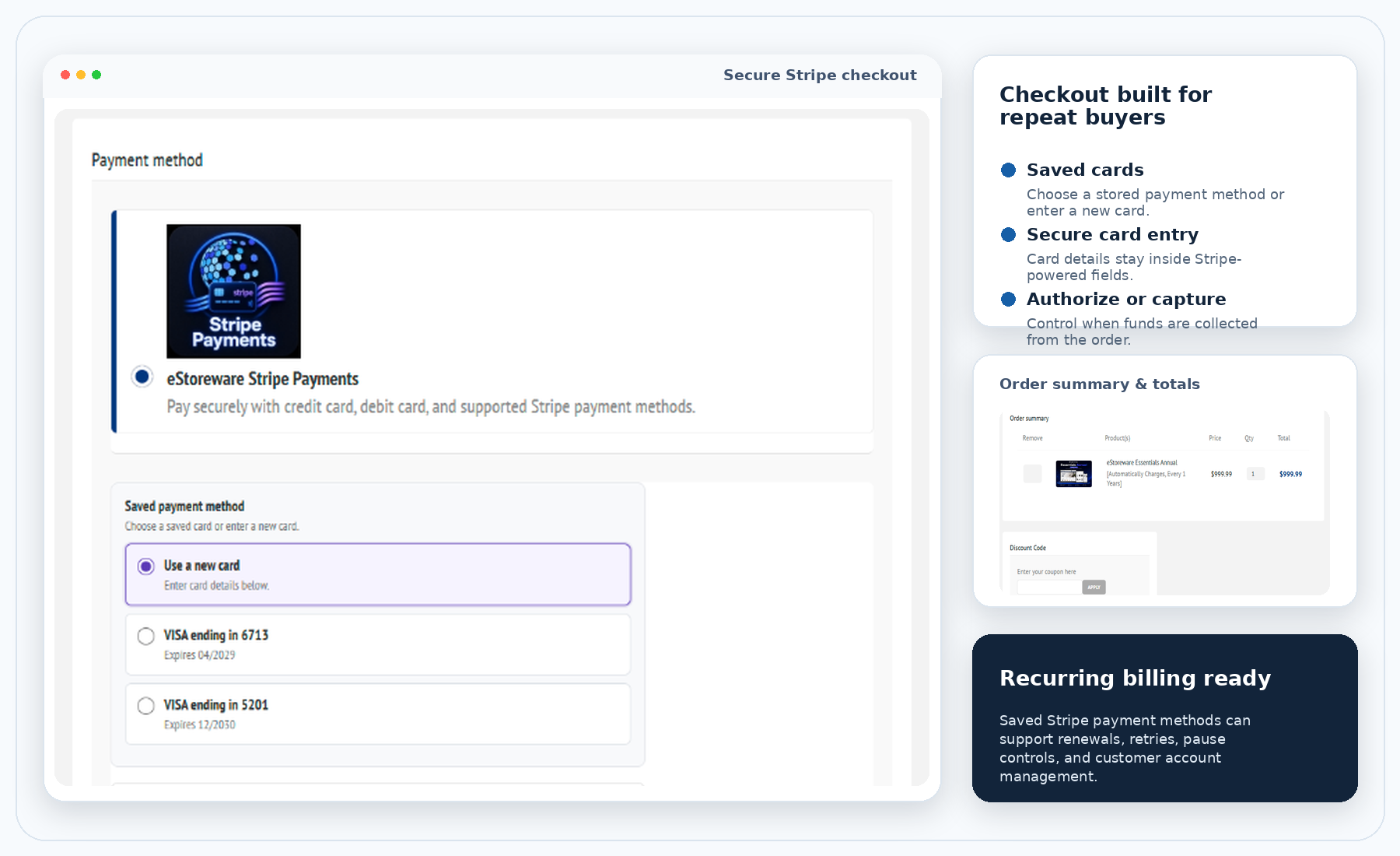
  • Let customers pay with a new card or a saved Stripe payment method
  • Support embedded payment fields and Stripe Hosted Checkout workflows
  • Authorize now, capture later, void authorizations, and process refunds
  • Manage recurring renewals, retry activity, pause dates, and renewal cards
Secure Stripe checkout, saved payment methods, order summary, and recurring billing
SC

Secure checkout

Stripe-powered card entry within the ecommerce checkout experience.

SP

Saved payments

Let registered customers select stored payment methods or enter a new card.

3D

3D Secure

Support authentication and challenge behavior when a payment requires it.

AC

Authorize & capture

Authorize at checkout, then capture or void from order administration.

RB

Recurring billing

Manage scheduled renewals, cards, pauses, retries, and activity history.

WH

Webhooks

Keep payment status and order activity synchronized with Stripe events.

Customer checkout

Give customers a clear choice between saved cards and a new payment method.

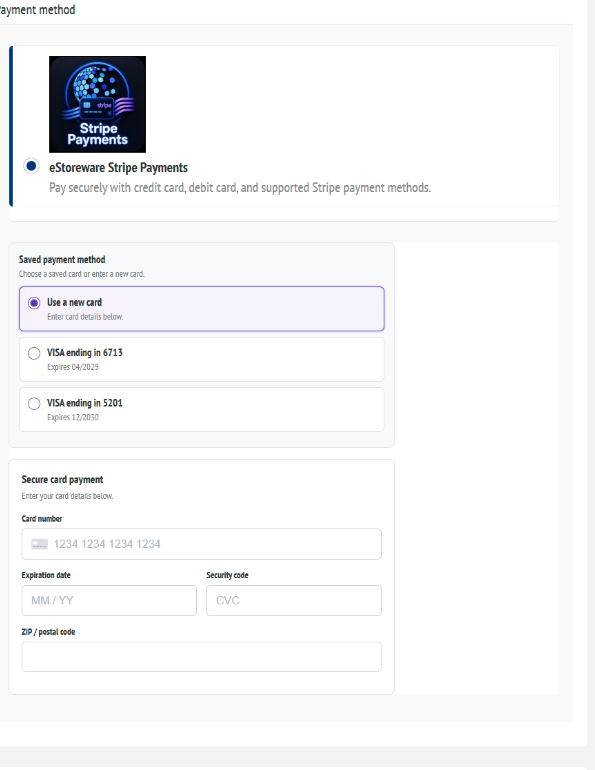
The payment experience fits inside the normal storefront checkout. Registered customers can choose an existing saved payment method or enter new card details through secure Stripe-powered fields.
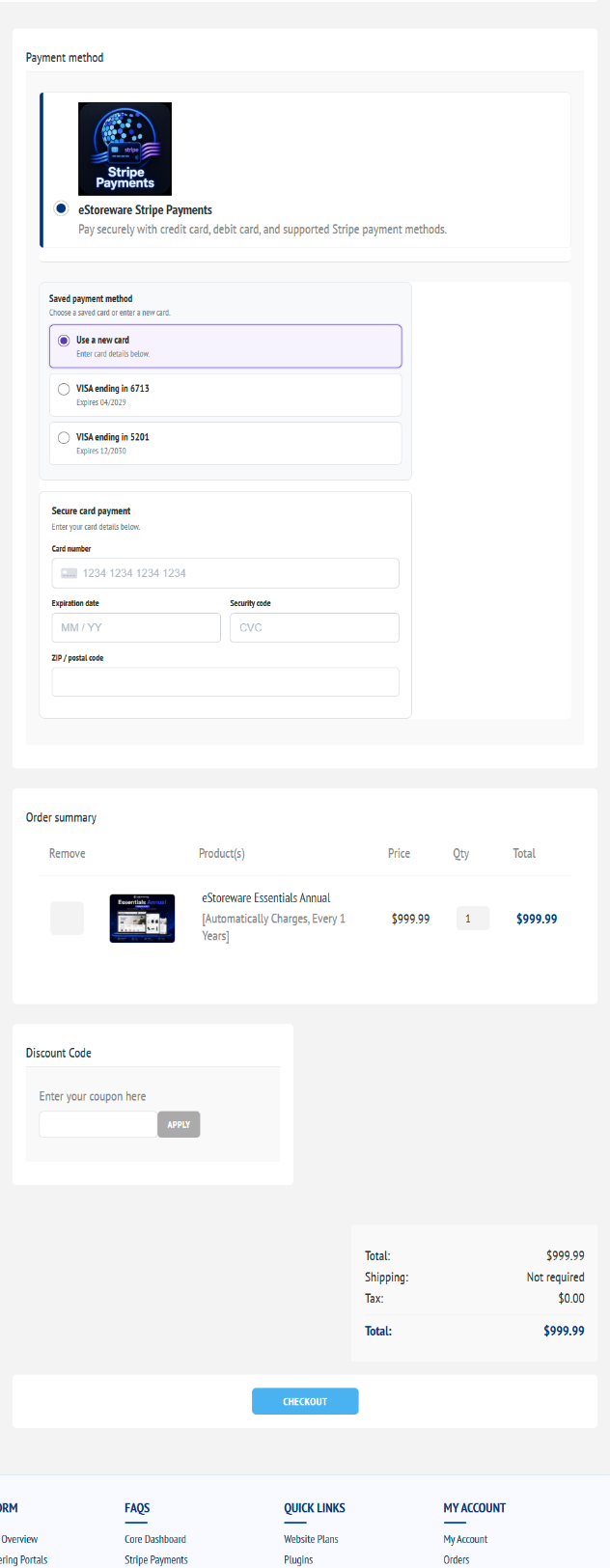
  • Display eStoreware Stripe Payments as the selected payment method
  • Show saved cards with recognizable brand and expiration information
  • Keep new-card entry available without leaving the checkout
  • Carry payment selection through the order summary and final checkout action
Stripe payment method, saved cards, secure card entry, and order summary

The public image is cropped to remove billing-address and customer contact fields.

Saved payment methods

Make repeat checkout faster without taking payment control away from the customer.

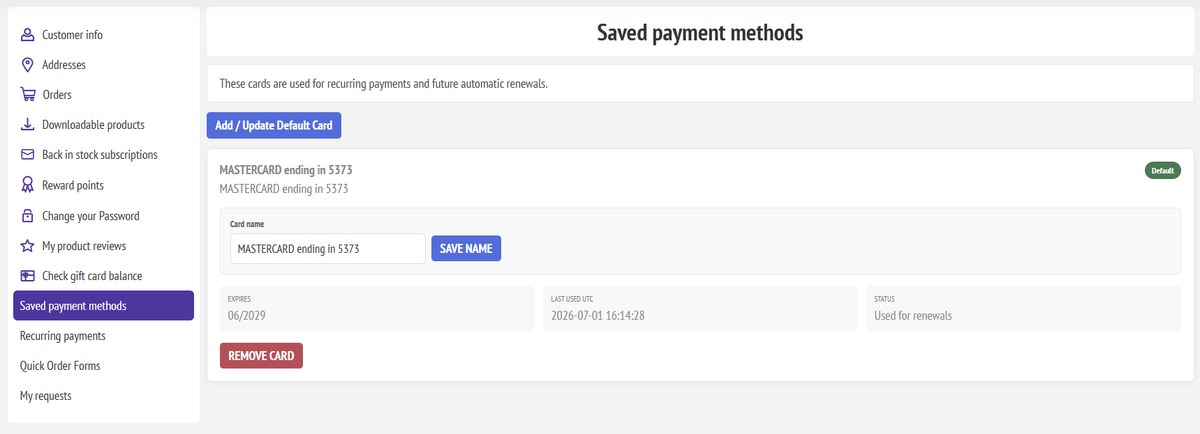
Customers can use a stored Stripe payment method, enter a new card, and manage saved payment methods from My Account when those features are enabled.

Saved card selection and secure card entry
Saved card selection at checkout
My Account saved payment methods
My Account payment methods
Payment recovery page
Hosted Checkout recovery
Payment lifecycle

Manage authorization, capture, void, and refund activity from the order.

Payment actions stay connected to nopCommerce order administration, giving staff a clearer operational workflow while maintaining Stripe transaction visibility.

One order, the full payment history

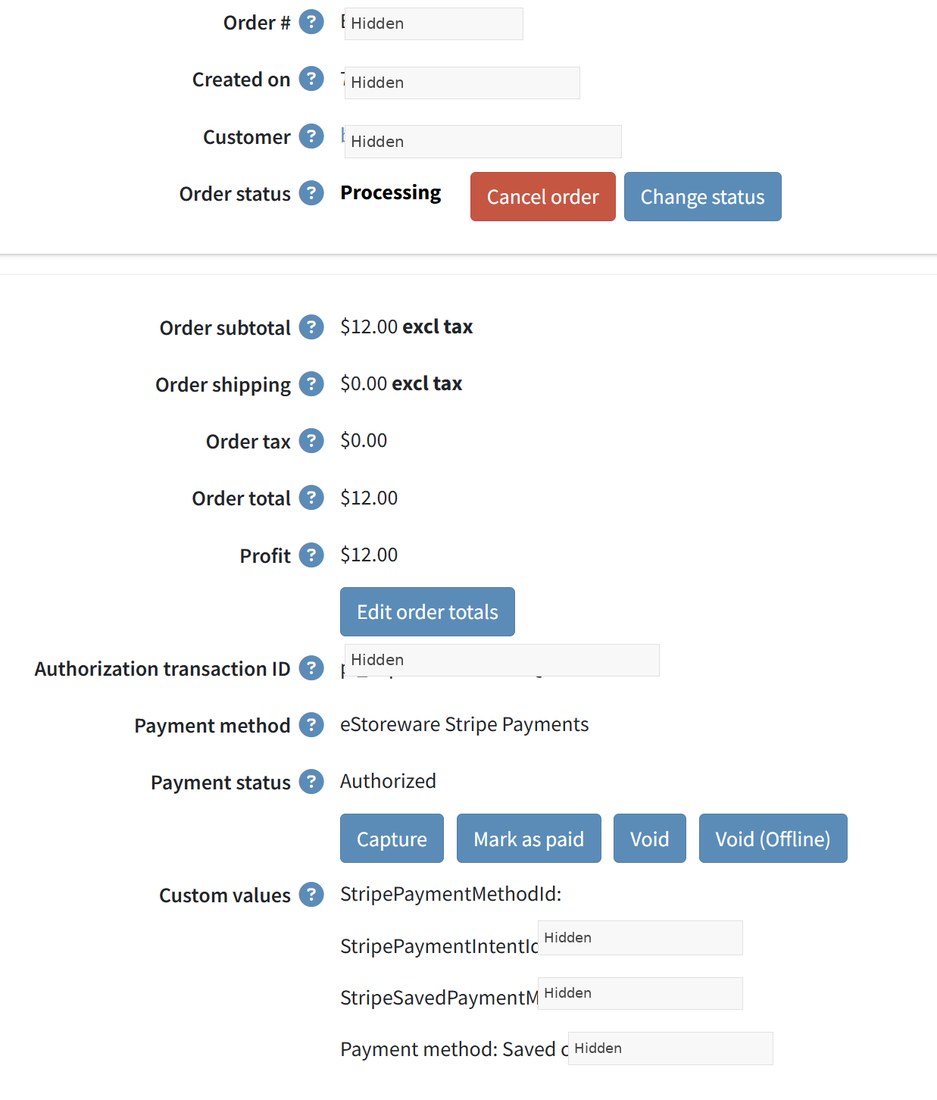
  • Authorize the payment without immediately collecting funds
  • Capture an authorized payment when the order is ready
  • Void an authorization when the order should not be charged
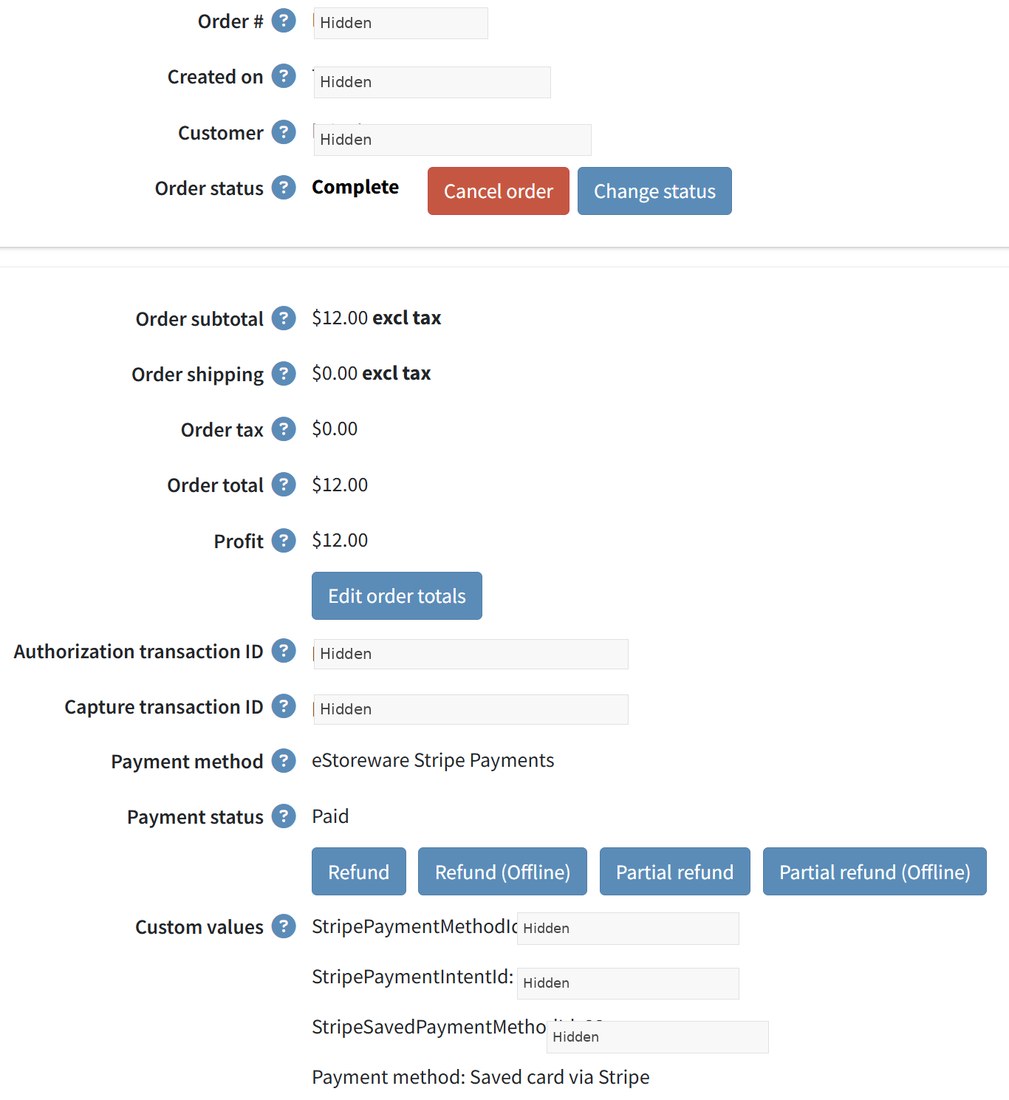
  • Process full or partial refunds after capture
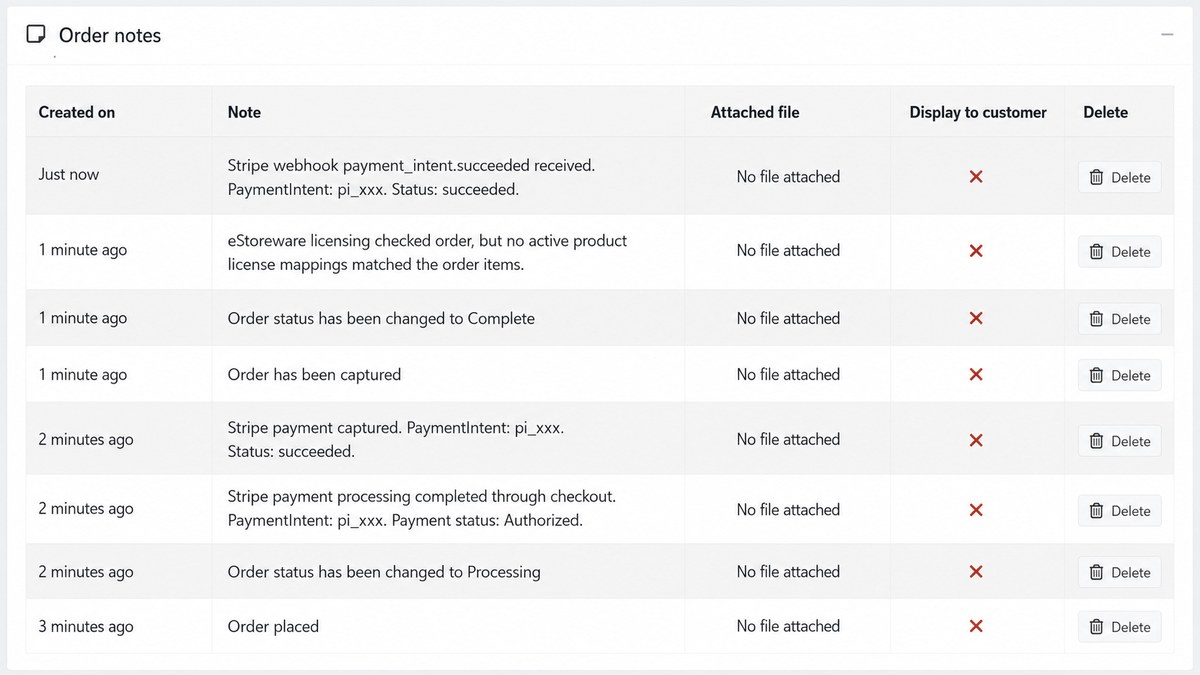
  • Record payment and webhook activity in order notes
Authorize-only order before capture
Authorize-only workflow
Captured order with refund options
Capture and refund actions
Order notes showing payment lifecycle activity
Payment activity in order notes
Recurring billing

Support renewals for customers and the staff responsible for managing them.

Recurring payment tools connect saved payment methods with customer account access, upcoming renewal information, administrative controls, manual processing, retries, and activity history.

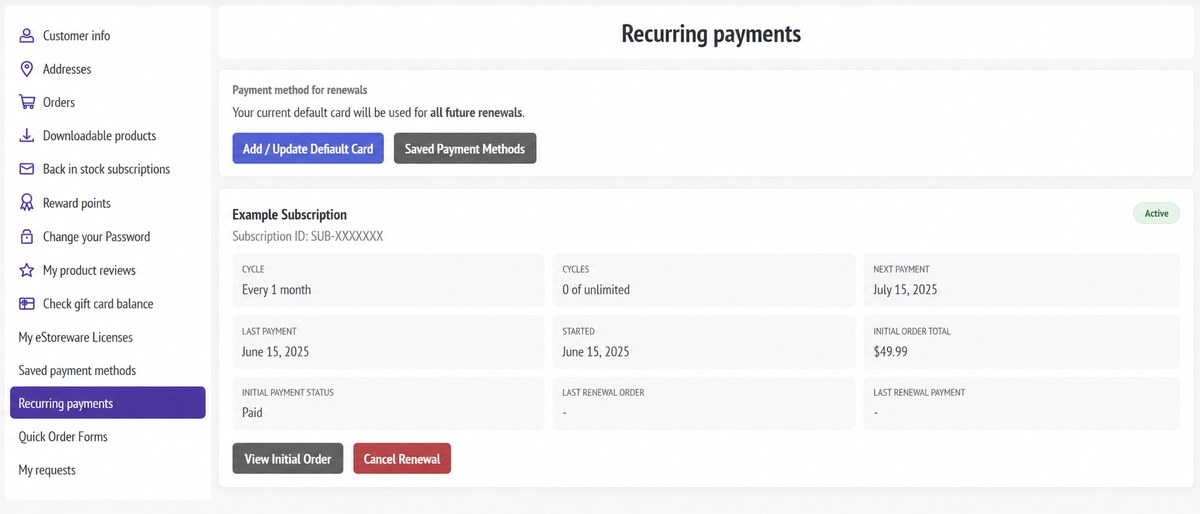
Customer recurring payments page
Customer recurring-payment access

Customer-facing renewal tools

  • Show recurring status, cycle details, and next payment date
  • Connect customers back to the initial order and renewal history
  • Allow customers to add or update the default renewal card
  • Keep recurring information available within My Account

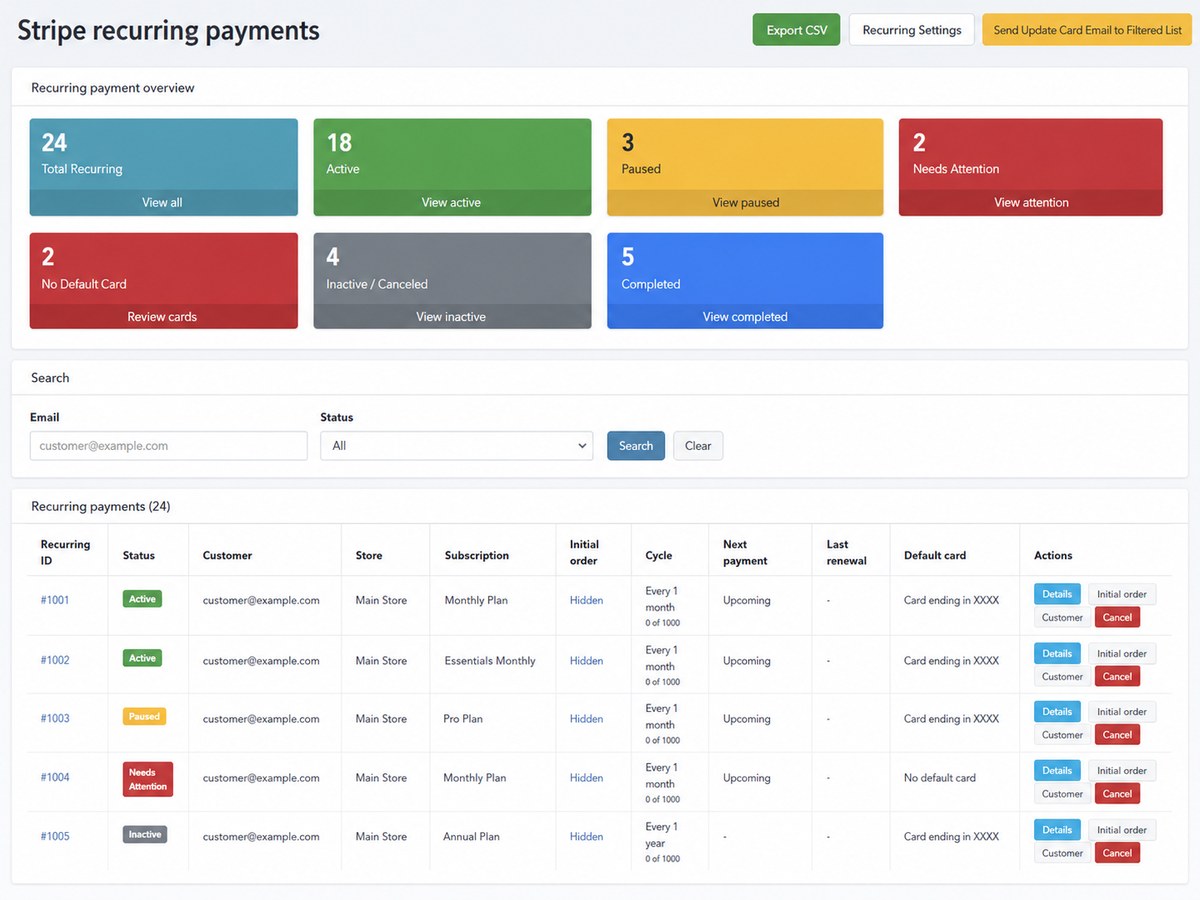
Administrative renewal controls

  • Review active, paused, completed, and needs-attention records
  • Pause or snooze renewal processing with an internal reason
  • Process pending renewals manually for controlled testing or recovery
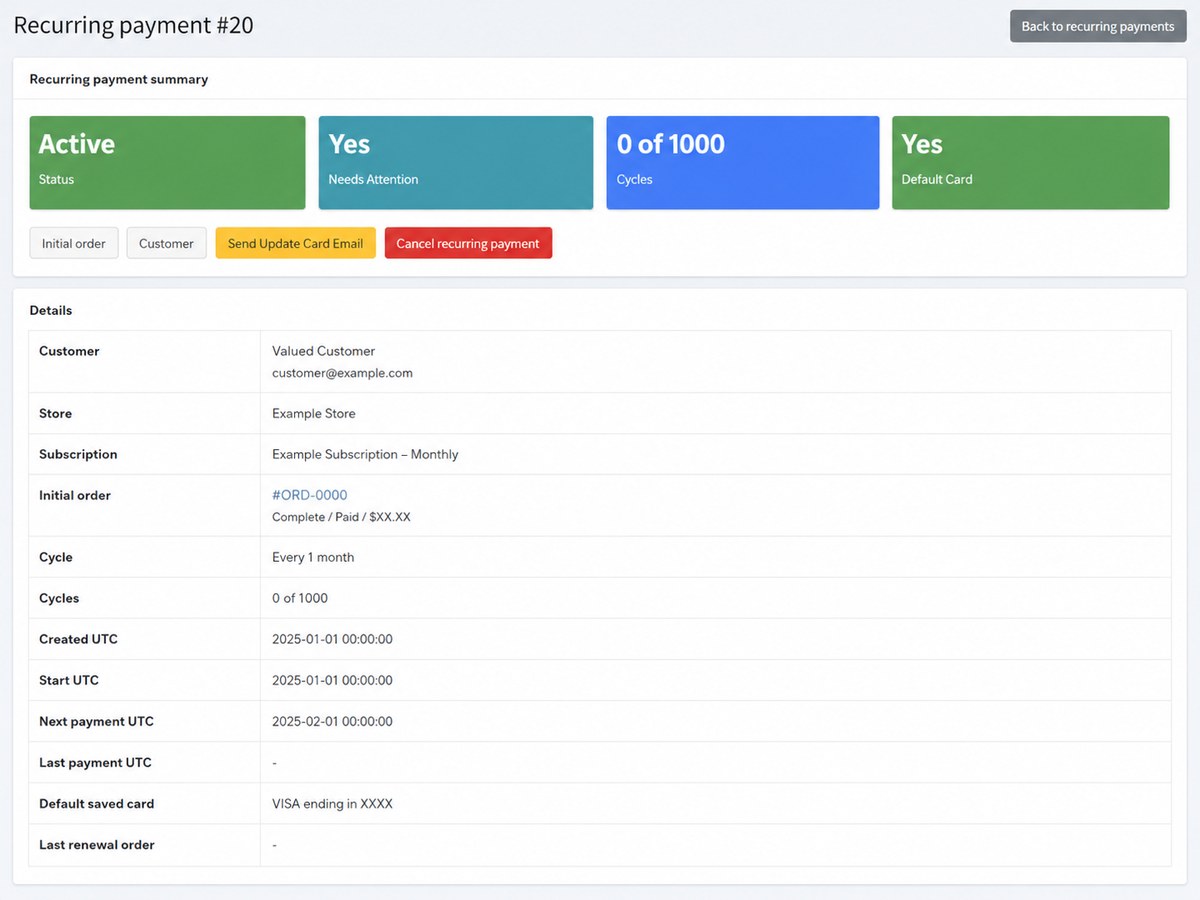
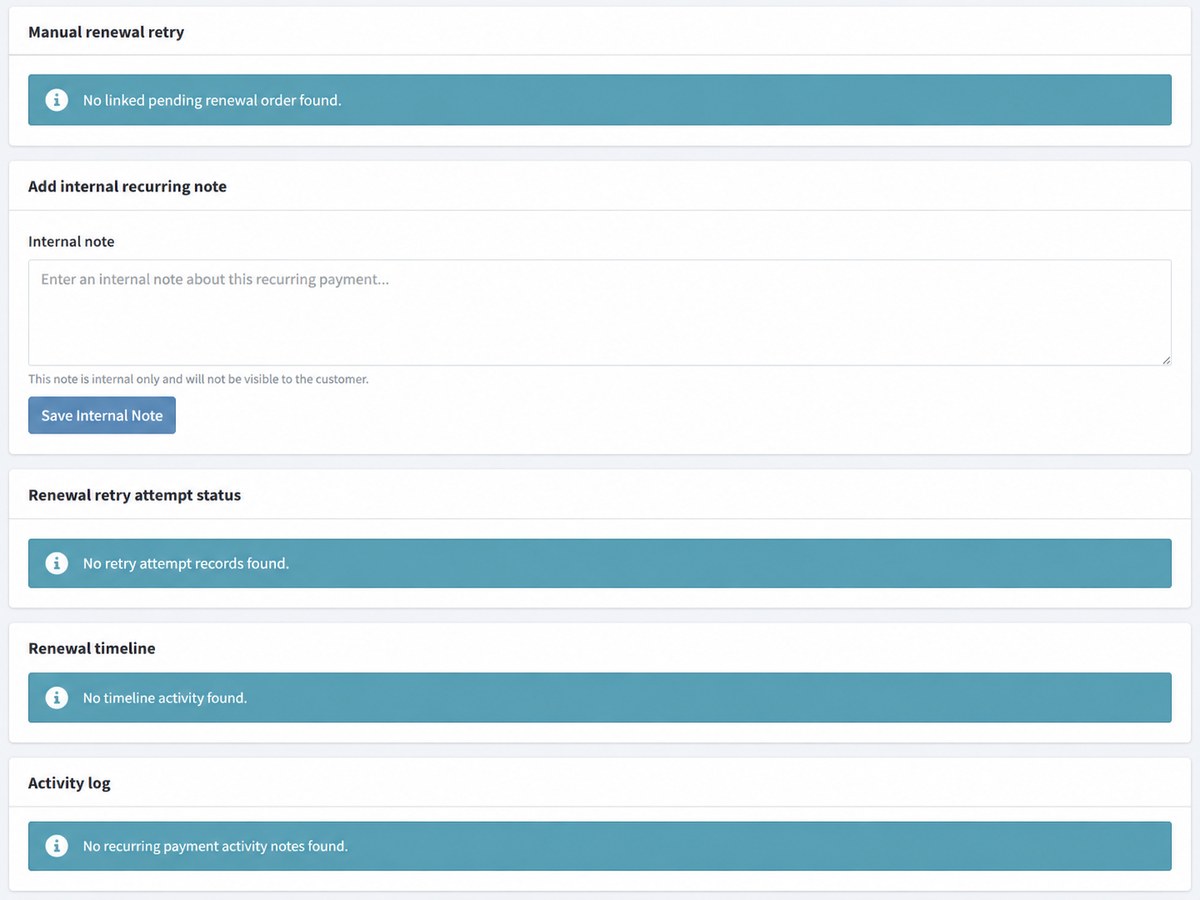
  • Review retry history, notes, timelines, and activity logs
Admin recurring payments dashboard
Recurring-payment dashboard
Recurring payment details
Recurring-payment details
Retry, notes, timeline, and recurring activity log
Retries and activity history
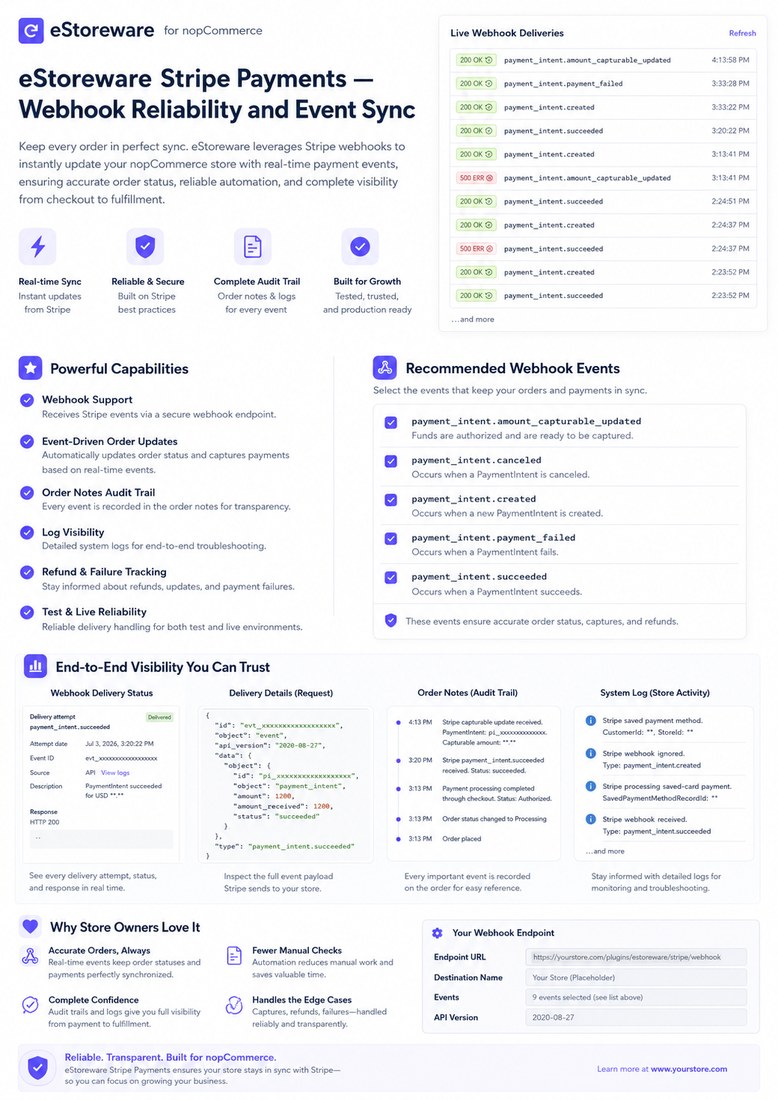
Stripe webhook reliability overview
Webhooks & reliability

Keep Stripe events connected to the order after checkout.

Webhooks provide the store with real-time Stripe event information after the initial browser request is complete.

  • Synchronize payment success, failure, capture, cancellation, and refund events
  • Record important payment activity in nopCommerce order notes
  • Use Stripe delivery history and store logs to troubleshoot configuration
  • Protect the endpoint with the Stripe webhook signing secret
Review the Stripe Payments FAQ →
Configuration & multi-store support

Control payment behavior at the store level.

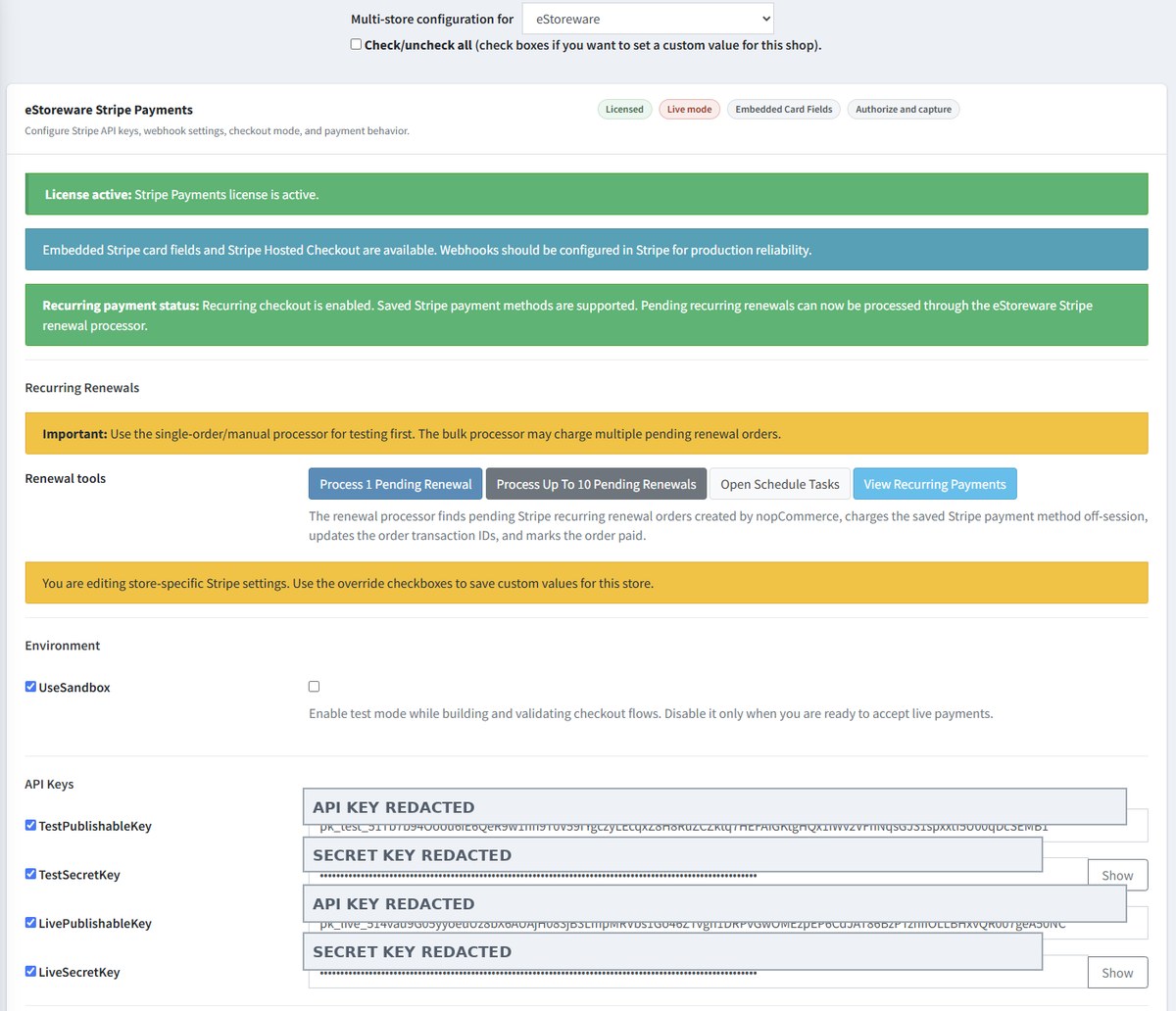
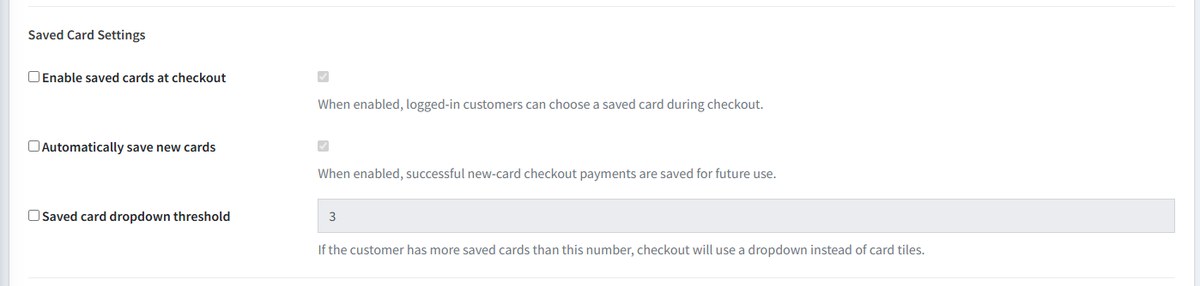
Configure Stripe credentials, checkout behavior, saved-card options, transaction mode, 3D Secure, webhook signing secrets, and store-scope overrides from administration.

Stripe administration configuration overview
Store configuration overview
Saved-card configuration settings
Saved-card behavior settings
Payments that grow with the storefront

Bring secure checkout, saved cards, and recurring billing into one managed ecommerce workflow.

Review the plugin features, explore the working checkout, or schedule a guided walkthrough of the payment and recurring-billing tools most relevant to your business.