
eStoreware Quick Order Forms
Quick Order Forms for nopCommerce
Make repeat ordering simple for schools, offices, dealers, service teams, and contract customers. Build customer-specific forms, let shoppers add products from product pages, share forms by QR or email, and launch forms from a desktop shortcut.
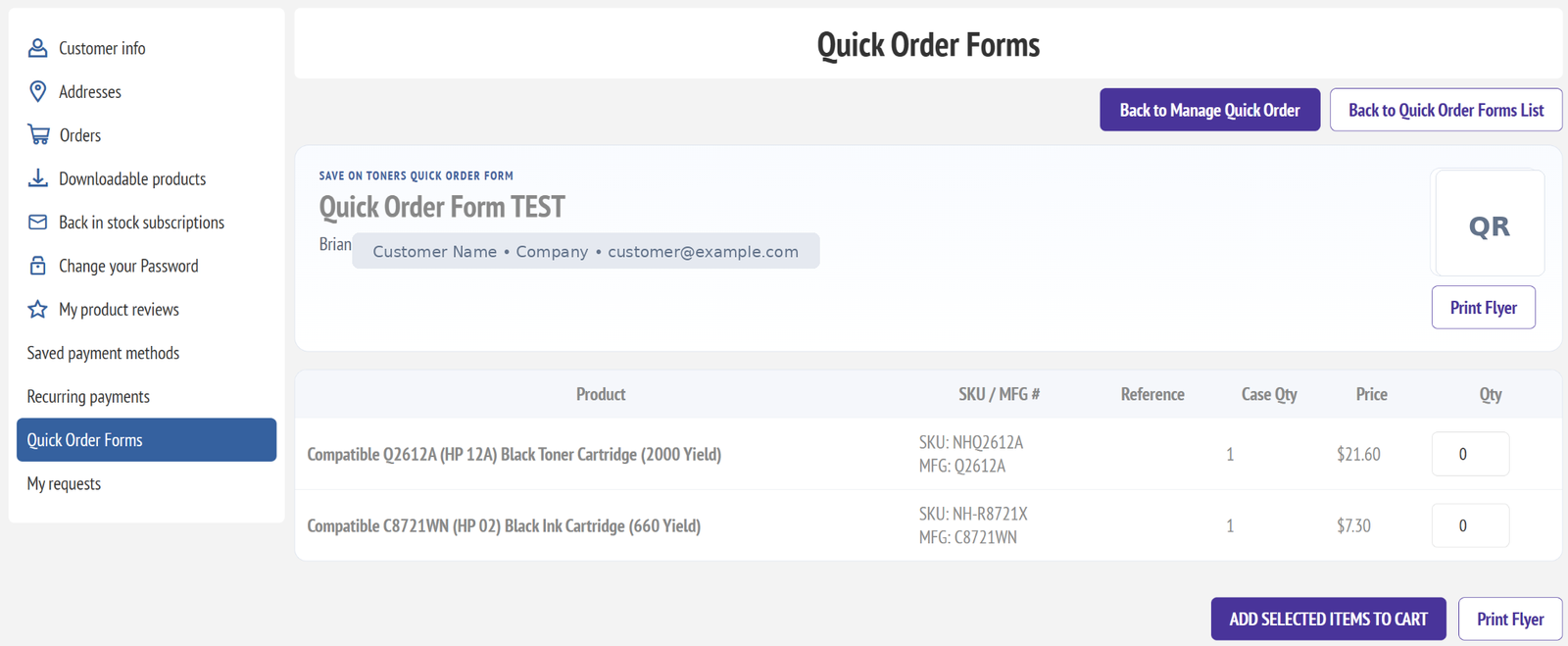
Customer-facing Quick Order Forms can appear in the default nopCommerce My Account area.
Fast repeat orders
Customers reorder approved products without searching the catalog every time.
Product page button
Add items directly to a Quick Order Form from the storefront product page.
My Account access
Assigned forms can appear in the customer account navigation.
QR, print & share
Generate public links, QR code pages, and printable flyers.
Snap shortcuts
Create desktop shortcuts with custom icons for one-click ordering.
CSV import/export
Build and update forms quickly with admin import and export tools.
Customer ordering
Give customers a clean reorder form.
Quick Order Forms give each customer a focused list of products they reorder often, with quantity boxes, optional references, prices, QR access, and a simple add-selected-items-to-cart workflow.
- Customer-specific product lists
- Quantity and case quantity fields
- Print flyer and QR code access
- Public link option for approved shared forms
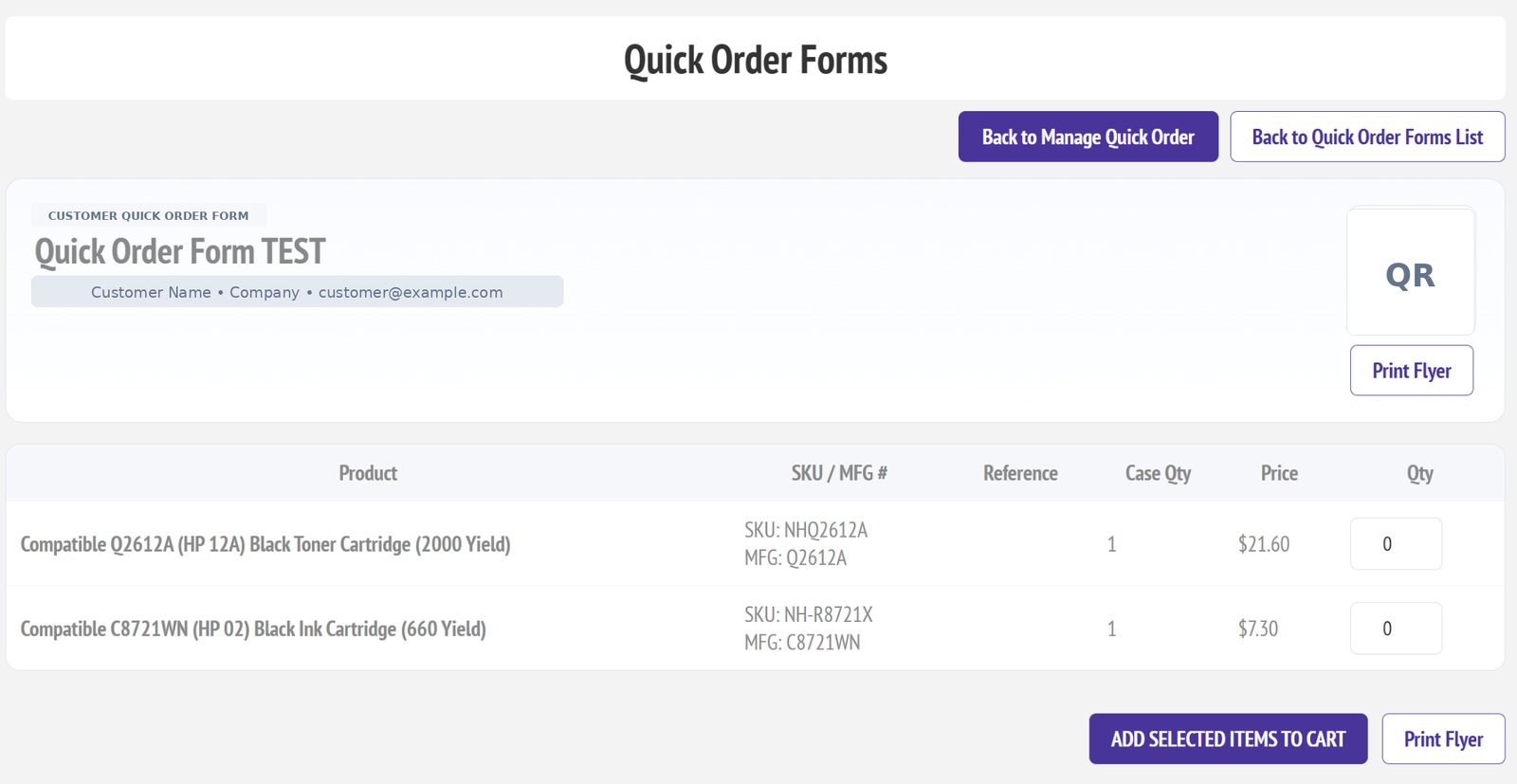
Customer-facing form with product rows, quantities, QR access, and print flyer button.
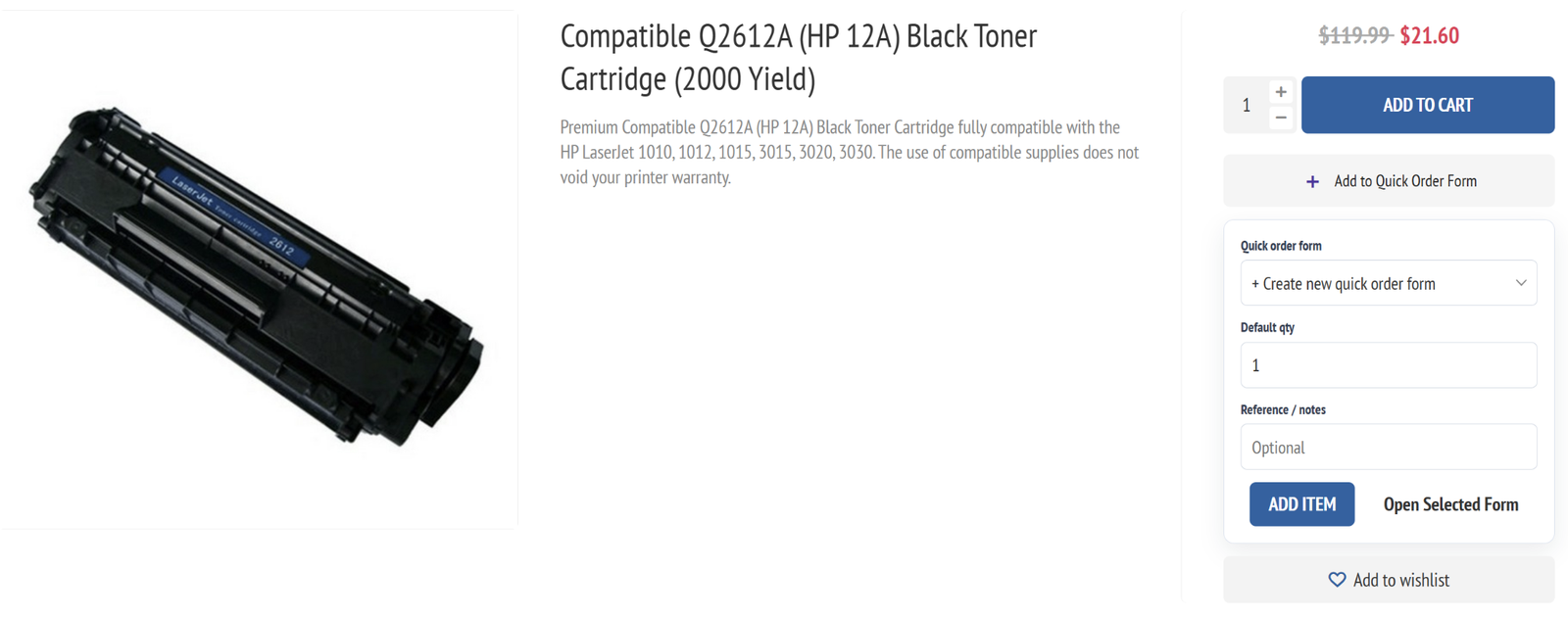
Customers can add a product to a new or existing Quick Order Form directly from the product detail page.
Storefront integration
Add products to a form from the product page.
The product page widget lets customers build their reorder form while browsing. They can select a form, set a default quantity, add a reference note, and open the selected form after adding the item.
- Create a new Quick Order Form from the product page
- Add default quantity and reference notes
- Open the selected form after adding the product
- Works alongside the normal Add to Cart button
My Account compatibility
Built for the default nopCommerce account pages.
Quick Order Forms are designed to appear in the default My Account navigation so logged-in customers can quickly find their assigned forms.
Default My Account navigation with Quick Order Forms highlighted.
Admin management
Create, assign, import, export, and manage forms.
Admins can search forms, assign them to customers, enable public links, track activity, add products, override names, use normal or custom prices, and import/export CSV files for faster setup.
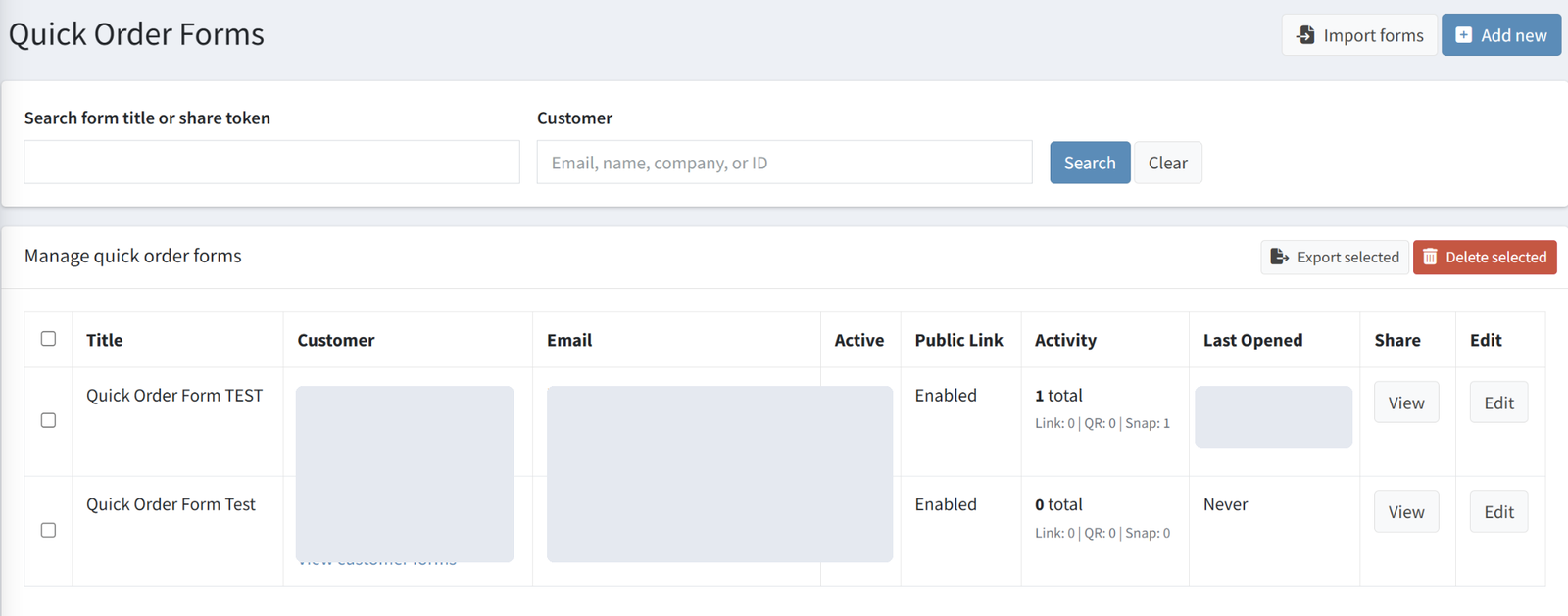
Search and manage forms with activity, public link, last opened, share, and edit actions.
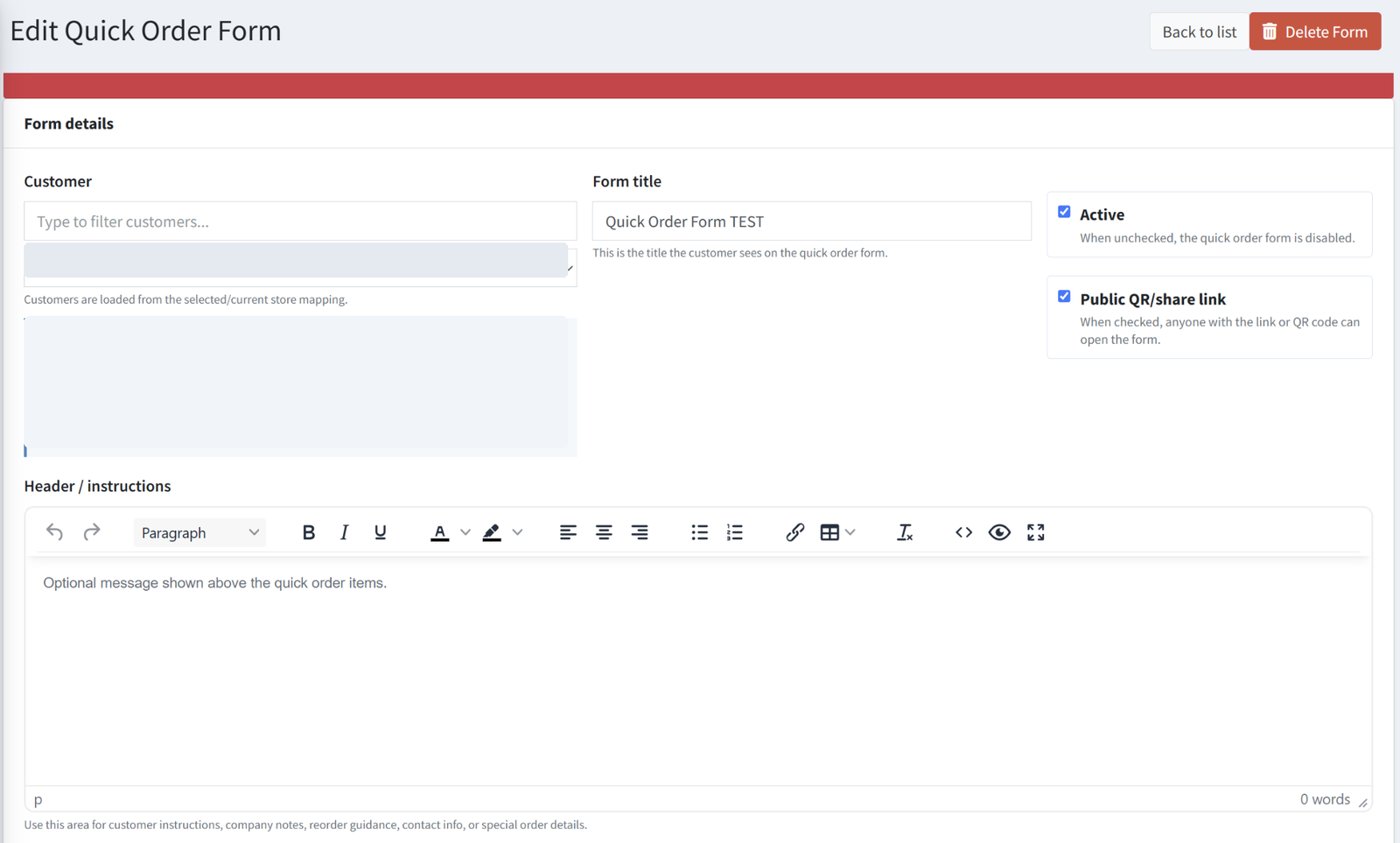
Assign a customer, set the form title, enable active status, and allow public QR/share links.
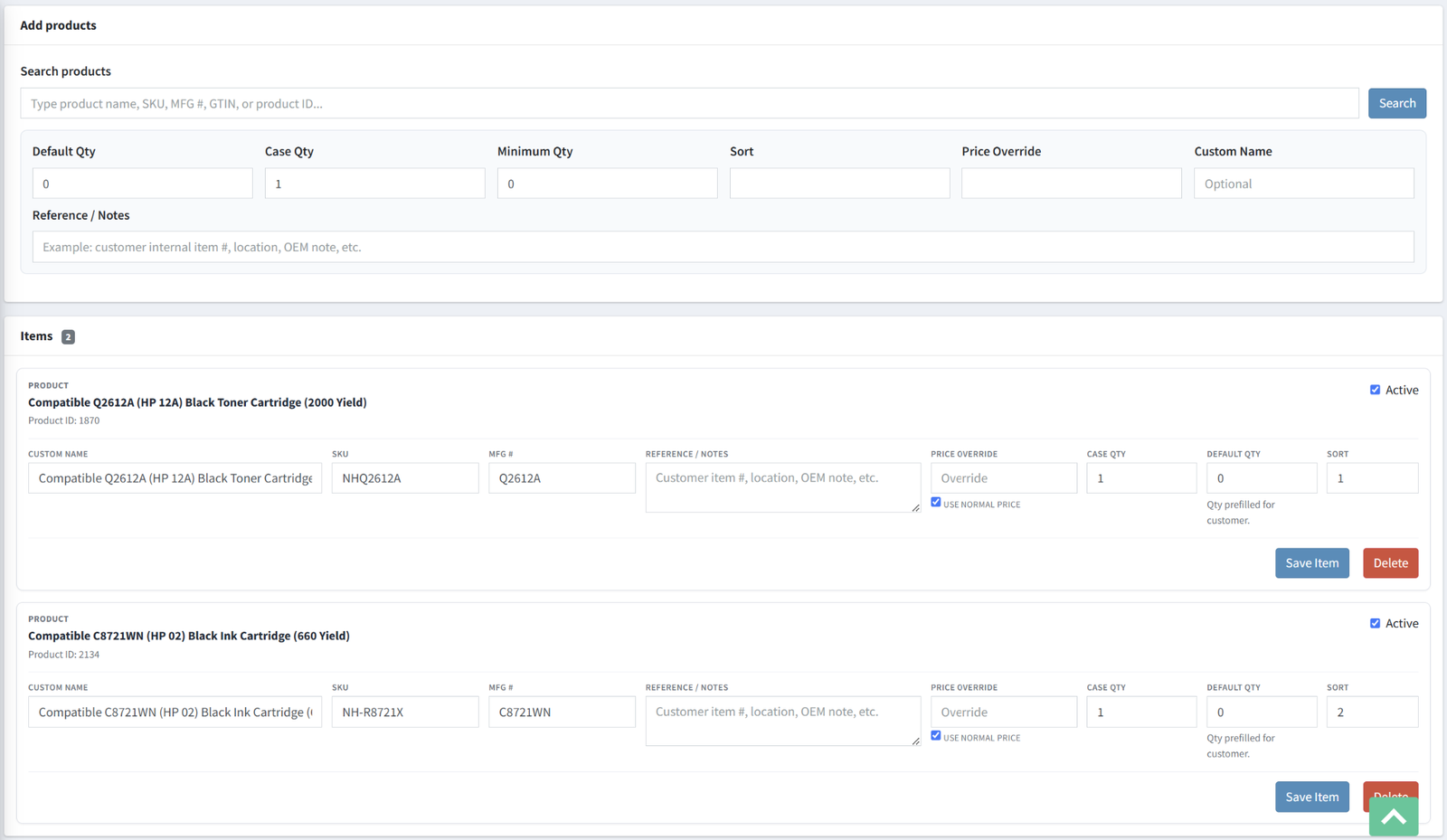
Manage form items, custom names, SKU/MFG values, notes, pricing, case quantity, default quantity, and sort order.
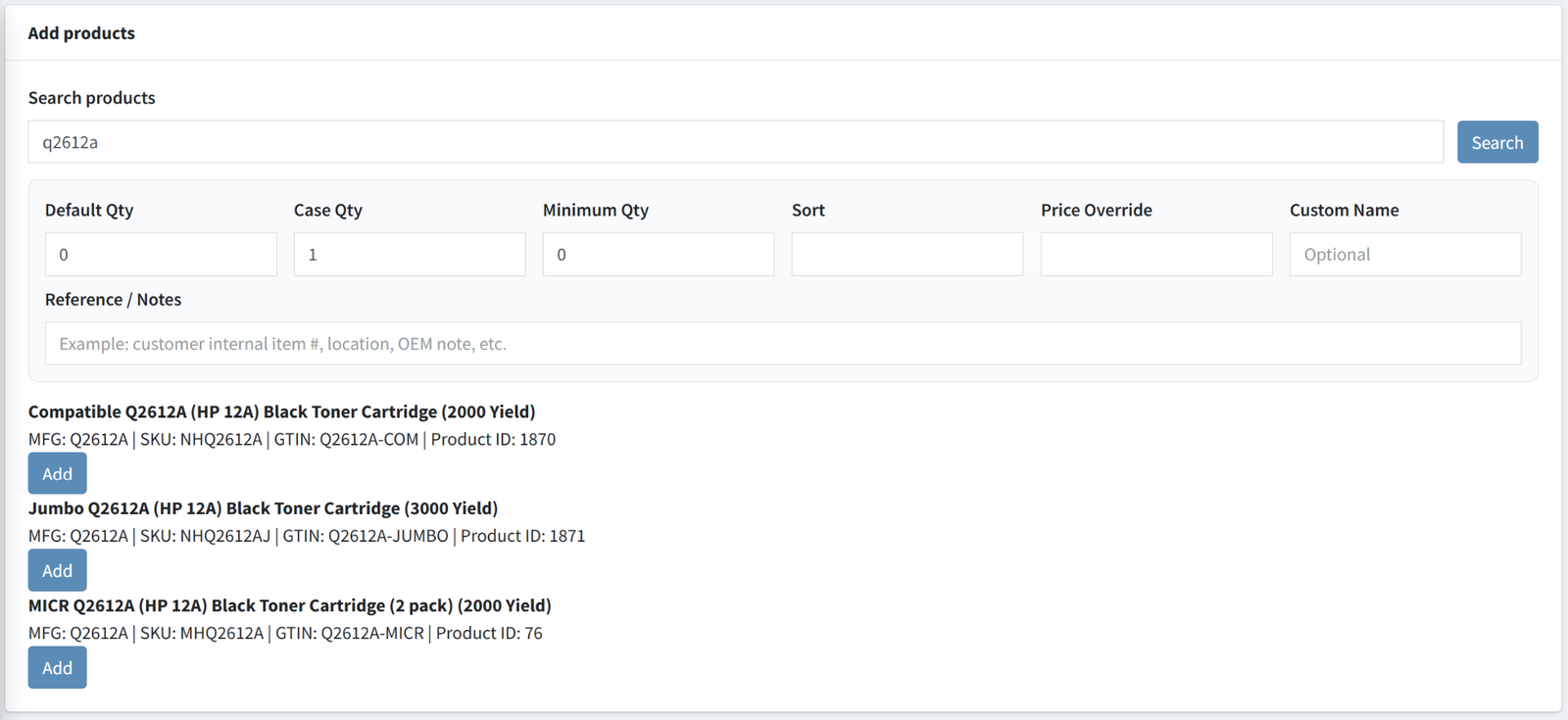
Search products by name, SKU, MFG number, GTIN, or product ID and add matching items to the form.
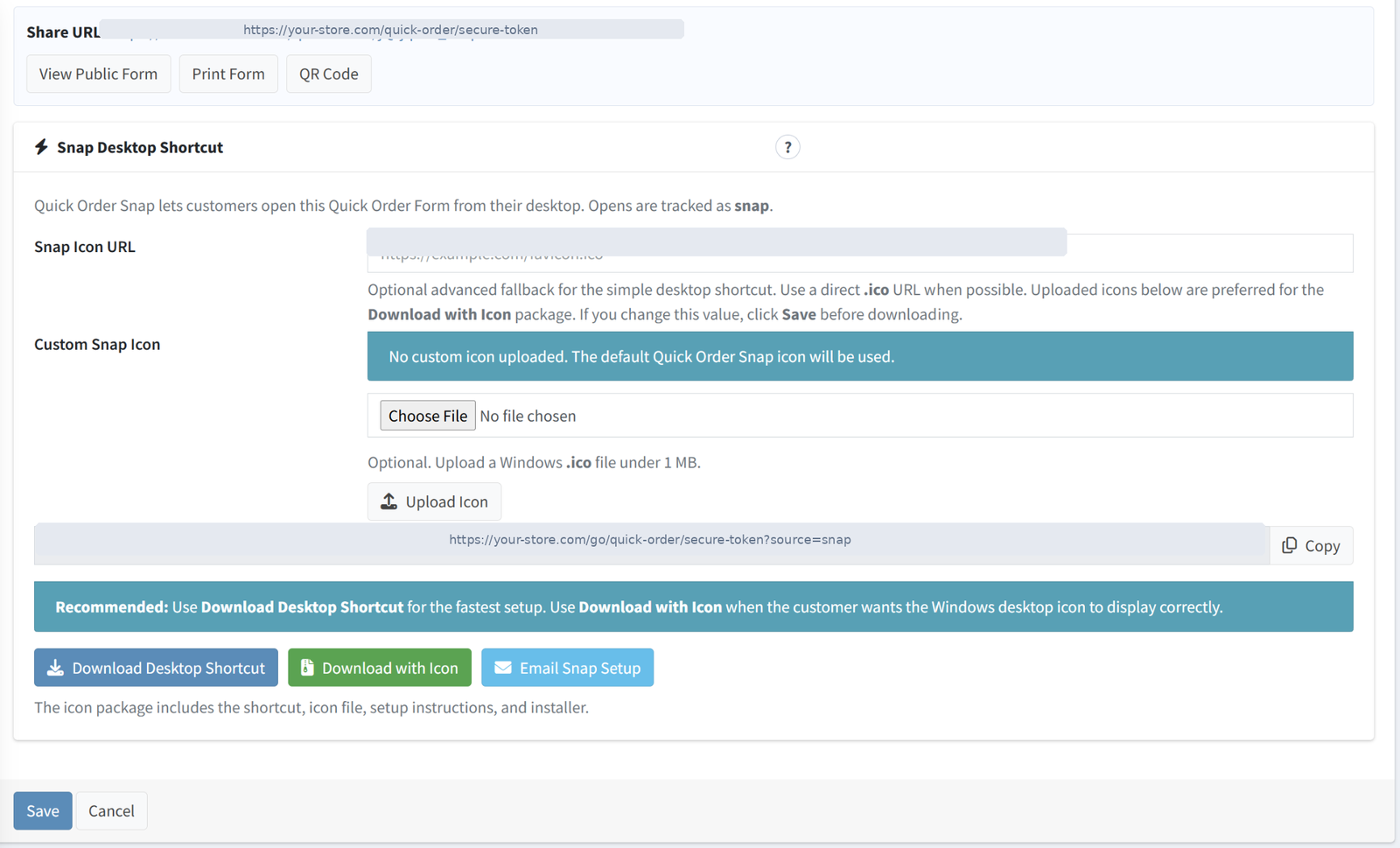
Configure Snap desktop shortcuts, custom icon URLs, uploaded .ico files, download packages, and email setup.
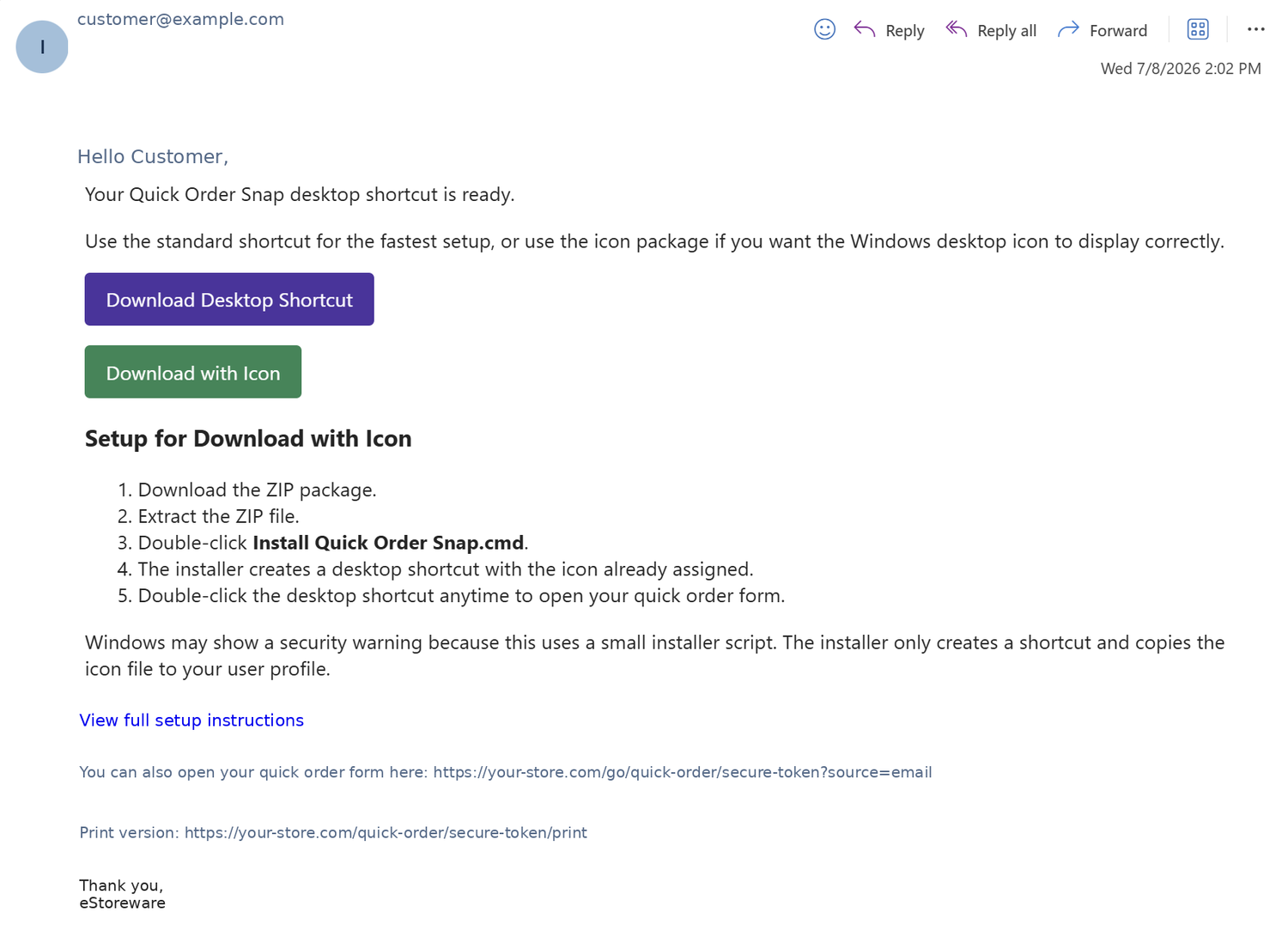
Email customers a desktop shortcut setup with Download Desktop Shortcut and Download with Icon options.
Share and launch
Send links, flyers, QR codes, and Snap desktop shortcuts.
Quick Order Forms are not limited to a customer account page. Admins can send forms by email, print flyers, generate QR codes, and provide a Windows desktop shortcut package with a custom icon.
- Public share link with QR code support
- Printable flyer for offline ordering workflows
- Email customer setup for Snap shortcuts
- Download with Icon package for polished desktop launchers
Desktop Snap experience
Launch customer forms from the Windows desktop.
Quick Order Snap creates a customer-friendly desktop shortcut. The icon package includes the shortcut, icon file, setup instructions, and installer script so customers can open their assigned form without remembering a URL.
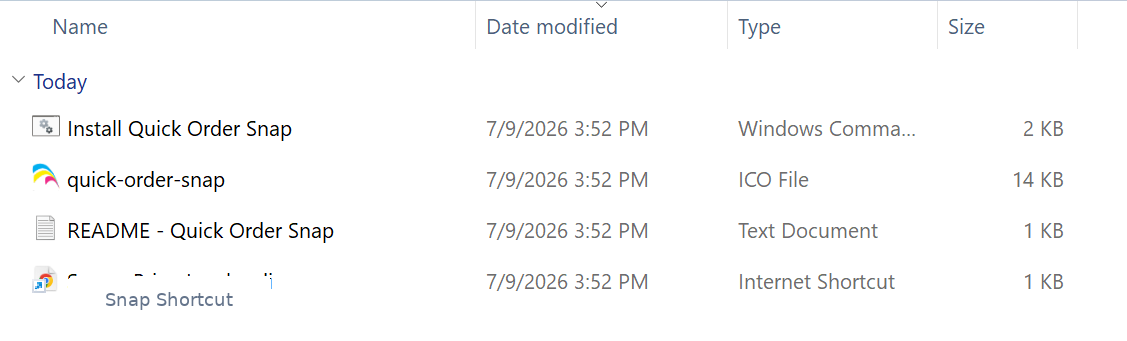
Shortcut package contents include installer, icon file, readme, and internet shortcut.
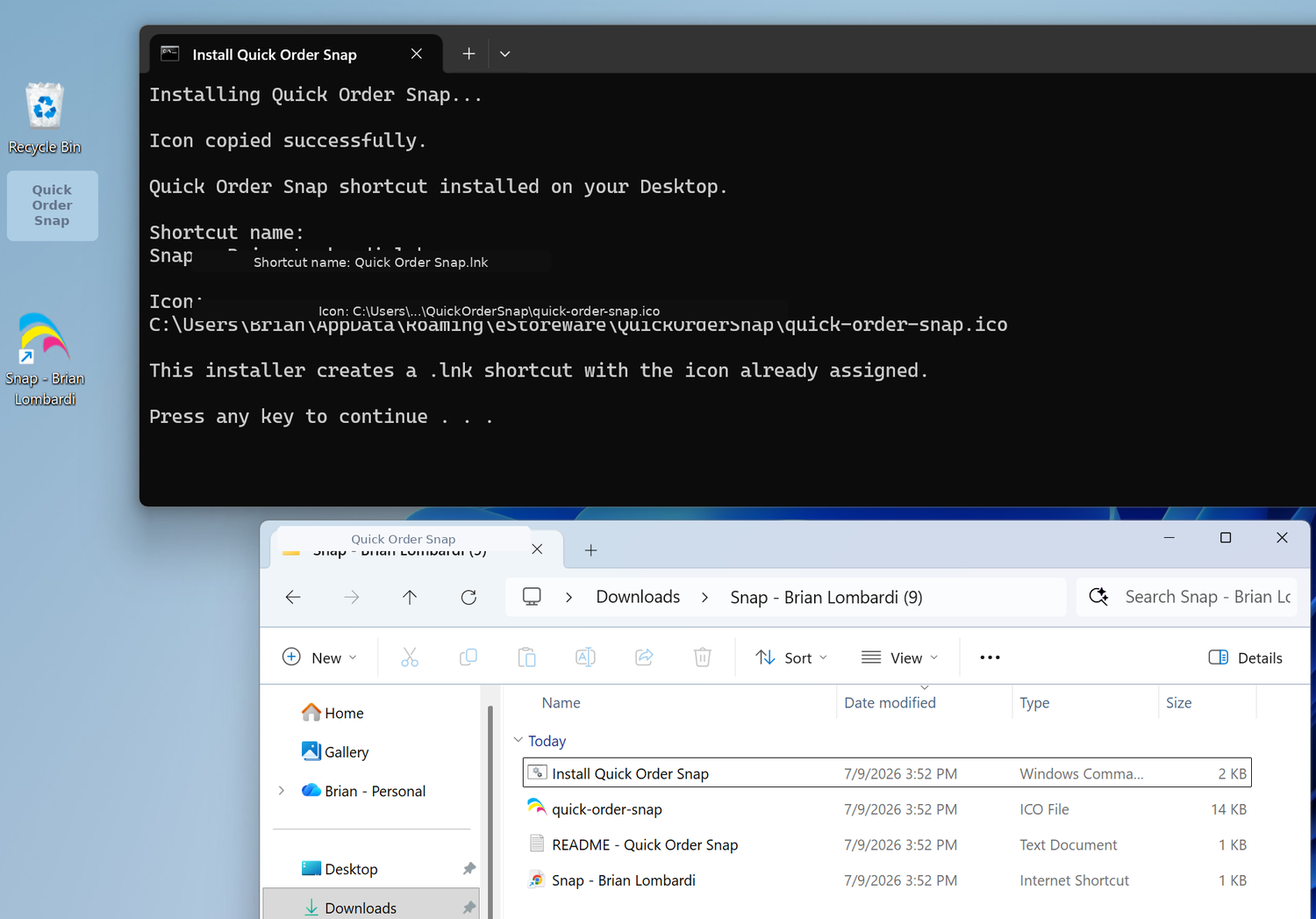
Installer creates the desktop shortcut and assigns the custom icon.
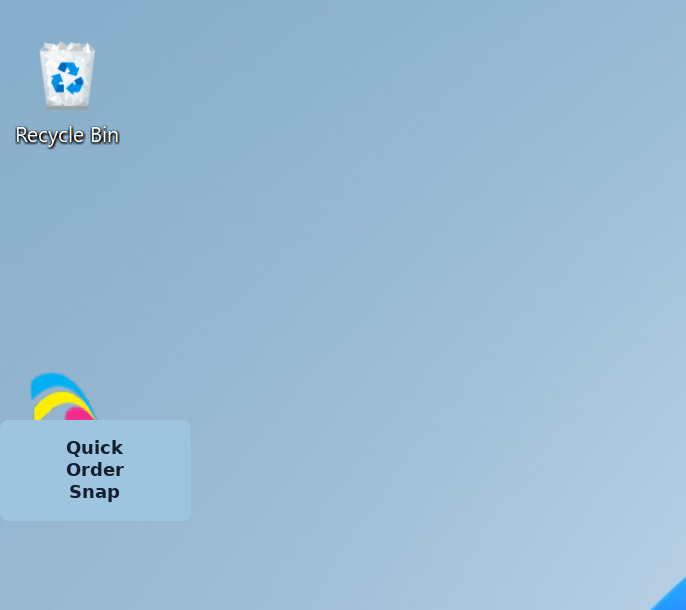
Customer desktop shortcut with custom icon for one-click form access.
Tracking and tools
See how customers open and use their forms.
The admin area tracks total opens, link opens, QR scans, Snap opens, email opens, and last opened activity. Admin tools help regenerate links, duplicate forms, import/export CSV, email customers, and delete forms.
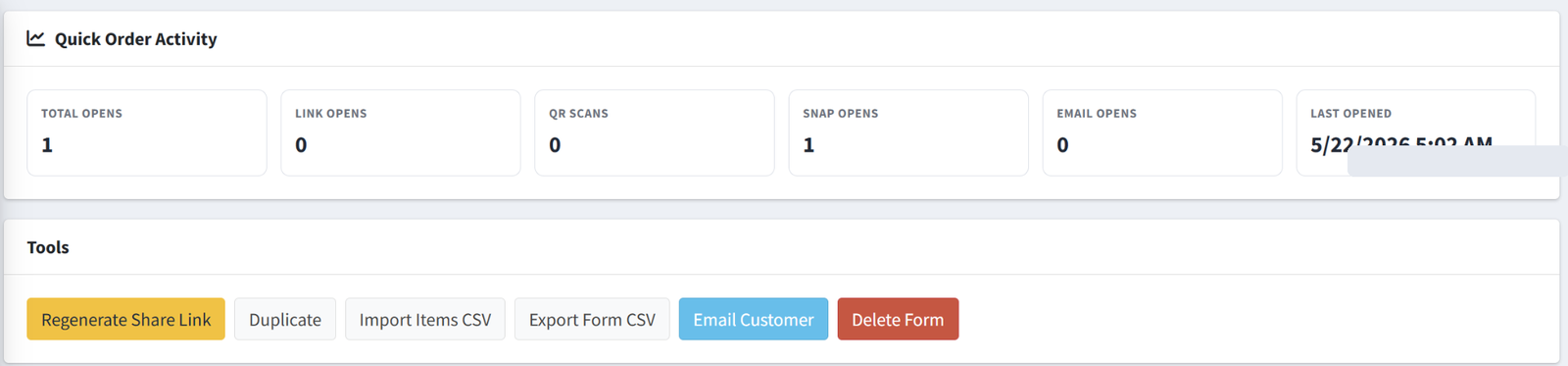
Track opens by source and manage form-level admin tools.
Everything customers need for faster repeat ordering.
Install, configure, and start giving customers a faster way to reorder common products from your nopCommerce store.