
Product Feeds & Sync

eStoreware for nopCommerce • Product Data Sync

Move product data into the store with more control and less repetitive work.

The eStoreware Product Feed Sync plugin connects approved product-data sources to nopCommerce receiving stores with previews, mappings, selected imports, result history, and scheduled processing.
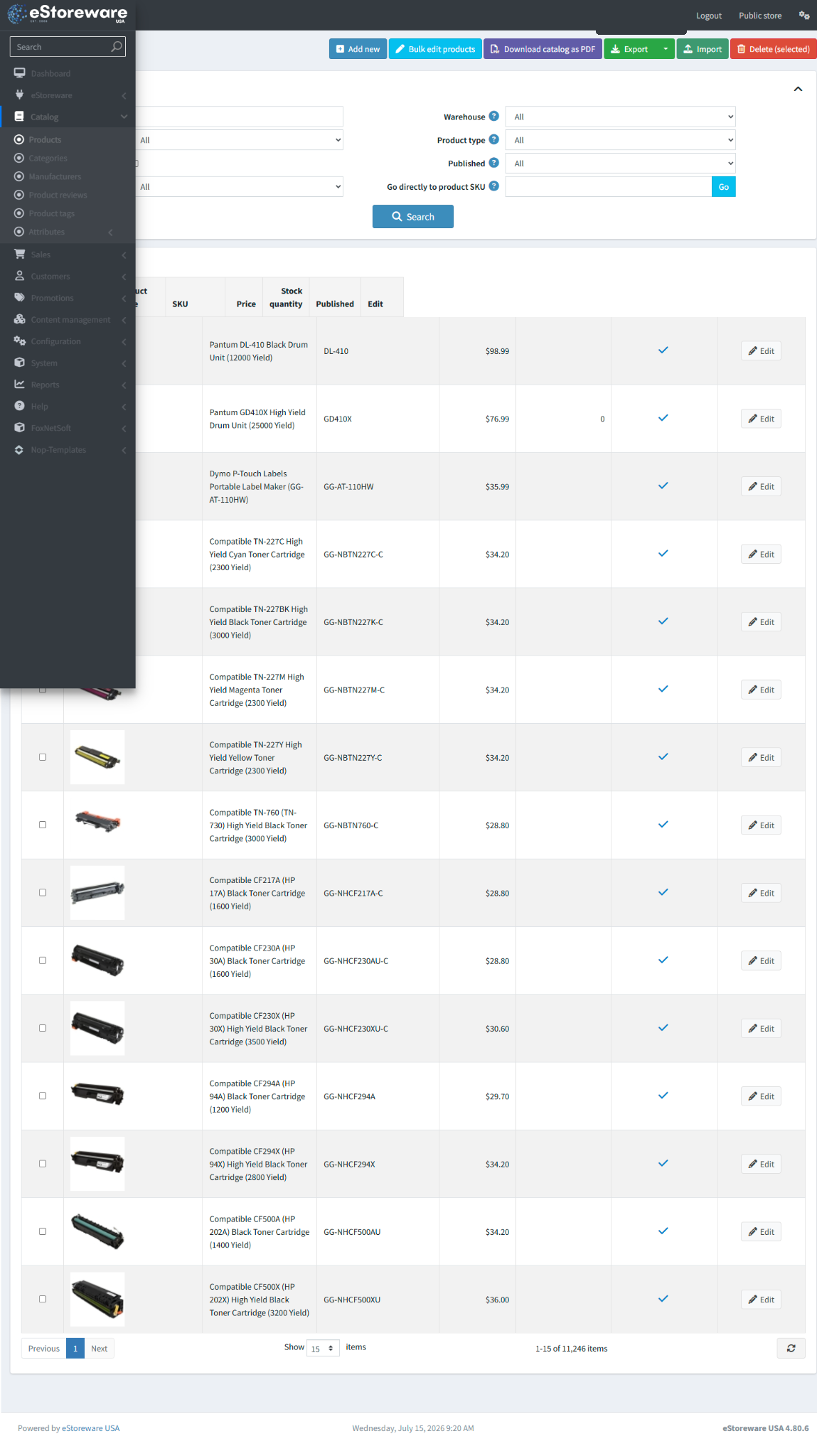
  • Connect a publisher to receiving stores
  • Preview new, updated, unchanged, or skipped records
  • Control categories, manufacturers, specifications, prices, and inventory
  • Import selected records instead of blindly replacing the catalog
Product catalog administration
PU

Publisher

Expose approved product data.

RC

Receiver

Connect a receiving store.

PV

Preview

Review changes before import.

MP

Mappings

Align categories and identifiers.

IS

Import selected

Choose records to import.

HI

History

Review runs, warnings, and errors.

Publisher and receiver workflows

Separate the source catalog from the stores that consume it.

Publisher and receiver profiles control access, store scope, and import behavior.

Central sourcePublish approved product information from a managed catalog.
Store connectionConfigure authentication and receiving-store behavior.
Controlled accessAvoid exposing private credentials or unrestricted catalog data.

Preview before importing

See what will change before records enter the catalog.

Review counts, product status, matching, and selected records.

1

Connect

Validate the source connection.

2

Preview

Compare incoming and existing products.

3

Select

Choose records to import.

4

Review result

Confirm created, updated, skipped, and warning counts.

Catalog result

Turn incoming data into organized storefront products.

Maintain product names, identifiers, categories, specifications, prices, inventory, and storefront presentation.
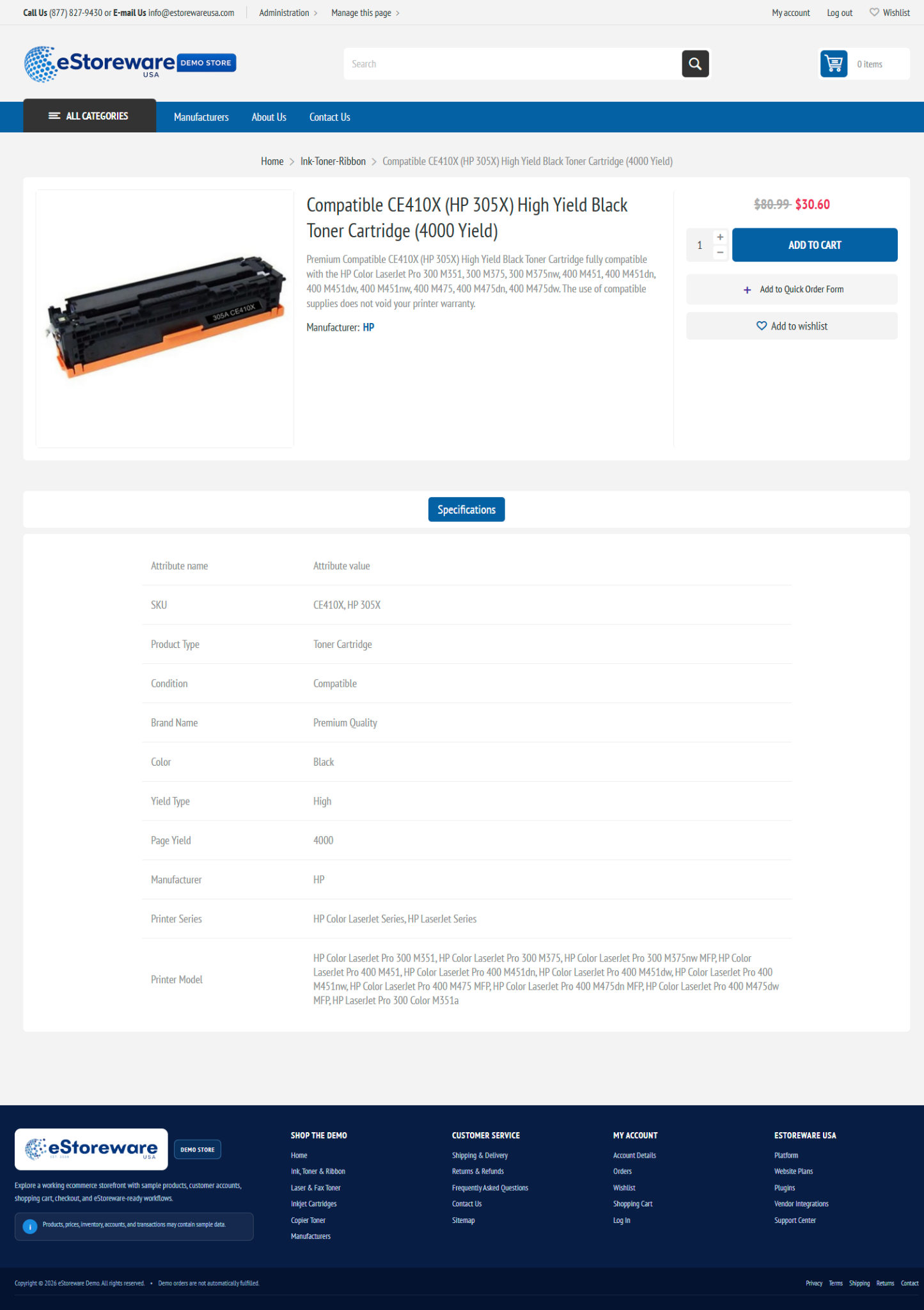
  • Product names, descriptions, SKUs, and MFG numbers
  • Categories, manufacturers, and specifications
  • Price and inventory rules
  • Images and storefront details when supported
Storefront product detail page
Synchronized product information presented to the customer

History and scheduling

Move toward repeatable catalog maintenance.

Retain visibility into run status, counts, warnings, skipped records, and errors.

Run historyTrack completed and failed synchronization attempts.
Result countsReview created, updated, unchanged, and skipped totals.
Scheduled taskRun approved synchronization at a controlled interval.

A more manageable catalog workflow

Connect central product information to the stores that need it.

Discuss your catalog source or review preview, mapping, selection, and import workflows.