
Cart request
Start with products and quantities already selected by the customer.
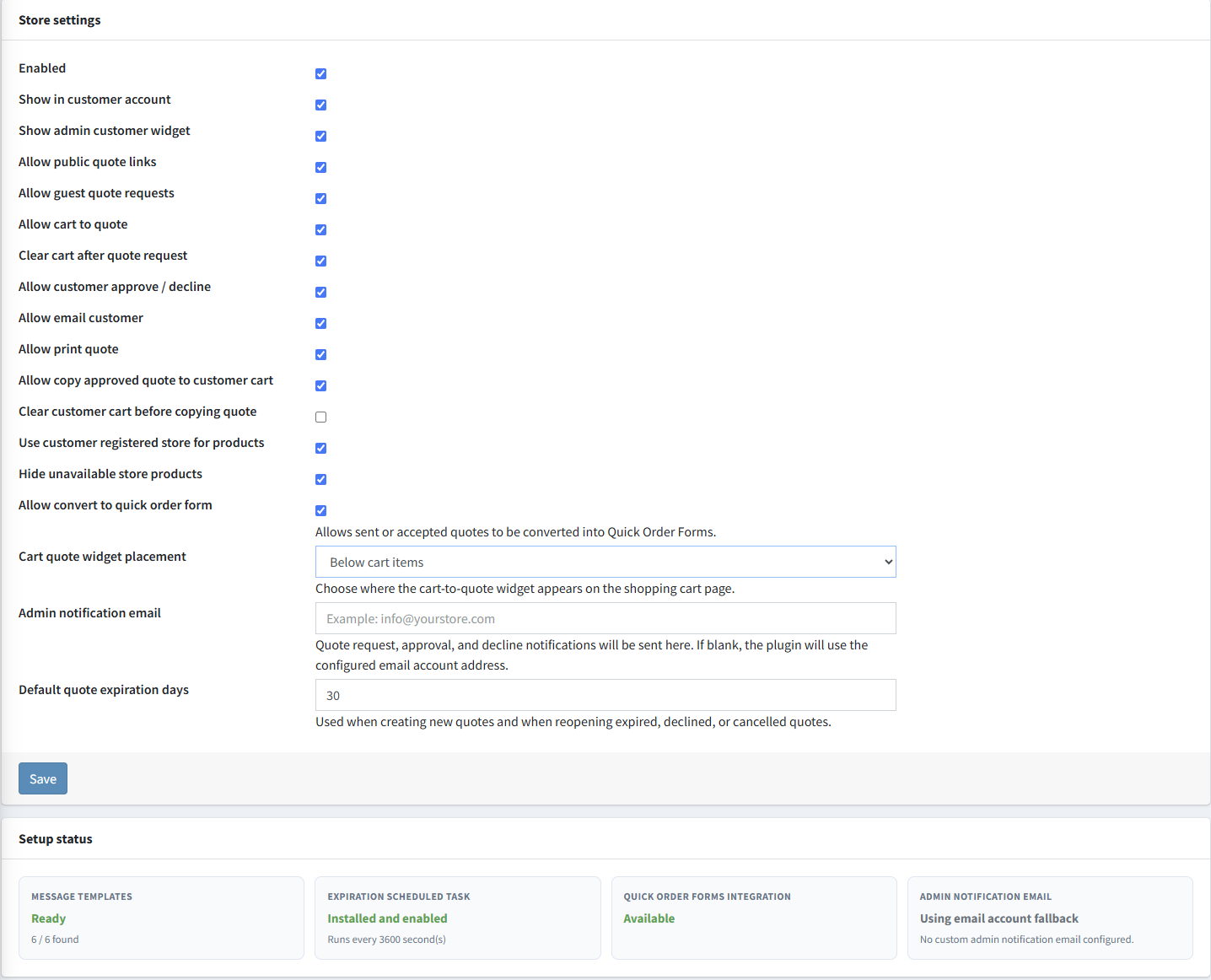
eStoreware for nopCommerce • Advanced Quotes
The eStoreware Advanced Quotes plugin adds a complete commercial quote workflow to nopCommerce—from registered or guest cart requests through requested-price review, store or customer approval, revisions, branded PDFs, price-preserved checkout, final order linkage, and optional Quick Order Form conversion.
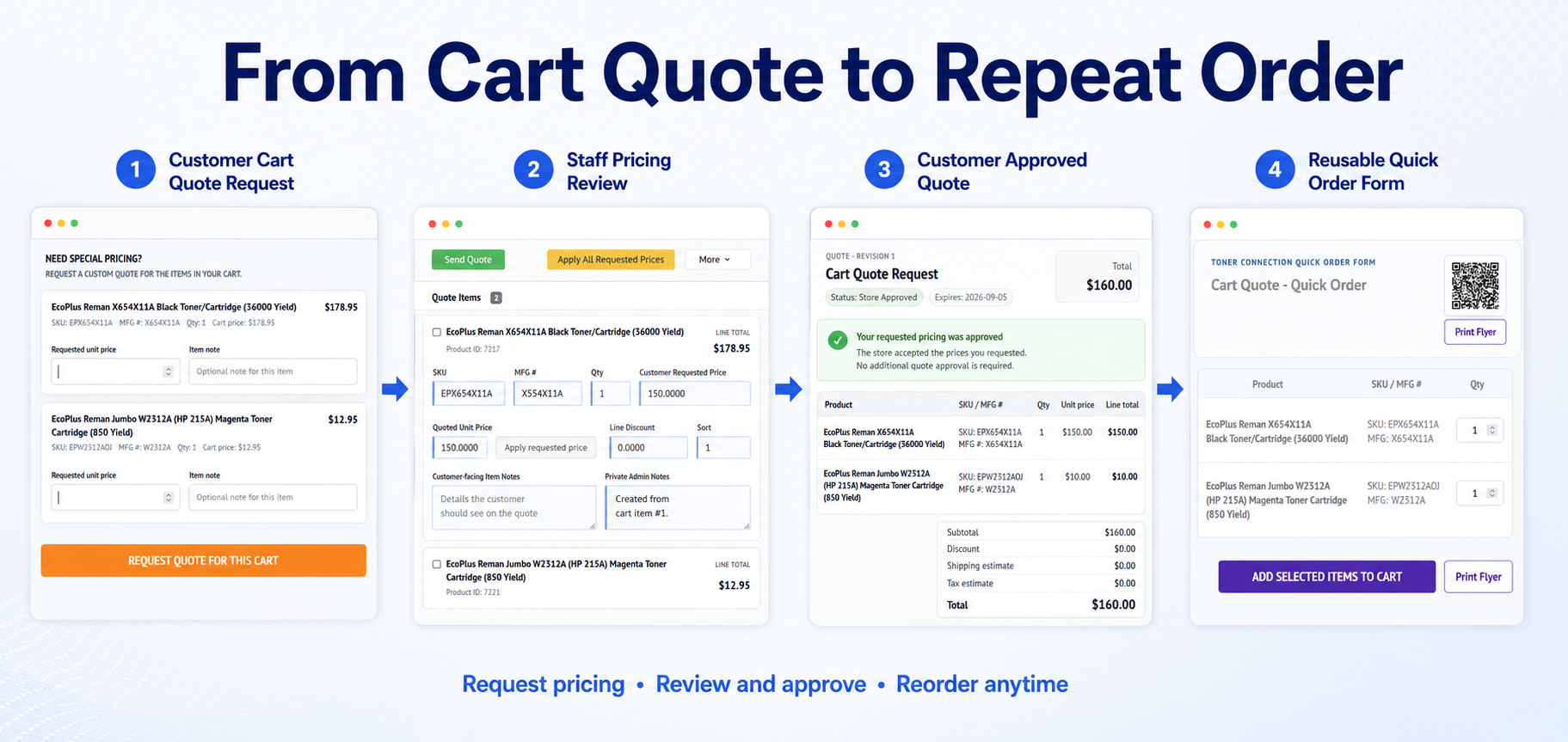
Start with products and quantities already selected by the customer.
Capture a requested unit price and item-specific purchasing notes.
Confirm the request and email the completed quote for review.
Record customer acceptance through the public quote page.
Copy an accepted quote into the assigned customer's shopping cart.
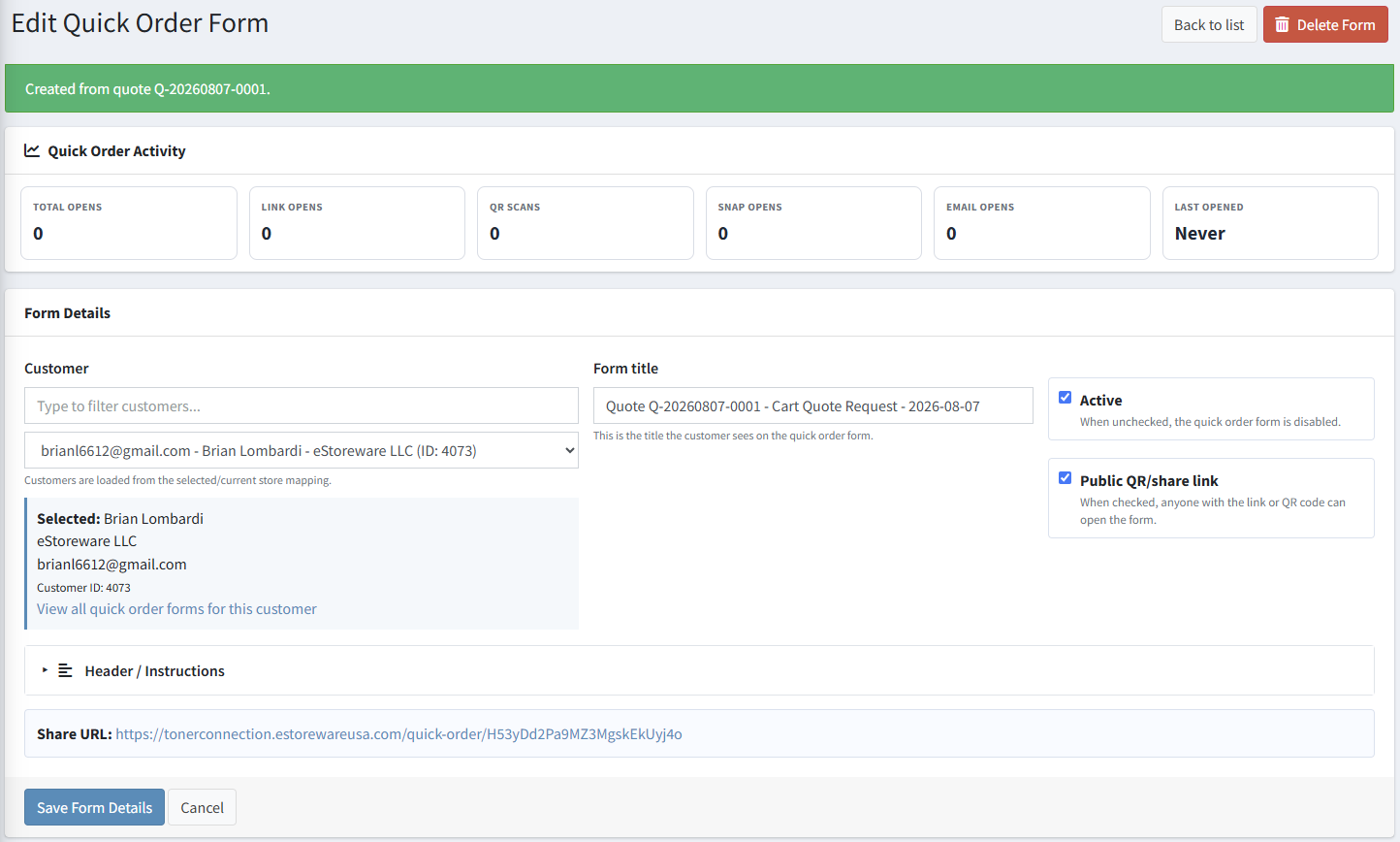
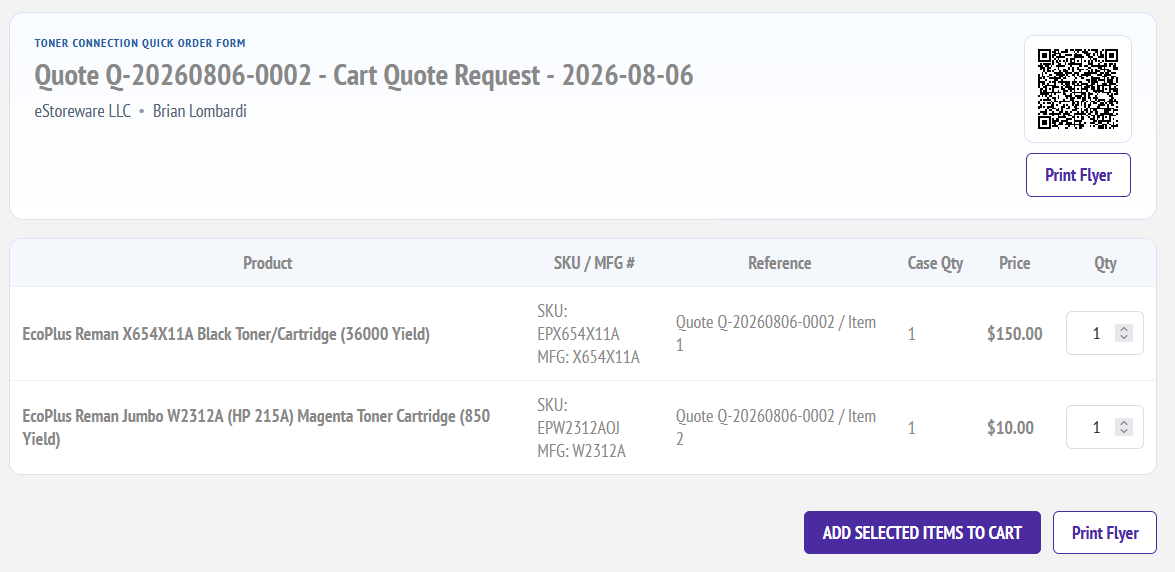
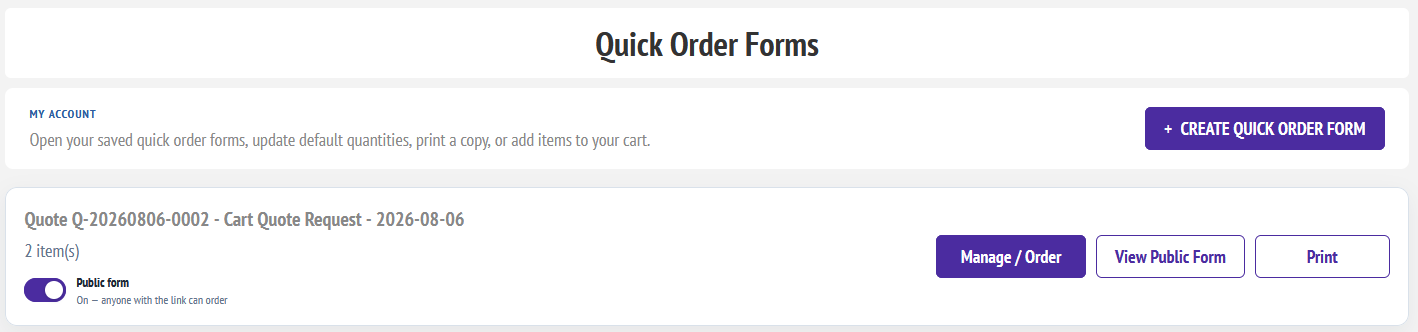
Turn quoted products into a reusable repeat-order list.
Cart-based quote requests
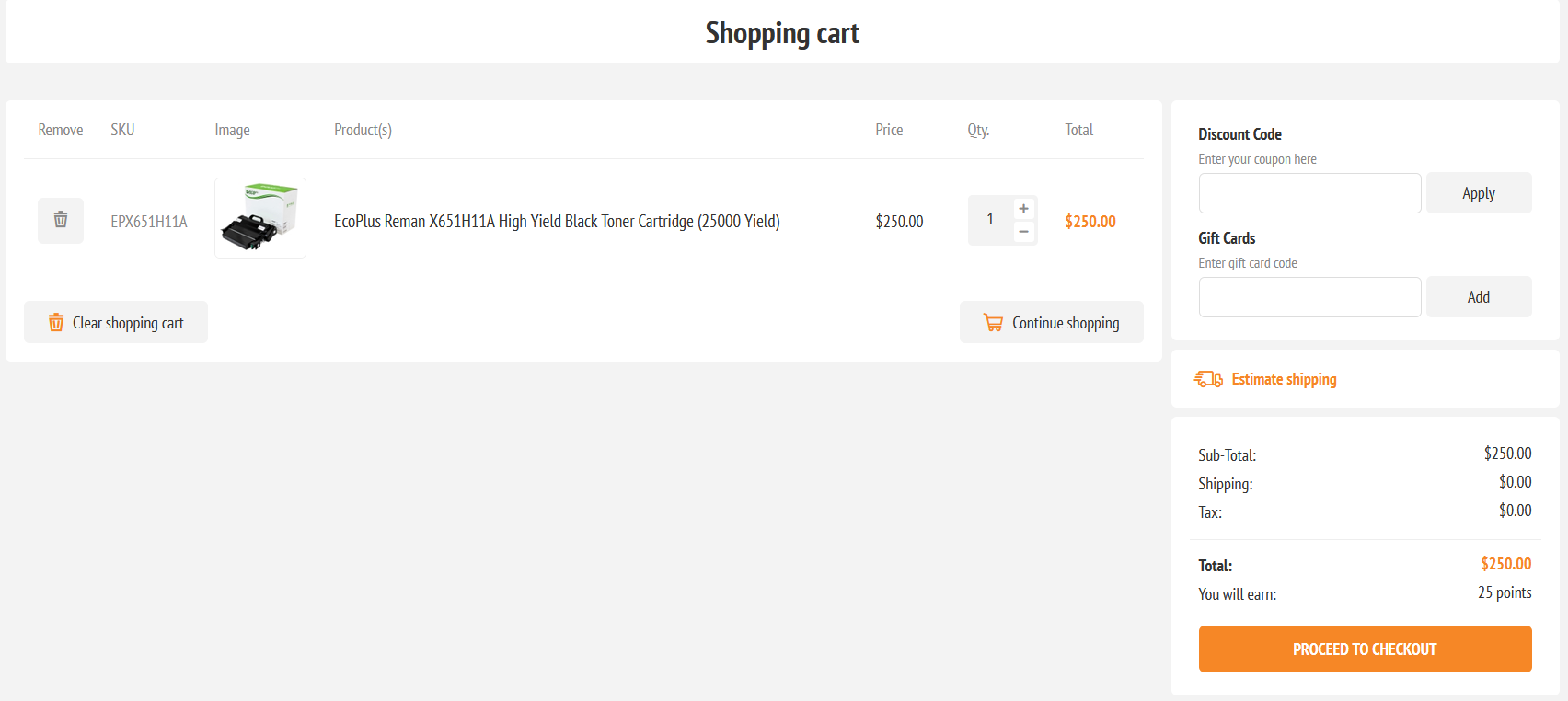
The quote panel expands directly beneath the shopping cart. Customers can enter requested unit prices, add an item note, provide overall delivery or purchasing instructions, and submit the current cart for review.
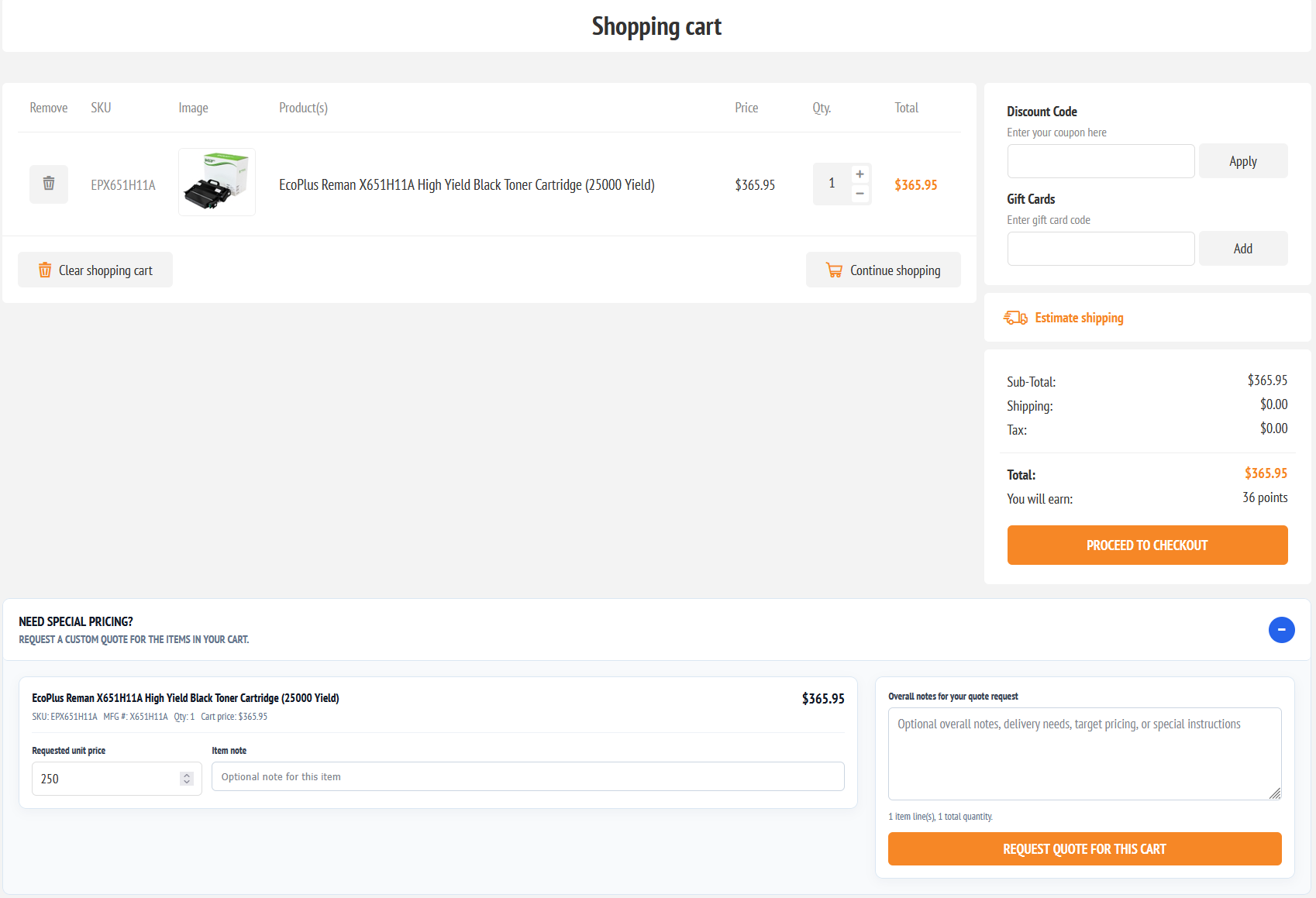
Keep the request connected to the cart
Customer communication
After submission, the customer sees a dedicated confirmation page with the quote number, the three-step review process, a normal response-time expectation, and links to continue shopping or open My Quotes. The completed quote can then be delivered by email with its total, expiration, and secure review link.
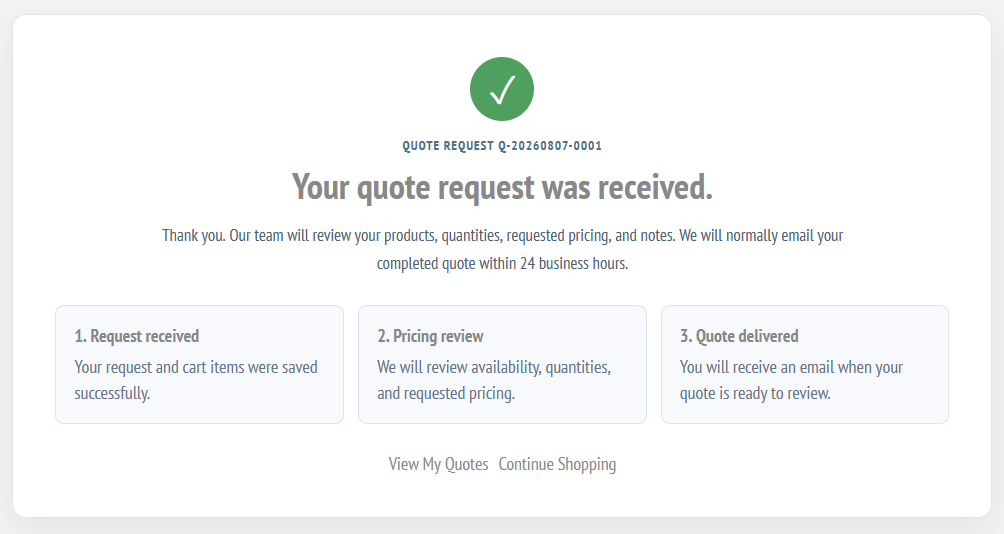
Central quote administration
The Advanced Quotes list summarizes all quotes, cart requests, pending cart requests, and approved quotes. Administrators can search by quote or customer, filter status and source, and open the complete quote workspace.
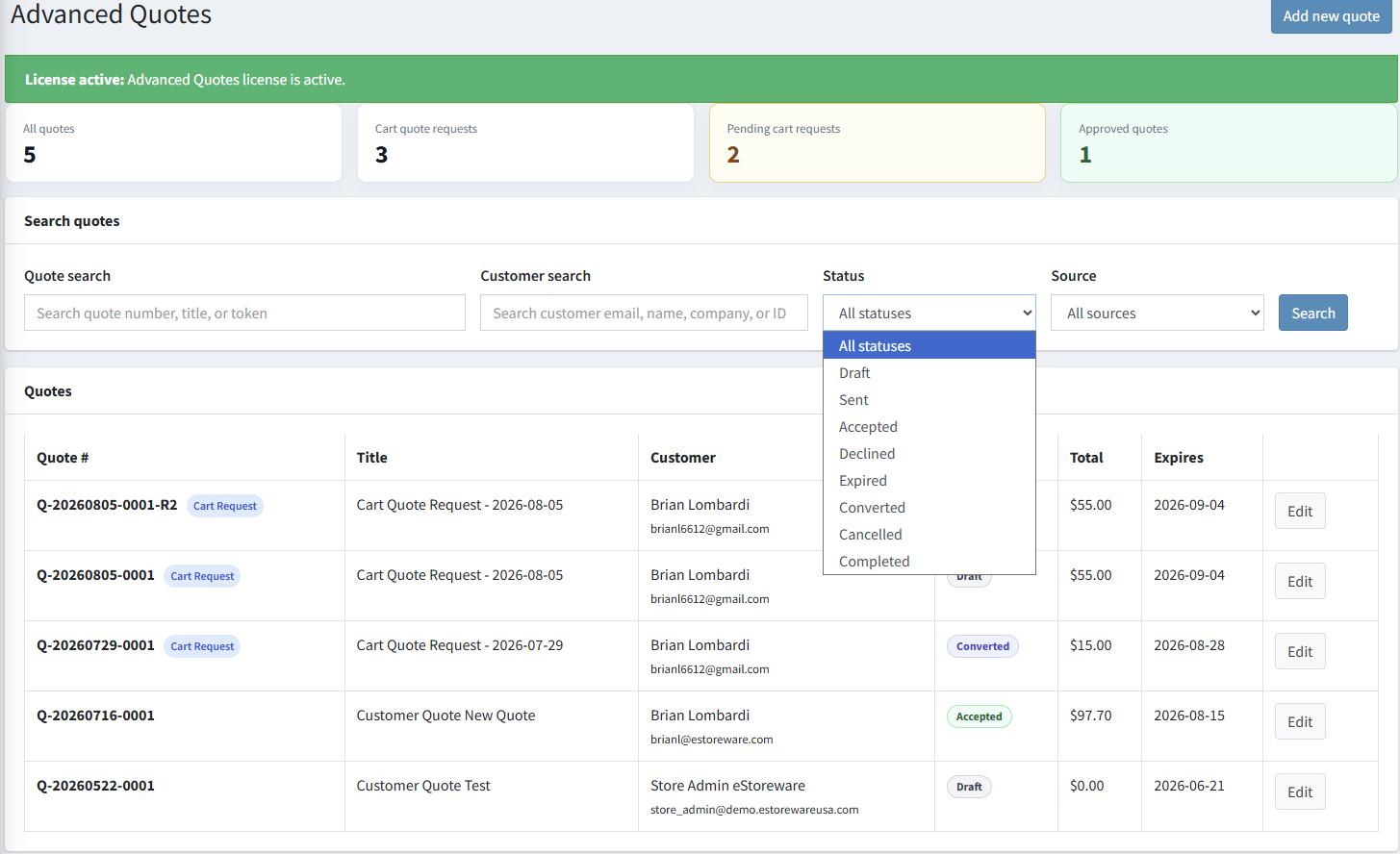
Add products to a quote
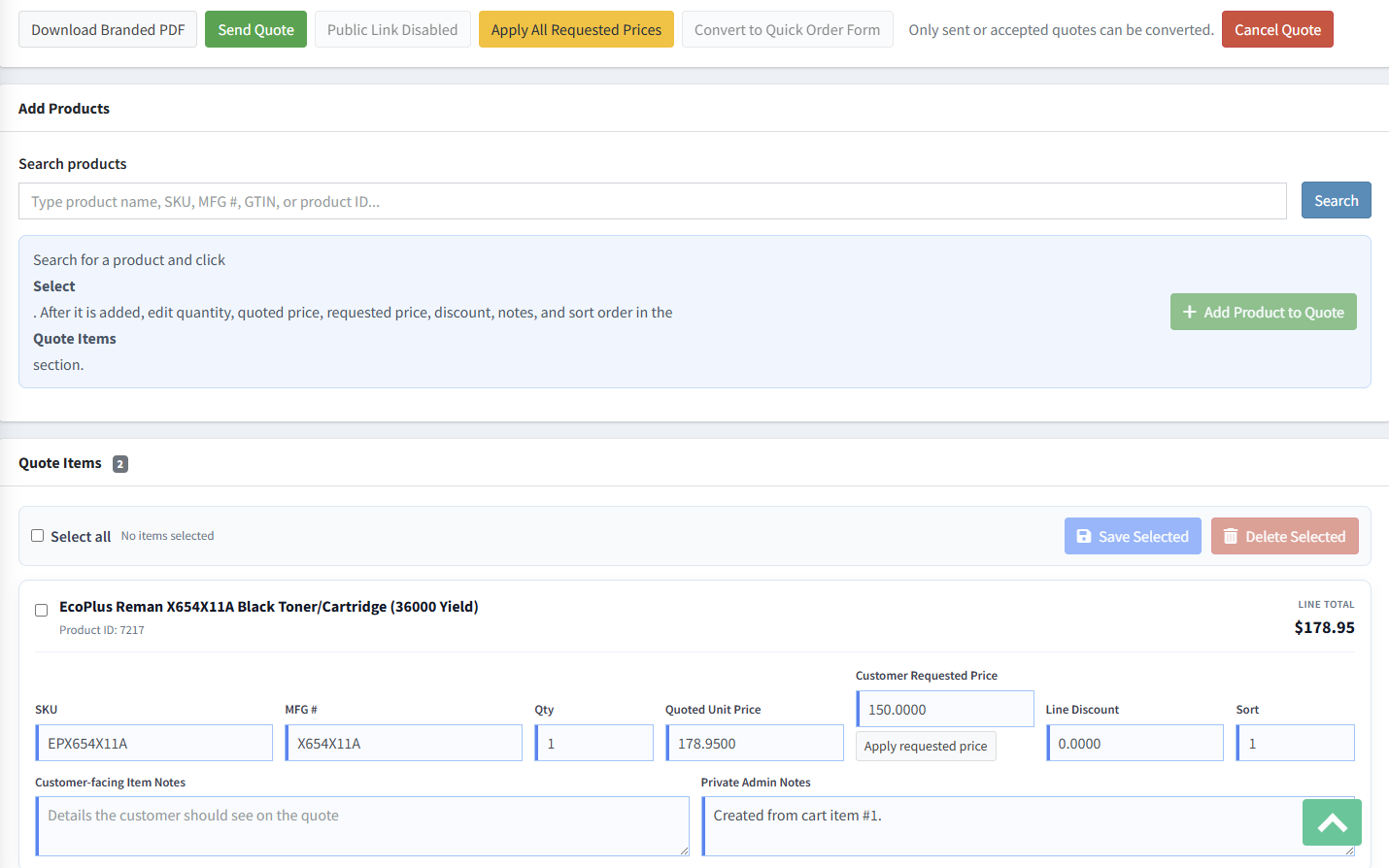
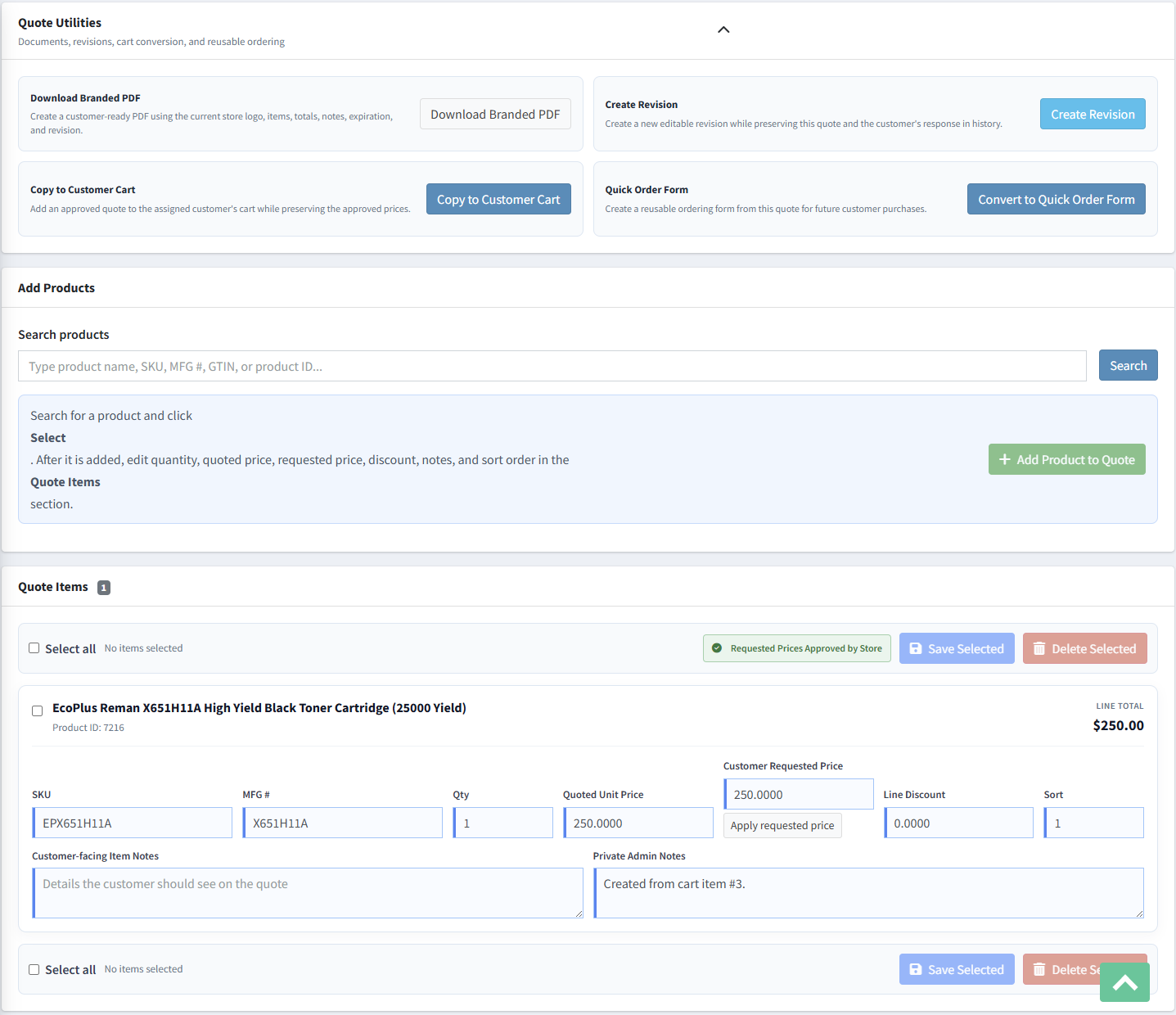
Administrators search for and select the product first, keeping initial entry fast. Once added, quantity, quoted price, requested price, discount, notes, and display order are edited in the quote-items workspace, with bulk Save Selected and Delete Selected actions.
Requested and quoted pricing
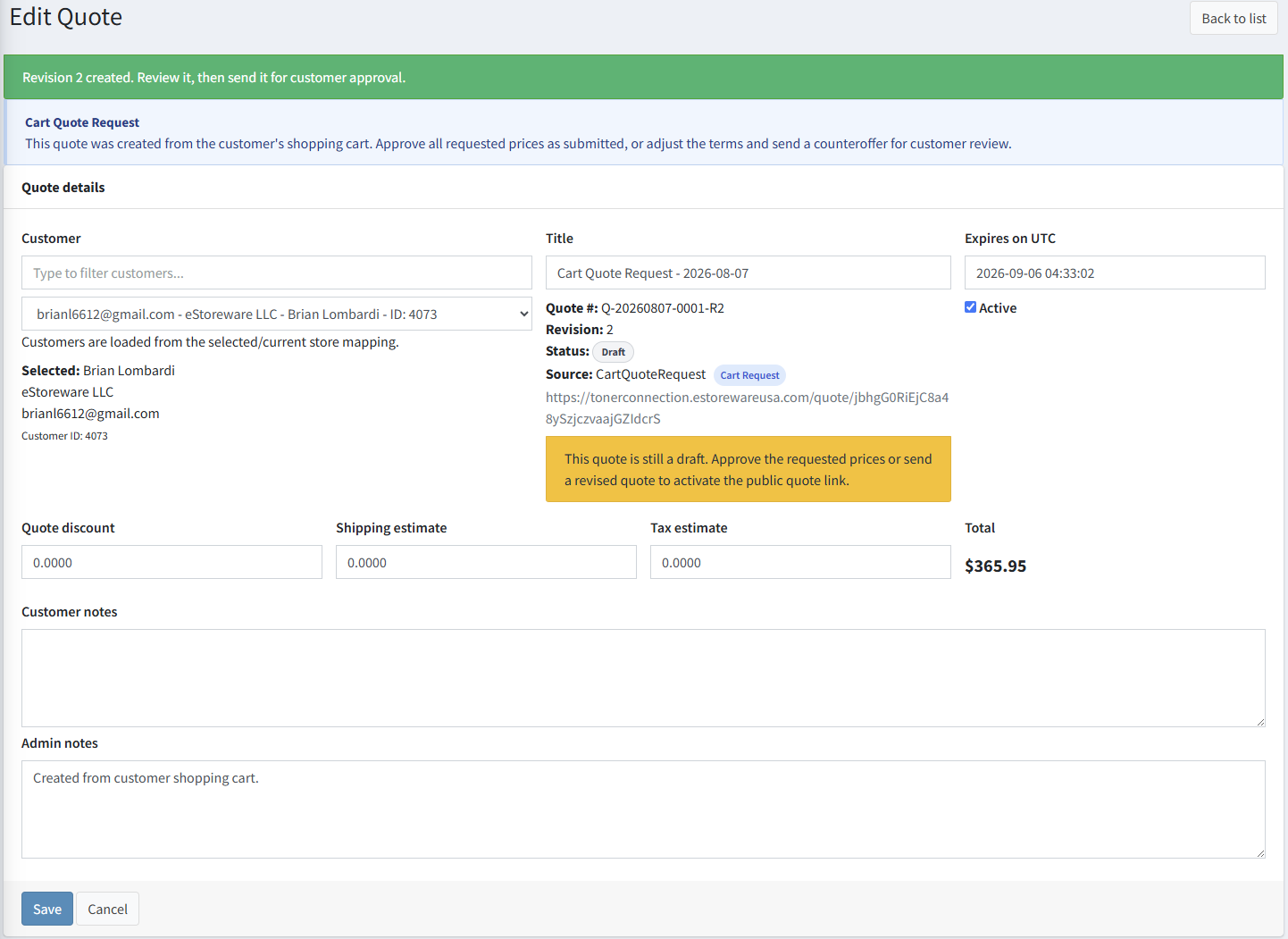
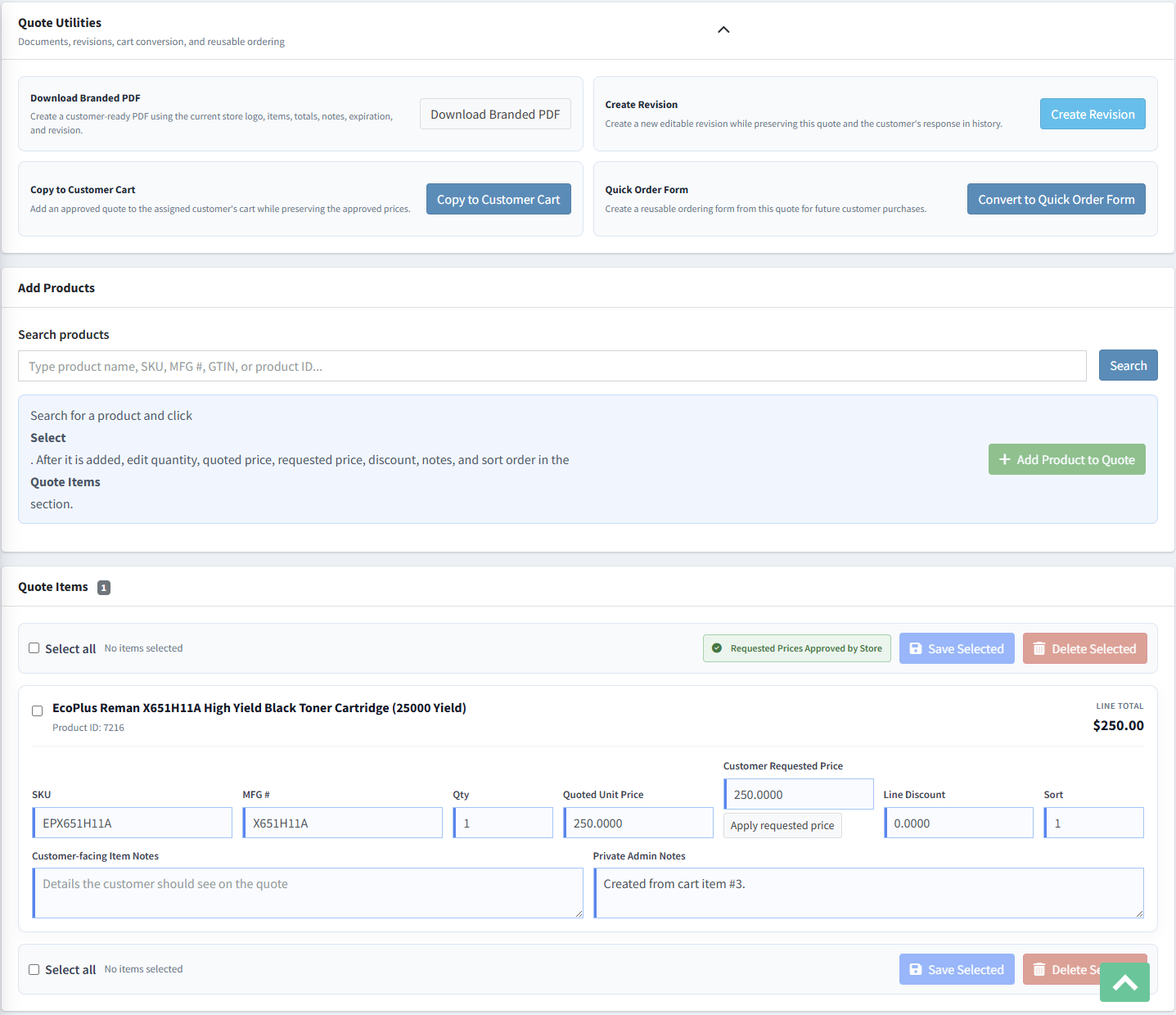
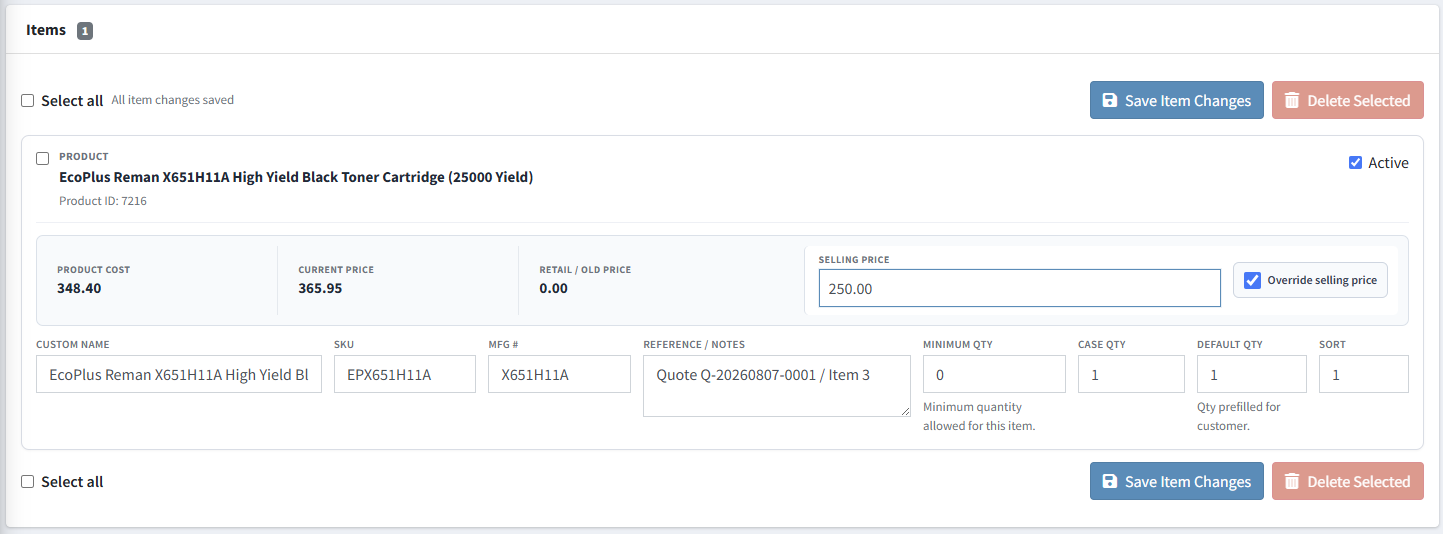
A cart-generated quote preserves the customer's requested unit price and note. Staff can apply one requested price or approve all requested prices together. When the store approves the submitted pricing, the customer is notified and no additional approval is required before the approved quote is copied to the cart.
Pricing controls
Commercial revisions and audit history
Create R2, R3, and later revisions as negotiations continue. Each new revision is editable and returns to Draft while the prior version remains unchanged. History records the source quote, workflow events, messages, timestamps, and status changes.

Branded customer documents
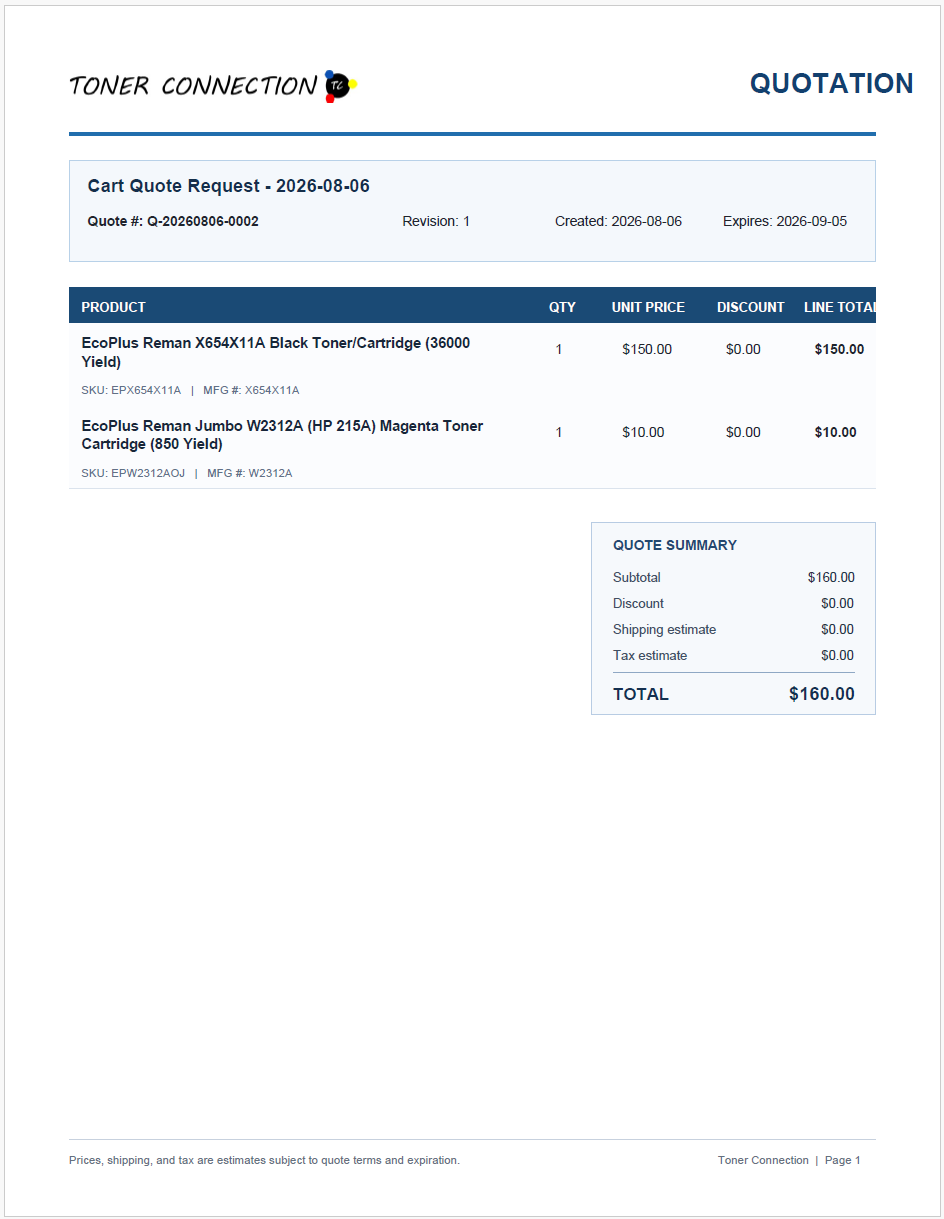
Download a customer-ready PDF with the store logo, quote number, revision, dates, products, identifiers, quantities, approved prices, discounts, totals, notes, expiration, and page footer. Transparent logos are flattened onto white so branding remains clean in the final document.
Public quote review and approval
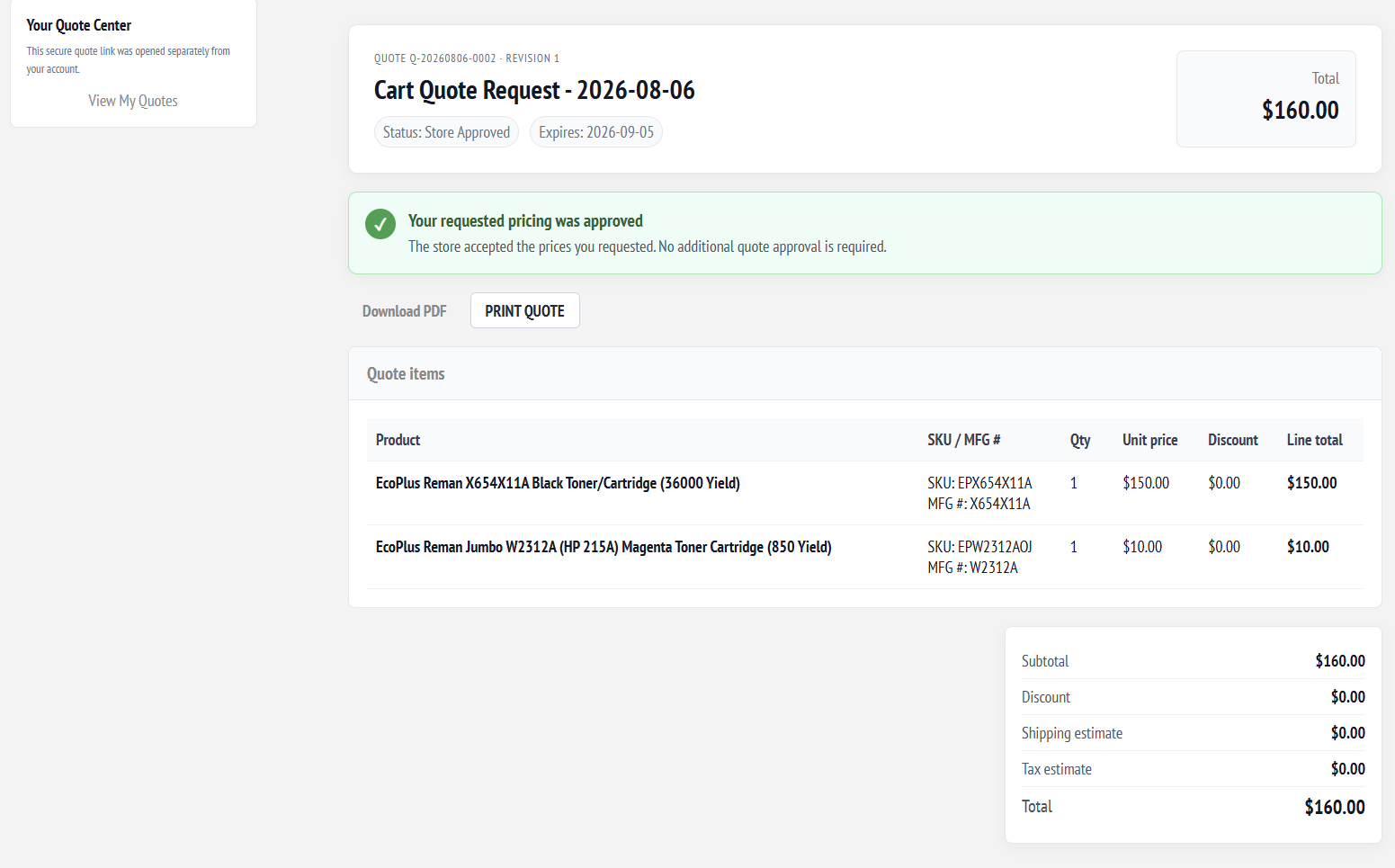
The public quote page shows the quote number, revision, status, expiration, products, identifiers, quantities, unit prices, discounts, totals, customer-facing notes, and PDF action. A customer can accept or decline a counteroffer; when the store approves all prices originally requested by the customer, the quote clearly states that no additional customer approval is required.
Customer response
Post-approval outcomes
Quote tools help staff send or resend the offer, open the public quote, copy accepted products into the assigned customer's shopping cart, create a reusable Quick Order Form, complete the quote, cancel it, or reopen the workflow when follow-up is required.
Activate the public link and email the offer to the customer.
Record approval through the public quote page.
Move accepted items to the customer cart or create a Quick Order Form.
Mark the quote complete, cancel it, or reopen it when needed.
Price preservation and final order linkage
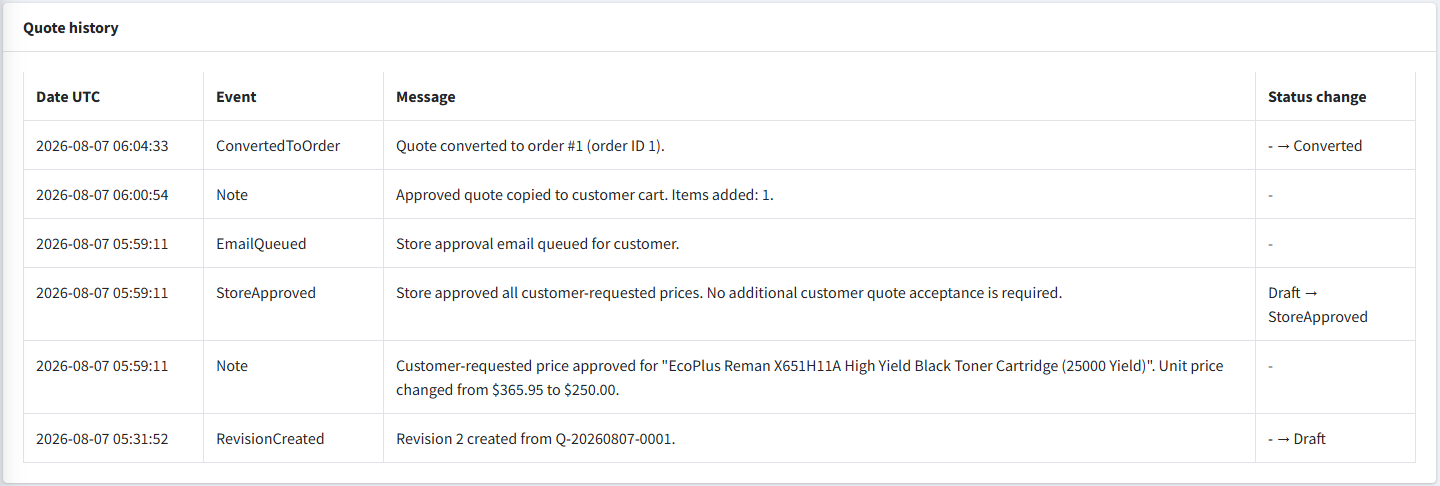
When an accepted or store-approved quote is copied to the assigned customer's cart, Advanced Quotes applies the negotiated unit-price override instead of reverting to the catalog price. After normal nopCommerce checkout, the exact quote revision is marked Converted and its history records the resulting order number and order ID.

Customer account visibility
Customers can review quote history from My Quotes, open an accepted or converted quote, and access converted Quick Order Forms for faster repeat ordering.
Quote history and traceability
Quote history records revisions, requested-price approvals, queued emails, cart conversion, customer responses, status changes, and the final ConvertedToOrder event with UTC timestamps.
Structured special-pricing workflows
See how request confirmation, store-approved pricing, customer counteroffers, revisions, branded PDFs, price-preserved checkout, final order linkage, and reusable Quick Order Forms fit into your nopCommerce website workflow.