
Sales Reps FAQs
eStoreware Sales Reps & Commissions for nopCommerce
Answers by workflow with screenshot examples: installation, licensing, sales rep profiles, customer assignments, referral links, rep-code registration, controlled portal access, product lookup, commission tracking, payout batches, reporting, diagnostics, activity history, and troubleshooting.
October 2026: commission accounting and the sandbox payout ledger
Version 1.28 preserves original earning terms and accounting currency, reconciles refund effects, and records manual payment evidence. Paid originals stay unchanged; later refunds create linked adjustments. Live PayPal/Stripe payout adapters remain future work.
Confirm historical currency/store metadata before settlement, include approved negative adjustments in the selected rep's net payment, and use Record manual payment only to record a payment made outside the plugin. Sandbox ledger results do not send money or mark real commissions Paid.
Follow the updated Sales Reps guide for upgrade, reconciliation, settlement, and simulator steps.
Section 1: Installation, Licensing, and Configuration
Sales Reps uses eStoreware Core licensing, plugin settings, customer roles, store-aware records, diagnostics, and repair tools to keep the workflow ready after installation or upgrade.
What is eStoreware Sales Reps?
eStoreware Sales Reps adds sales representative management to nopCommerce. It supports rep profiles, customer assignments, referral links, rep-code registration, order attribution, commission tracking, manual adjustments, payout batches, reports, diagnostics, activity history, and controlled sales rep portal access.
Does the plugin require eStoreware Core?
Yes. The plugin is designed to work with eStoreware Core for licensing and shared eStoreware dashboard behavior. After the license is active, the Sales Reps admin pages, portal pages, widgets, and order attribution workflow can unlock.
What should I do after installing the plugin?
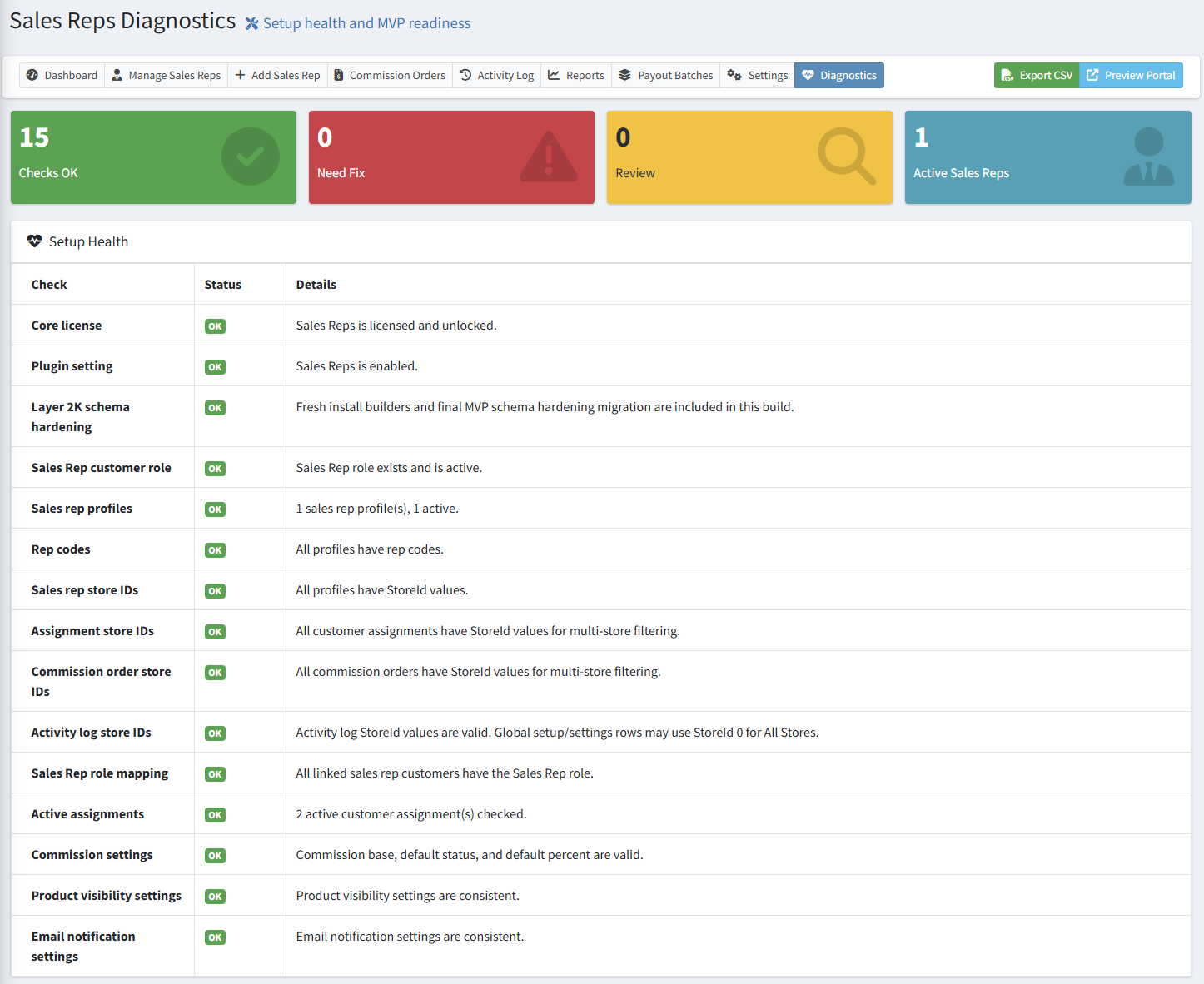
Open Sales Reps > Settings, review the configuration, save the settings, and then open Sales Reps > Diagnostics. If diagnostics show a setup issue, run Repair Sales Reps Setup and refresh the diagnostics page.
Is Sales Reps multi-store aware?
Yes. Sales rep profiles, assignments, commission rows, activity records, reports, diagnostics, settings, product visibility, and admin store scope are designed to support multi-store use.
What does Repair Sales Reps Setup do?
Repair Setup checks supporting roles, missing rep codes, missing store IDs, sales rep role mappings, invalid settings, and upgrade-related data health. It is useful after upgrades, copied deployments, incomplete setup, or when diagnostics show a Fix status.
Section 2: Sales Rep Profiles and Admin Management
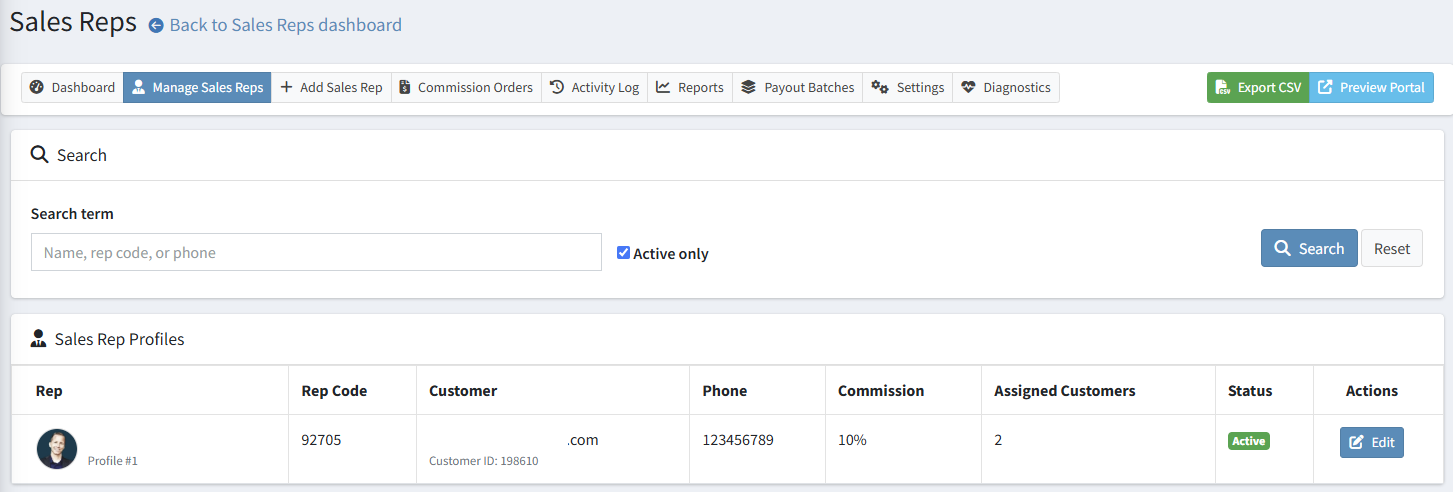
Sales rep profiles connect an approved customer login to a representative record with rep code, contact details, profile photo, default commission, status, and assignments.
How do I create a sales rep?
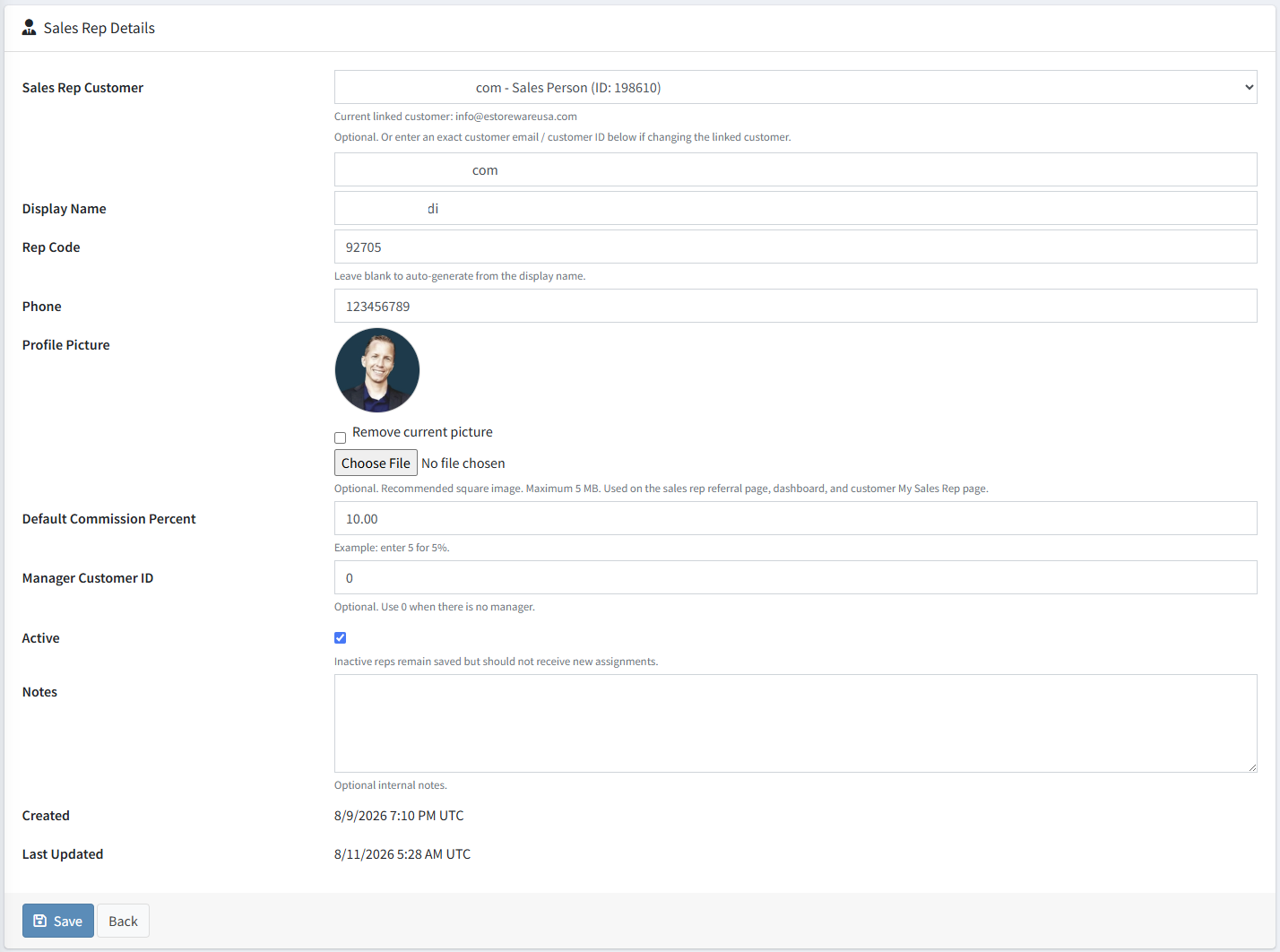
Open Sales Reps > Add Sales Rep, search for the customer account that should act as the rep, choose the customer, enter the display name, rep code, phone number, default commission, and optional profile picture, then save the profile.
Does a sales rep need admin access?
No. The recommended setup is to give sales reps controlled storefront portal access through My Account. Do not give reps full nopCommerce admin product, customer, order, or catalog management permissions unless they are also trusted administrators.
Can I add a sales rep photo?
Yes. A profile photo can be uploaded from the sales rep profile edit page. The photo can appear on the sales rep dashboard, customer My Sales Rep page, admin list, and public referral landing page. If no photo is uploaded, the plugin can use a fallback avatar.
What is the rep code used for?
The rep code is used for public referral links, customer registration rep-code capture, and manual My Account rep-code entry. It helps connect new or existing customers to the correct representative.
Section 3: Customer Assignments, Referral Links, and Rep Codes
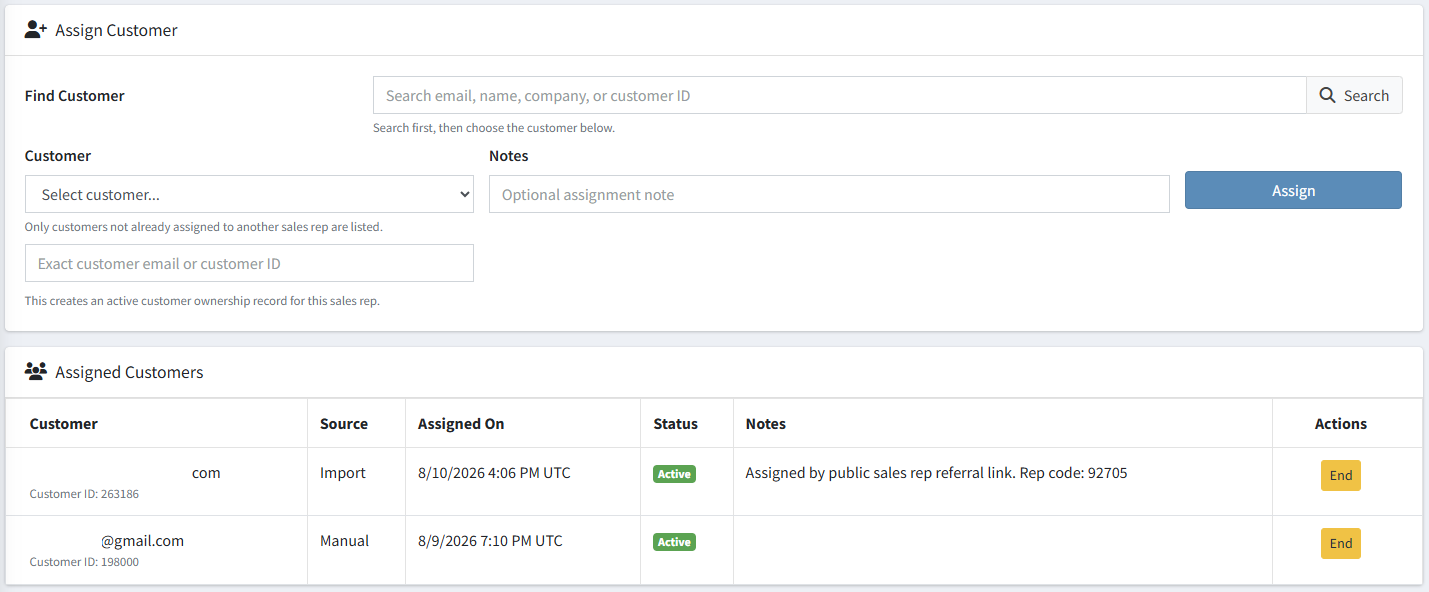
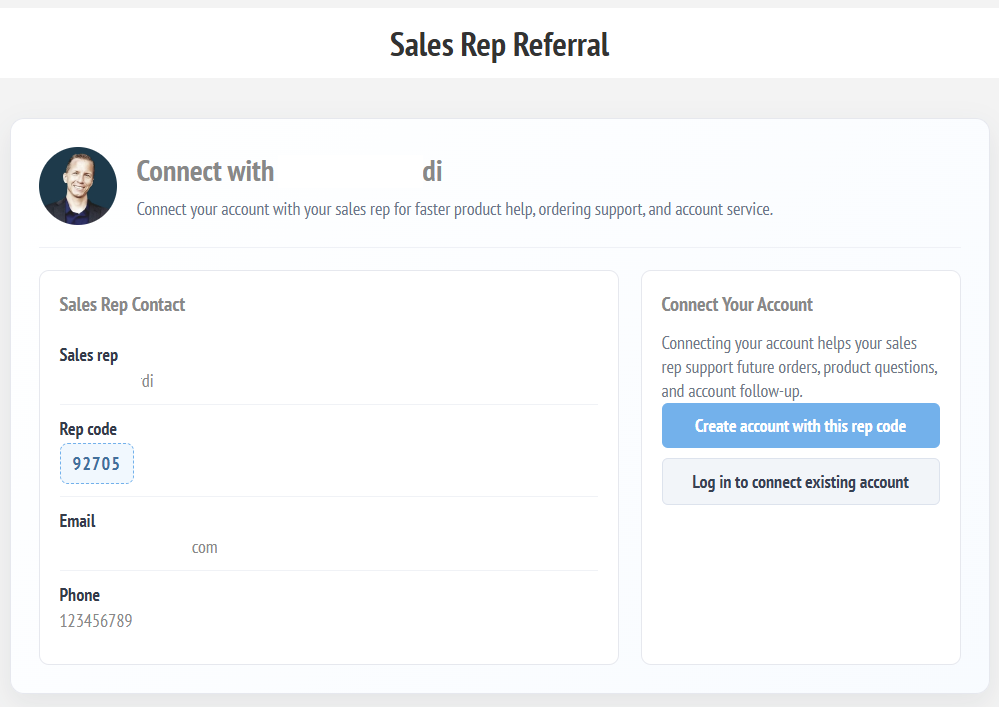
Customers can be assigned manually by an administrator, through a branded referral landing page, through a rep code on registration, or from a My Account rep-code page.
How can a customer be assigned to a sales rep?
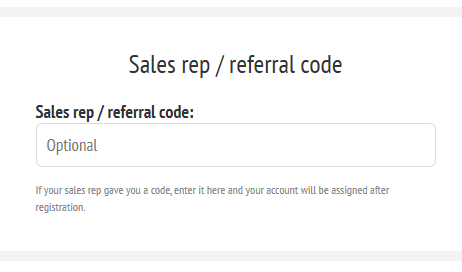
A customer can be assigned manually by an administrator, by using a sales rep referral link, by entering a rep code during registration, or by entering a rep code later from My Account.
Can customers change their assigned sales rep?
The customer-facing workflow is designed to prevent duplicate or accidental reassignment. If a customer already has an active assignment, an administrator should review and end the existing assignment before a new one is created.
What happens when a customer uses a referral link?
The customer sees the sales rep referral landing page. If they create an account or log in and connect, the plugin validates the rep code, checks assignment rules, creates the customer assignment, and can send email notifications.
Can the registration page capture a sales rep code?
Yes. When enabled, the registration page can display an optional Sales rep / referral code field. A referral link can also prefill that code on the registration page.
Section 4: Sales Rep Portal and Customer My Sales Rep Page
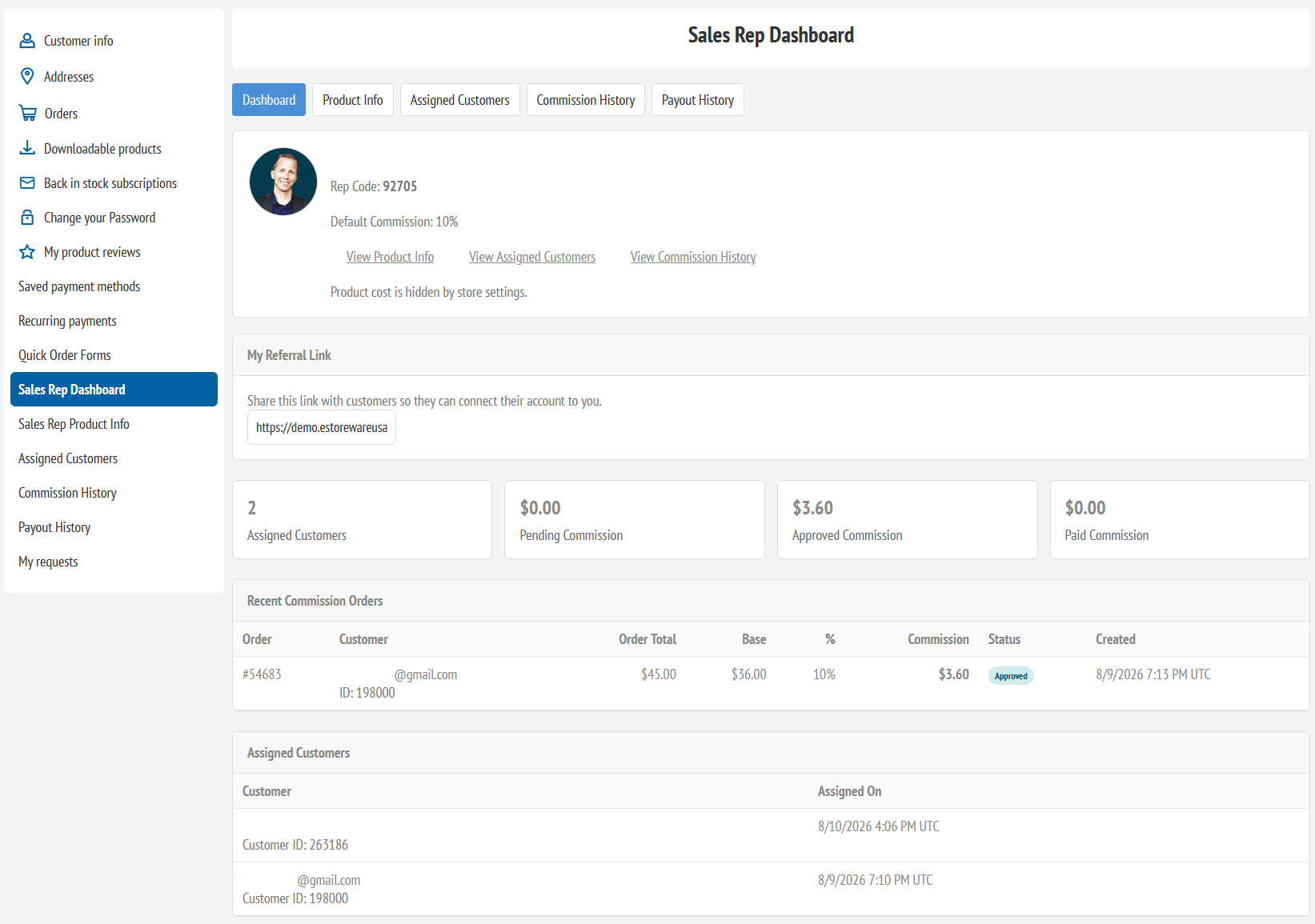
The sales rep portal gives representatives controlled storefront access without granting broad admin permissions. Assigned customers can also see their rep details from My Account.
What can a sales rep see in the portal?
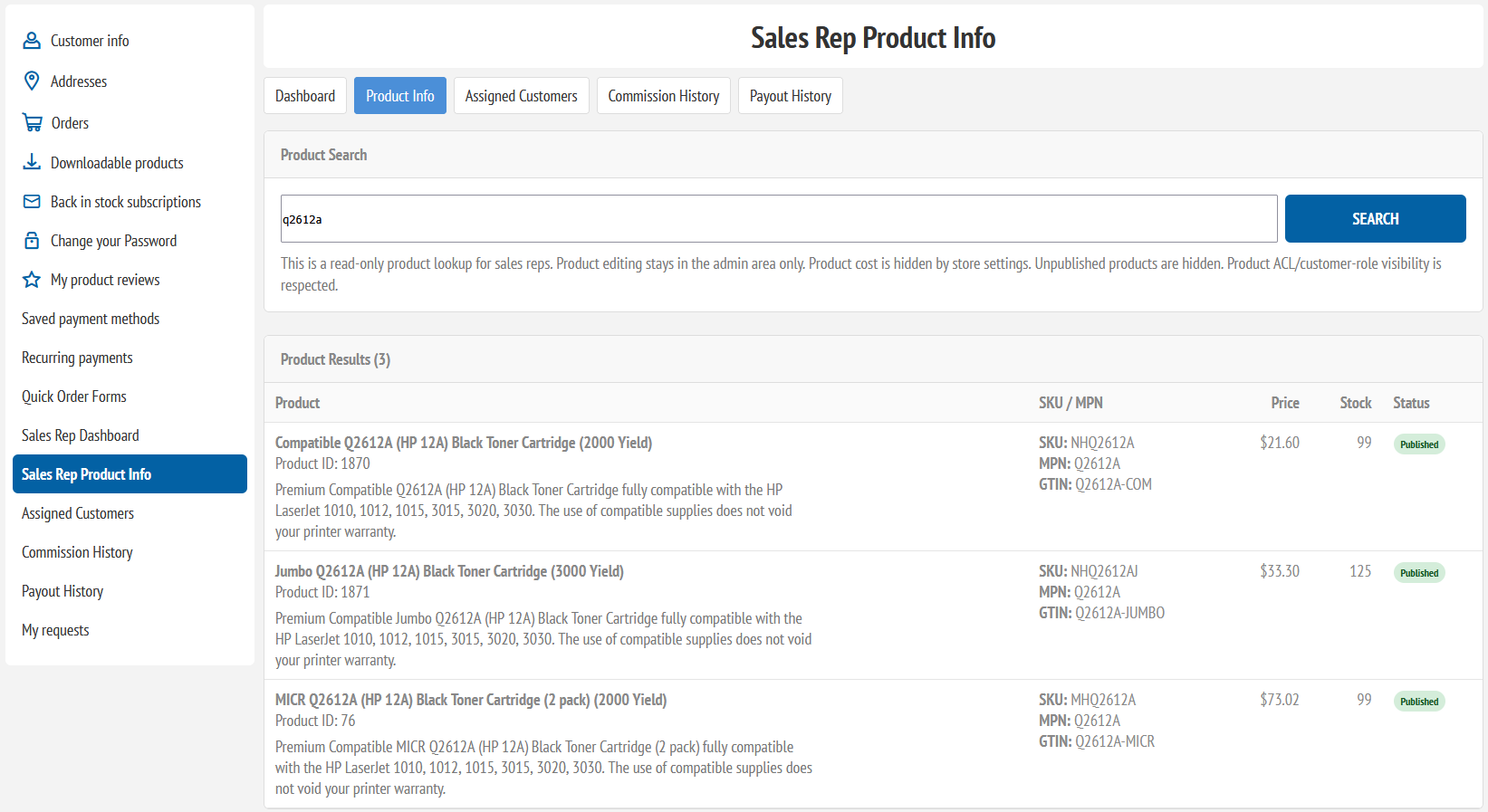
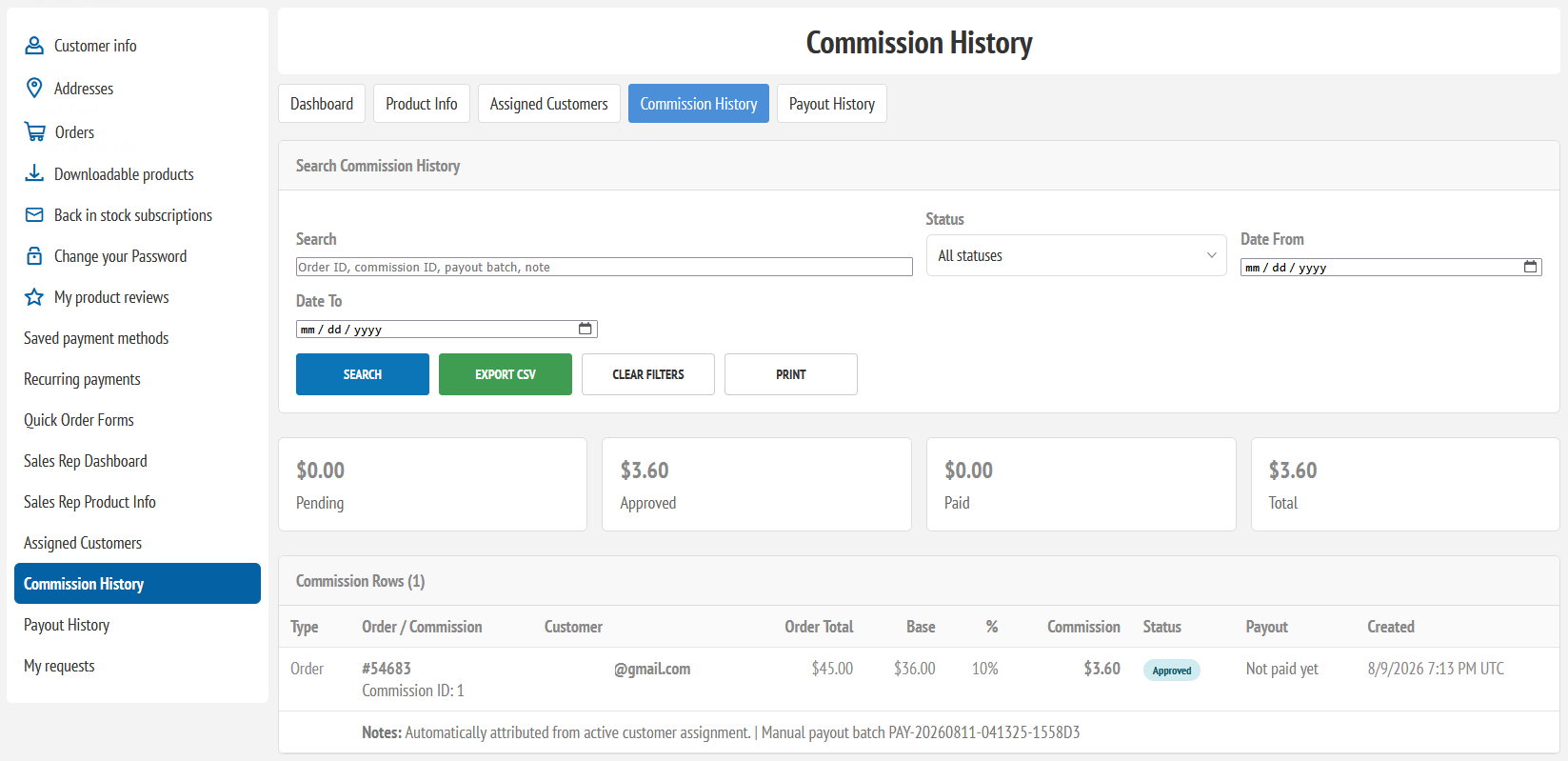
Depending on settings, a sales rep can see a dashboard, product information, assigned customer snapshots, commission history, payout history, and referral link details.
Can sales reps edit products?
No. The product information page is read-only. Product editing stays in the nopCommerce admin area. Product cost can also be hidden from reps by setting.
Does the product lookup respect product visibility?
Yes. The product lookup can respect published status, store mapping, and product ACL/customer-role visibility. Optional settings can allow broader visibility if the store owner wants reps to see more.
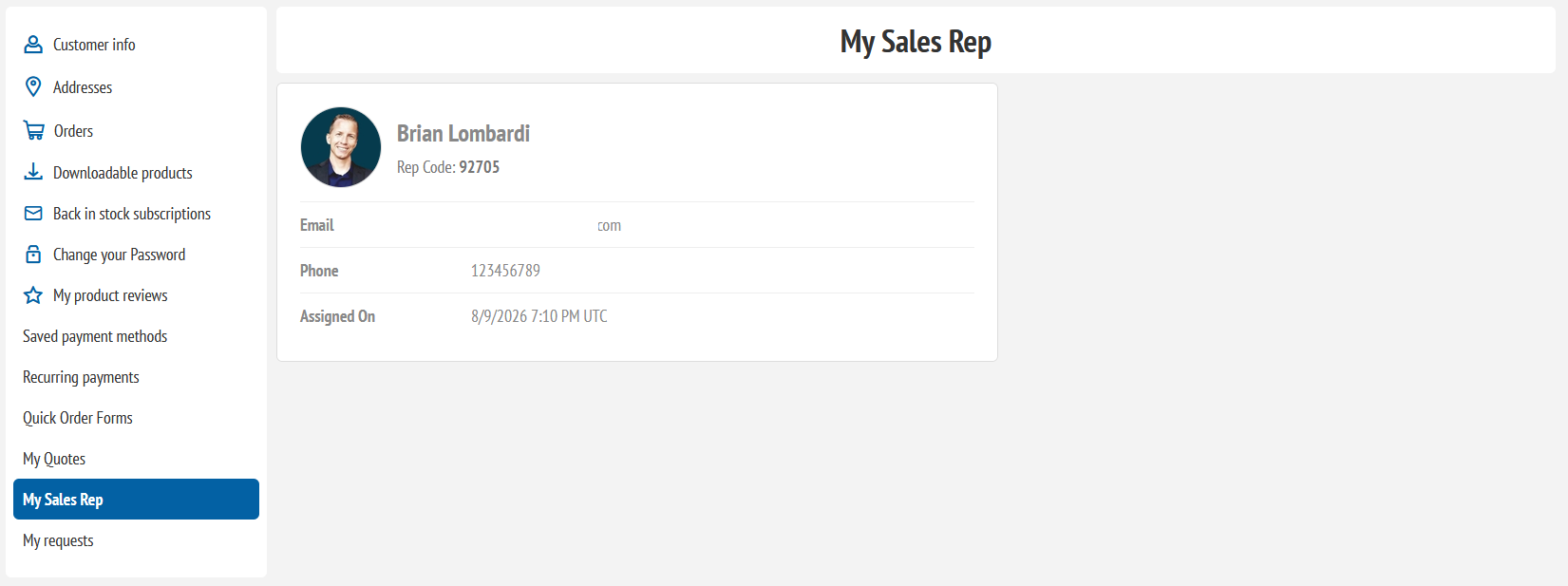
What does the customer see on My Sales Rep?
Assigned customers can see their assigned sales rep name, rep code, email, phone, profile image, and assignment date, depending on the data saved on the sales rep profile.
Section 5: Commissions, Adjustments, and Payout Batches
Assigned-customer orders can create commission rows. Administrators can approve, recalculate, export, adjust, pay, and lock commission records.
How are commissions created?
When an assigned customer places an order, the plugin can automatically create a commission row tied to the assigned sales rep, customer, order, store, commission basis, commission percentage, and initial status.
Can commissions be recalculated?
Current accounting retains the original earning terms and currency. Reconciliation updates unpaid earnings using persisted order and refund state; later rep/settings changes do not replace the original terms. Paid originals remain unchanged, with linked adjustments recording later refund effects.
What happens after a commission is paid?
Paid commissions are locked. They should not be moved back to pending, approved, void, or recalculated. If a correction is needed, use a manual adjustment row instead of changing the paid accounting record.
What are manual commission adjustments?
Manual adjustments allow administrators to enter positive or negative commission rows for bonuses, corrections, deductions, or special payout cases. Approved adjustments can be included in payout batches.
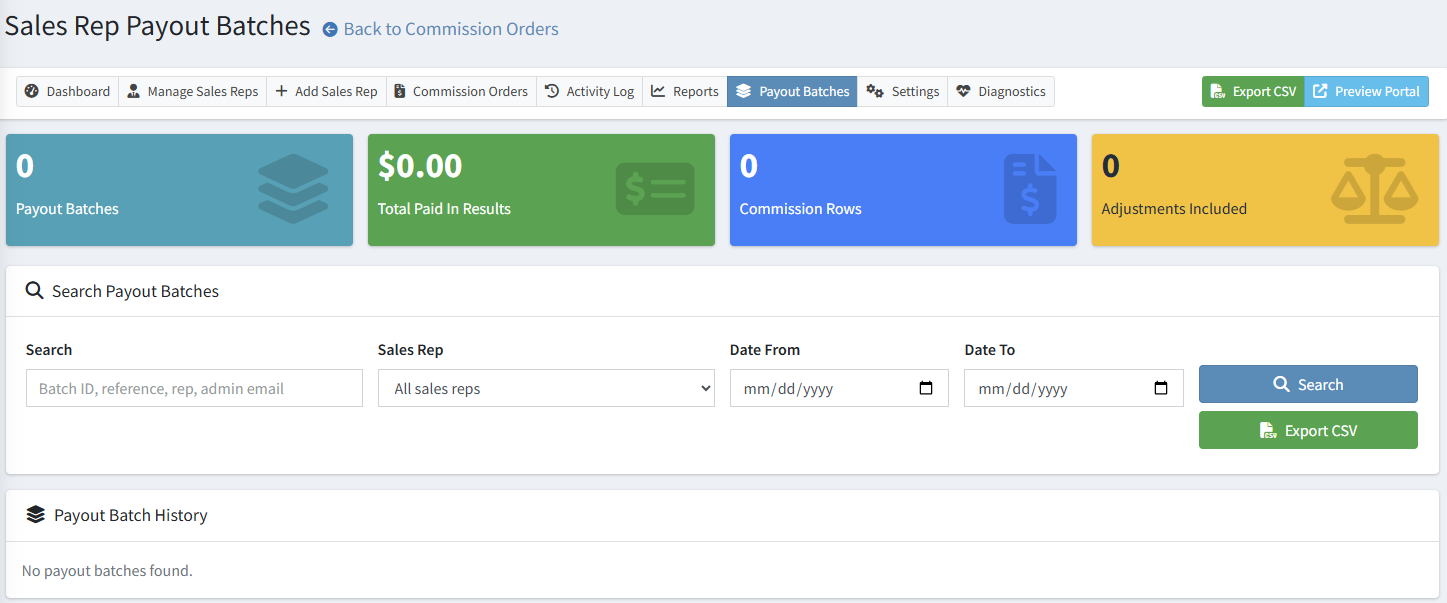
What is a payout batch?
A manual payout batch records a payment made outside the plugin, including its reference and accounting scope; it sends no money. Version 1.28 also includes a separate sandbox ledger for simulated outcomes. Live PayPal/Stripe payout adapters remain future work.
Section 6: Reports, Activity Log, Diagnostics, and Troubleshooting
Sales Reps includes administrative reporting, export tools, activity history, diagnostics, and repair tools to support accounting, operations, and long-term maintenance.
What reports are available?
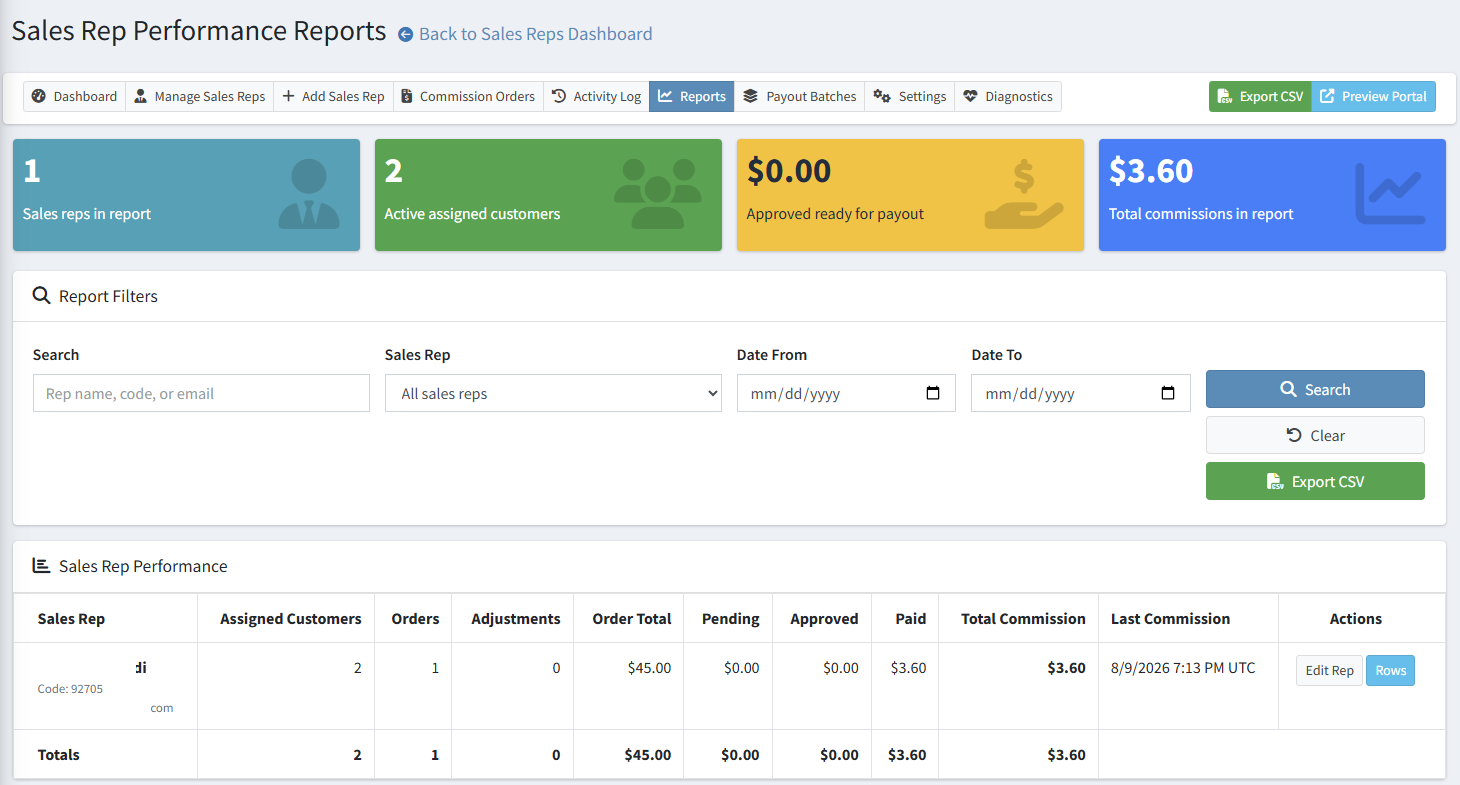
Admin reports can summarize rep performance by assigned customers, order count, adjustments, order totals, pending commission, approved commission, paid commission, total commission, and last commission date.
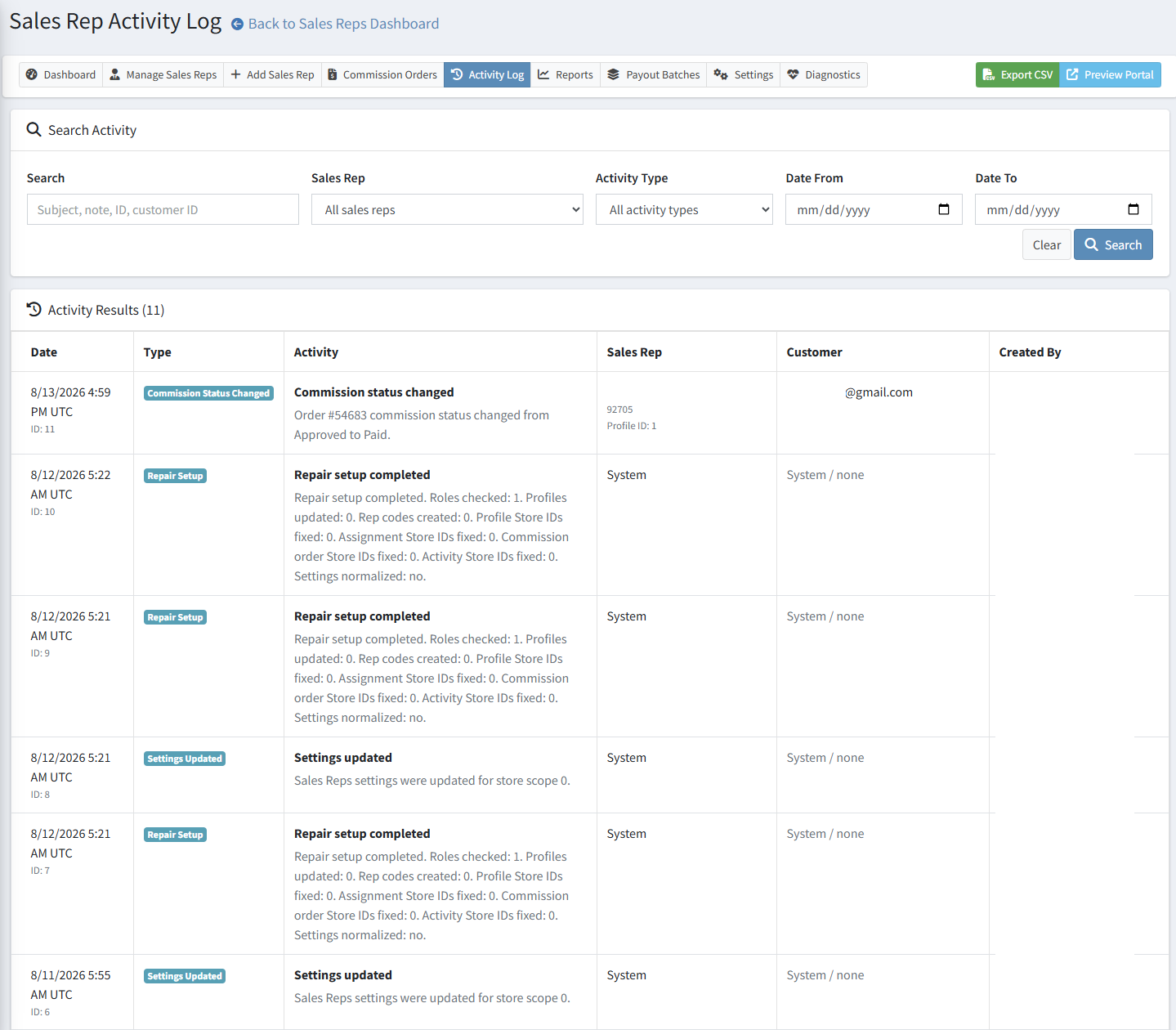
What is recorded in the Activity Log?
The activity log can record profile changes, customer assignments, assignment endings, commission creation, status changes, recalculations, payout batches, settings updates, and repair setup activity.
Why does Diagnostics show Fix or Review?
Diagnostics may show Fix when required setup data is missing or inconsistent. Review means the item may be acceptable but deserves confirmation. Run Repair Setup when diagnostics recommends it, then refresh the page.
Why does a sales rep not see portal links?
Confirm that the plugin is licensed, enabled, the portal setting is enabled, the My Account widget is active, the customer account is linked to an active sales rep profile, and the correct Sales Rep role exists.
Why did an order not create a commission?
Confirm that automatic commission creation is enabled, the customer had an active assignment when the order was placed, the sales rep profile is active, and the plugin is licensed and enabled for the store.
Public screenshot reminder: These images have been redacted for public use. Review screenshots again before publishing if you replace them with live store images.